Describe your Roblox animation action
Try “crouch beneath a beam, then slowly stand.” The ForgeGUI Roblox animation maker uses those actions to define the movement.
Bring your character's movement to life
Put a move into words with the ForgeGUI Roblox animation maker. Watch an R15 character perform the sequence, then export the motion for Roblox Studio.
Roblox animation in context
See generated motion alongside props and scenery. Play each ForgeGUI Roblox animation to judge how the action reads.
“A person runs forward with alternating leg strides and opposite arm swings, steady pace, five seconds.”
“A person stands upright, bends both knees, jumps straight up with both feet, lands on both feet and returns to standing. One clear jump, 5 seconds.”
“A person standing in a balanced stance performs one forward right-hand punch, retracts the arm and returns to the initial stance. No weapon. 5 seconds.”
“A person stands upright, raises both arms to guard the face and block, then lowers the arms. Duration: 5 seconds.”
Direct your Roblox animation
Set the action and duration in the Roblox animation maker, then examine how the poses connect.
Try “crouch beneath a beam, then slowly stand.” The ForgeGUI Roblox animation maker uses those actions to define the movement.
Give the Roblox animation maker time for the sword to rise. A readable windup helps players anticipate the strike.
Turn your ForgeGUI Roblox animation preview forward. Check that the R15 shield sits where the action needs it.
Import your ForgeGUI Roblox animation keyframes into Studio. Test the motion with your character's actual clothing, proportions, and equipment.
Make Roblox animation readable
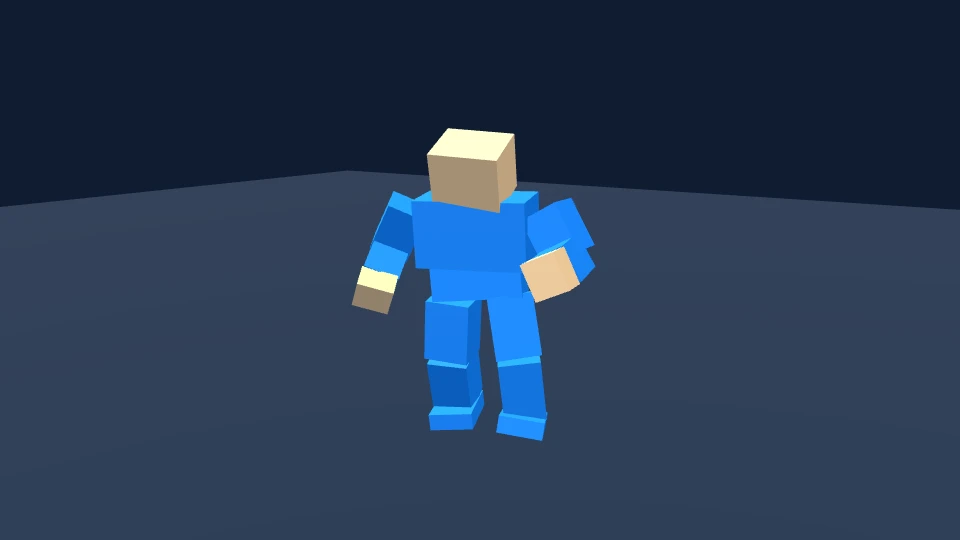
Play your ForgeGUI Roblox animation from start to finish. Check what the character communicates during the action.
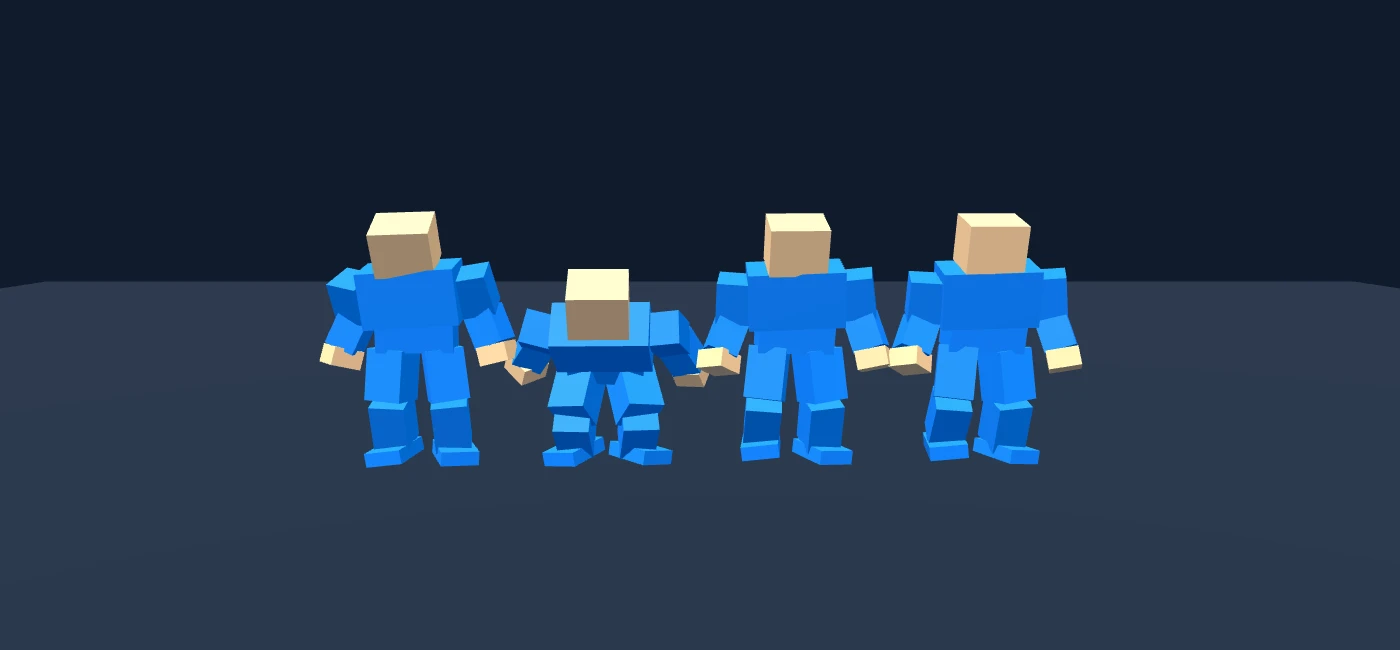
A raised weapon gives players a visible cue to dodge before the attack reaches them.
Bring a ForgeGUI Roblox animation preview to your playtest so feedback can identify a particular pose, rather than a vague impression.
Inspect your Roblox animation maker result through its final stance. Leave enough recovery time before the player's next input.
A ForgeGUI Roblox animation guarding pose might suit a knight with a shield or a beginner protecting their face.
Your first Roblox animation sequence
Develop a single movement in the ForgeGUI Roblox animation workspace, then test it in-game.
Tell the Roblox animation maker which limb leads and where it moves. Select a duration that gives the action room.
Replay the Roblox animation maker result before revising. Check landing feet and hand positions at maximum reach.
Import your downloaded sequence into Studio. Review it on your own avatar from the perspective players will actually see.
Write your Roblox animation brief
Give the Roblox animation maker a physical brief with a clear beginning, direction, and finish.
Start with a physical instruction such as “lean back onto the rear foot.” The ForgeGUI Roblox animation maker can translate that cue into a pose.
Tell the Roblox animation maker which hand carries the weapon or raises the shield, especially for equipped Studio characters.
Finish with a direction like “return to guard” or “land gently” so the ending has a purpose.
Change the reach while holding duration steady. Play both Roblox animation maker results at full speed to judge the difference.
Choose your Roblox animation moment
Start with a sample that resembles the movement your game needs players to understand.
Inspect a jump from the side. Use the landing to guide your decisions about platform spacing and travel speed.
Compare quick jabs with heavier swings in the ForgeGUI Roblox animation maker before deciding when hit detection should activate.
Preview an NPC beckoning from across the room. Check whether someone standing in the doorway can recognize the gesture.
Begin with a guard stance, then raise one elbow. Compare how the adjustment changes the character's overall silhouette.
Creator Workflows
ForgeGUI Roblox workflows help creators compare thumbnail directions, sharpen prompt ideas, and maintain steady production across launches, updates, events, and concepts.
This is the first thumbnail draft I've felt really excited to finish 😭 The palette took a few attempts to get right. I edited the backdrop and repositioned the title myself afterward. Starting from an image instead of an empty canvas made it much easier to decide what needed changing next.
Needed a thumbnail, then stayed to try menu designs too. Unexpectedly fun to explore lol
Lo uso para explorar opciones antes de dibujar. A veces toca repetir, pero una propuesta visual me ayuda a decidir cómo empezar.
Getting an image helps me figure out where to take the design. I still handle the details, especially lettering; more text controls would be nice. Last time I compared three moods for a thumbnail, chose a favorite, and added the words myself. Those options made the decision simpler.
My first game cover is finished! Pretty happy with this one :)
Für Entwürfe finde ich es praktisch. Nach zwei oder drei Versuchen passt meistens die Richtung.
When I'm stuck on colors, I compare different palettes here. Some drafts miss the mark, but one usually gives me a useful place to start designing.
做缩略图时先试几组配色,比盯着空白画布有思路多了哈哈,方向定了再修细节。
My menu idea was vague at first. Comparing several visual drafts helped me see which direction I wanted to build for the game.
Second attempt and the mood finally clicked for me ✨
Mi aiuta a mettere giù le idee. Rifinisco ancora tutto a mano, però partire da una base è più semplice.
サムネの下描き用です。配色を見比べて、お気に入りを探すのが楽しい😊
Fantasy menus are my main reason for using it. Some drafts needed redoing, but I've saved several promising ones.
썸네일에 어울리는 색을 찾을 때 켜요. 몇 가지 시도해 보니까 마음에 드는 분위기가 자연스럽게 잡히더라고요 ㅎㅎ
Told myself I'd try one last idea. Somehow my whole evening disappeared again haha
Watch a sample, then adjust its action brief to suit the character in your game.
Watch sample motionsFind the plan and credits that fit your next sequence.
Billed $95.88 yearly
Save US$107 compared to paying monthly
1,000 credits/Month
up to 100 images/Month
Billed $239.88 yearly
Save US$120 compared to paying monthly
3,000 credits/Month
up to 300 images/Month
$5.99 / creator / month
Billed $719.88 yearly
Save US$839 compared to paying monthly
10,000 credits/Month
up to 1,000 images/Month
Any Questions? Email: support@forgegui.dev
Pay safely and securely with








 More
Roblox animation questions
Understand the brief, browser preview, exported file, and steps for using the movement in Studio.
Give a short sequence: “step ahead, lift the left arm to block, then lower it.” A written description starts the request.
Create and preview your Roblox animation in a browser. You will need Studio when you import the sequence or add your own equipment.
The workspace offers one to twelve seconds. Budget enough time for preparation before a strike and for the character to recover after landing.
R15 is used for the ForgeGUI Roblox animation preview. Your avatar may have different proportions, so verify hand positions and contact with the ground.
No. The examples on this page are free to play. Adapt the written prompt beneath a sample when planning your own movement.
Your export is an RBXMX containing an R15 keyframe sequence. Open it in Studio and check how the motion looks on your character.
The scenes stage generated character movement with props and environments. Only the motion is exported; supply your own weapons, shields, and setting inside Studio.
Your game sets travel speed. Coordinate that speed with the footfalls so a planted foot appears to stay on the ground instead of sliding.
Inspect the opening and closing poses before switching on looping in Studio. Smooth out abrupt changes in the hands or body weight where they meet.
Request a slower preparation and a faster follow-through in the Roblox animation maker. Keep the leading arm unchanged to compare the timing clearly.
Examples cost nothing. Generation needs eligible paid access and credits. Review the displayed workspace price before submitting your Roblox animation request.
Import and publish the sequence through Studio. Then connect playback to your game logic, such as an NPC interaction, encounter, or button action.
Picture the first action your character takes, then explain that movement in the ForgeGUI Roblox animation maker.
Write your movement idea