
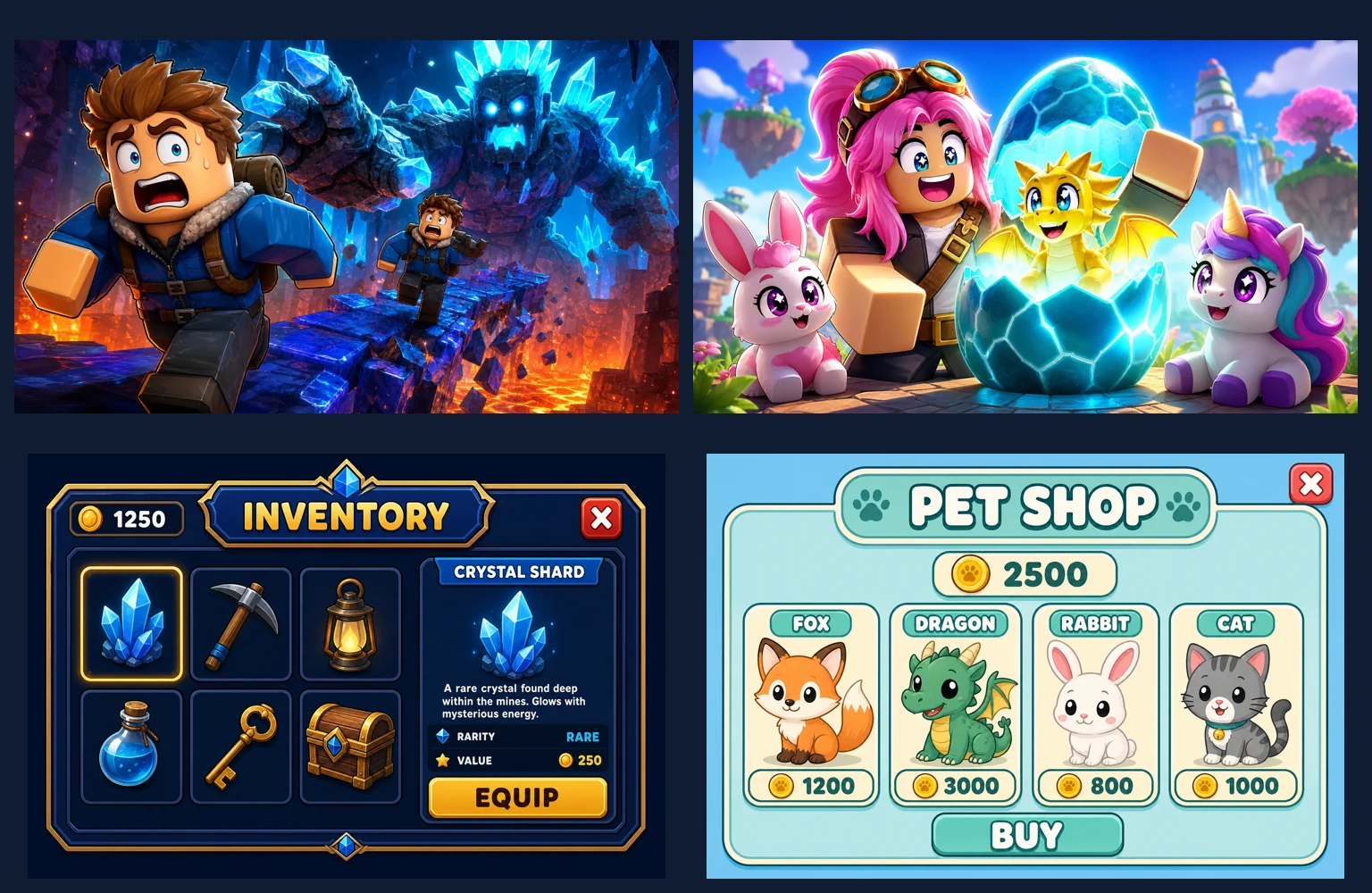
Decal ID Roblox visual finder
decal id roblox to Find and Copy the Right Decal Fast
Search Decal ID Roblox by subject or number, inspect the artwork, and copy a suitable value for your next scene or reference.
Compare Decal ID Roblox results
Start with popular pictures or select a category. Compare Roblox decals by their previews, then choose the Decal ID Roblox result whose subject and style suit your project before copying.


Find the right Decal ID Roblox reference for your build
Plan the surface or visual idea first. Decal ID Roblox pairs previews with copying and creative actions, helping you compare candidates. Check a decal in Roblox by its actual picture, then verify the number instead of relying on a name alone.
Search Decal ID Roblox by subject
Enter a known decal in Roblox in Decal ID Roblox, or describe a sign, face, flag, or effect. Curated Roblox decals appear before live matches for the same search.
Compare Roblox decals before copying
Compare Decal ID Roblox previews, then use Copy ID on your chosen decal in Roblox. Long numbers stay out of the cards while you decide between similar decals on Roblox.
Check Decal ID Roblox edges and contrast
Check colors, transparency, framing, and subject of decals on Roblox in Decal ID Roblox. A clear preview helps you judge whether a decal in Roblox will suit the surface you have in mind.
Remix your Decal ID Roblox reference
Bring a Decal ID Roblox result into Forge GUI as a prepared reference from decals on Roblox. Develop a new Thumbnail or GUI from the qualities you like in those Roblox decals.
Understand the value behind a Decal ID Roblox result
Decal ID Roblox locates numeric references to hosted artwork. The number is neither a local image file nor a promise that every property accepts the same format. A Decal and its underlying texture may have different identifiers. Before placing a decal in Roblox, inspect the picture and check the destination. Reviewing Roblox decals and testing the copied value answer separate questions about visual suitability and technical compatibility.
Match Decal ID Roblox values to Studio
Studio image, texture, and Decal properties can require different values for decals on Roblox. Use Decal ID Roblox to identify the artwork, then verify the property you will use for the decal in Roblox.
Separate Decal ID Roblox wrappers and textures
Decal ID Roblox may receive both a Decal identifier and the texture value for the decal in Roblox. When live details provide a useful texture reference, Forge GUI prefers that value for the copy action.
Verify your Decal ID Roblox selection
Similar names can describe different Roblox decals. Compare the current subject, palette, and transparent edges in Decal ID Roblox so the number you copy belongs to the decals on Roblox you intended.
Check Decal ID Roblox reuse permissions
A result in Decal ID Roblox is discoverable artwork, not automatic authorization. Check creator conditions and relevant rights before publishing decals on Roblox as part of your own experience.
Choose Decal ID Roblox references around a real scene
Decide what the image adds to the player's experience. Decal ID Roblox can help with signs, decorative surfaces, interface symbols, promotional concepts, or team references. Consider viewing distance, contrast, and readable detail. Check decals on Roblox at the intended size so you do not select artwork that only works in a large preview.
Find Decal ID Roblox interface references
Browse Decal ID Roblox for emblems, faces, frames, and crosshair references. Review Roblox decals at interface size before using their visual language to plan a larger menu or HUD using a decal in Roblox.
Explore Decal ID Roblox world details
Search Decal ID Roblox for posters, warnings, flags, or fictional advertising from decals on Roblox. A decal in Roblox should add information or atmosphere while remaining readable against the surrounding scene and surface.
Plan a Decal ID Roblox thumbnail reference
Decal ID Roblox can reveal a prop, expression, texture, or effect that suggests a thumbnail direction. Use those Roblox decals as permitted inspiration, then supply your own scene and composition inspired by decals on Roblox.
Share your Decal ID Roblox selection
Keep a Decal ID Roblox reference for Roblox decals and its preview in the team brief. Designers, builders, and scripters can then discuss the same candidate before anyone places the decal in Roblox.
Take a Decal ID Roblox result from search to review
Search with a specific clue, inspect the artwork, and test the copied identifier in its intended Studio object. Decal ID Roblox supports both recovering a known asset and exploring options for a new scene. When reviewing decals on Roblox, keep the visual decision separate from the format check: the picture may be appropriate even when the first copied number is not suitable for a property.
- 01
Narrow your Decal ID Roblox search
Use an exact value in Decal ID Roblox when you have one. Otherwise, combine a subject and color or purpose for decals on Roblox to narrow the search for a decal in Roblox.
- 02
Test Decal ID Roblox results in Studio
Confirm the preview, label, and category of your Roblox decals in Decal ID Roblox. Copy the identifier, paste it into the supported property, and inspect how the decal in Roblox appears where players will see it.
- 03
Plan a new use for a decal in Roblox
Send your Decal ID Roblox selection to Forge GUI and explain which colors, expression, or layout from Roblox decals should guide the result. Create a new scene rather than requesting a duplicate of the reference.
Keep Decal ID Roblox browsing focused on the next decision
Find a visual that belongs in your build. Decal ID Roblox starts with curated matches and expands to live results when needed, supporting both familiar subjects and unusual references. Compare pictures, copy a candidate, or prepare it for creative work. The next action stays beside the asset instead of requiring another search or manual file transfer.
Browse the Decal ID Roblox collection
Decal ID Roblox uses names, categories, keywords, and popularity to surface saved matches. Exact numeric searches also check locally first, helping you find familiar Roblox decals without unnecessary browsing.
Find decals on Roblox beyond saved results
Decal ID Roblox appends live results automatically when fewer than nine local matches for Roblox decals exist. Larger local sets are paged through before the search expands, preserving the curated order while supporting a wider range of subjects.
Compare Decal ID Roblox previews first
Decal ID Roblox shows large pictures with short labels. Assess the visual fit before copying its number, especially when several decals on Roblox share similar names or closely related themes.
Prepare your Decal ID Roblox reference
Remix with image moves the selected Decal ID Roblox reference for Roblox decals into Forge GUI. Skip a separate download and upload, then write the new scene or interface direction inspired by a decal in Roblox you want to explore.
Check the source before reusing a Decal ID Roblox reference
A public result still has a creator and conditions governing use. Decal ID Roblox helps with discovery, but it does not transfer rights or make every picture appropriate for your project. Review permissions, attribution requirements, trademarks, and platform rules before publishing. When studying decals on Roblox for inspiration, identify the palette, mood, or composition that interests you and develop your own direction. Keep a record of approved references so collaborators understand why a source was selected and how it may be used.
Retain the creator's terms with the asset
Record the source of each decal in Roblox you intend to use and keep any attribution required for Roblox decals visible. Discovery through Decal ID Roblox does not replace the conditions attached to that artwork.
Develop original ideas from decals on Roblox
A Decal ID Roblox reference can suggest colors, framing, or atmosphere from Roblox decals. Combine permitted inspiration with new characters, action, and creative choices instead of reproducing the original image's complete concept.
Review the final image as part of your game
Compare the remix with your intended world and identity before publishing. Keep approved source records and inspect the outcome, so artwork inspired by Roblox decals serves a clear original purpose.
A Decal ID Roblox checklist for your next build
Confirm the picture, copied value, source, and destination before the reference becomes part of a scene or brief.
Remix with image: find a specific visual candidate
Search Decal ID Roblox with a known number or a precise subject. Compare the previews of decals on Roblox, then copy only the value that matches the picture you selected.
Remix with image: review the reference before using it
Check framing, transparent areas, orientation, and permission status. Record where the decal in Roblox will belong. Use Remix with image when your next step is developing a distinct creative direction.
Creator Workflows
How Creators Use ForgeGUI Roblox Workflows
ForgeGUI Roblox workflows help creators compare thumbnail directions, sharpen prompt ideas, and maintain steady production across launches, updates, events, and concepts.
4.8
This is the first thumbnail draft I've felt really excited to finish 😭 The palette took a few attempts to get right. I edited the backdrop and repositioned the title myself afterward. Starting from an image instead of an empty canvas made it much easier to decide what needed changing next.
fernpixels
5.0
Needed a thumbnail, then stayed to try menu designs too. Unexpectedly fun to explore lol

Willow.exe
4.8
Lo uso para explorar opciones antes de dibujar. A veces toca repetir, pero una propuesta visual me ayuda a decidir cómo empezar.

maría.diseña
4.5
Getting an image helps me figure out where to take the design. I still handle the details, especially lettering; more text controls would be nice. Last time I compared three moods for a thumbnail, chose a favorite, and added the words myself. Those options made the decision simpler.

RAYsketch
4.9
My first game cover is finished! Pretty happy with this one :)

misty_irl
4.6
Für Entwürfe finde ich es praktisch. Nach zwei oder drei Versuchen passt meistens die Richtung.

flinkerFuchs
4.7
When I'm stuck on colors, I compare different palettes here. Some drafts miss the mark, but one usually gives me a useful place to start designing.
alex.zip
4.9
做缩略图时先试几组配色,比盯着空白画布有思路多了哈哈,方向定了再修细节。
山谷慢慢画
4.8
My menu idea was vague at first. Comparing several visual drafts helped me see which direction I wanted to build for the game.

noah.makes
5.0
Second attempt and the mood finally clicked for me ✨
TOFU.dev
4.7
Mi aiuta a mettere giù le idee. Rifinisco ancora tutto a mano, però partire da una base è più semplice.
seraViola
4.9
サムネの下描き用です。配色を見比べて、お気に入りを探すのが楽しい😊
すもも_工房
4.6
Fantasy menus are my main reason for using it. Some drafts needed redoing, but I've saved several promising ones.
glyph.wav
4.8
썸네일에 어울리는 색을 찾을 때 켜요. 몇 가지 시도해 보니까 마음에 드는 분위기가 자연스럽게 잡히더라고요 ㅎㅎ
바람소풍
5.0
Told myself I'd try one last idea. Somehow my whole evening disappeared again haha
Jax_404
Decal ID Roblox questions before you use a result
Understand the search, preview, copy action, and creative handoff. These Decal ID Roblox answers cover identifiers, categories, live results, rights, and loading problems. Review the picture and destination together so your lookup produces a useful reference, not just another unexplained number in project notes.
01What should I type into Decal ID Roblox?
Paste an exact identifier to recover a known asset, or describe the visible subject with a useful qualifier. Anime eyes, a blue crosshair, or a warning sign gives the search something concrete to match. Decal ID Roblox checks curated results first and adds live matches when needed. Inspect the preview before copying the number for your intended surface.
02How do I get the number when the card shows only artwork?
Choose Copy ID beside the matching preview. Decal ID Roblox keeps long numbers out of the visual grid so you can compare artwork without numeric clutter. The selected identifier is copied to your clipboard. Paste it into the correct Studio property or record it with the reference, then verify the result in its intended context.
03Is a Decal's asset ID always the same as its image value?
A Decal wrapper and its underlying texture may have separate identifiers. Decal ID Roblox prefers a useful texture value when live details expose one. Check the destination property's expected format before treating the values as interchangeable. Testing a decal in Roblox on the actual object is the practical way to confirm that you copied a suitable reference.
04Can I compare pictures without writing a keyword?
Browse the categories for themes such as Anime, Aesthetic, Cats, Scary, Cute, Memes, Crosshairs, Flags, Funny, Furry, or Minecraft. The category row scrolls on smaller screens. Decal ID Roblox provides previews within those groups, helping you compare Roblox decals and find a direction without already knowing an asset's name or numeric identifier.
05When does the catalog load live search results?
Decal ID Roblox adds live results automatically when fewer than nine local matches exist. With nine or more, Load more goes through the stored pages before querying Roblox. Curated results stay first, while the search can still reach less familiar subjects beyond the saved collection.
06How should I apply the copied number in Studio?
Select the intended object or interface element and use its supported texture or image property. Follow current Studio guidance for the expected format, then inspect the artwork in place. Decal ID Roblox cannot change asset access or moderation. A copied value therefore needs a practical test; it is not a guarantee that every destination will display the image.
07What does the Remix with image action change?
Remix with image prepares your selected Decal ID Roblox picture as a reference in the Forge GUI workspace. Describe an original Thumbnail or GUI and identify the useful visual qualities. The handoff avoids downloading and uploading the reference manually; your own prompt supplies the new subject, setting, and composition.
08May I use a decal in Roblox commercially?
Public visibility is not a blanket commercial license. Check source conditions, creator permissions, Roblox policies, and relevant copyright or trademark rights before publishing. Decal ID Roblox helps locate a reference, but the terms attached to it still govern use. If permission is uncertain, choose or license another image rather than assuming a searchable asset is free to reuse.
09Why do some decals on Roblox stop appearing?
An asset can become private, be removed or moderated, or face changed delivery behavior. You may also have copied a value unsuitable for the selected property. Recheck the identifier and its current result in Decal ID Roblox, then test another appropriate reference if access has changed. Confirm availability again before relying on decals on Roblox in a published scene.
10Is Forge GUI operated or endorsed by Roblox?
Forge GUI is independent, without Roblox Corporation affiliation or endorsement. Roblox names and marks belong to their owners. Decal ID Roblox supports visual discovery and creative references; consult official documentation and policies for publishing and display requirements. The catalog helps you locate artwork, while platform rules still govern how it may appear in your experience.
Put your Decal ID Roblox discovery into a new creative brief
Choose the picture that fits your idea, bring it into Forge GUI, and describe what should change. A Decal ID Roblox reference can guide a fresh Thumbnail or GUI when you supply the new scene, focal point, and visual purpose yourself.