Best Roblox Scripts AI for Roblox Studio| ForgeGUI
Bring a player action to Roblox AI Scripting. Connect ForgeGUI for artwork and Studio for place access, then develop its Luau behavior and observe the result in Play mode.
Interaction ArtworkLuau BehaviorPlaytest Feedback
Connect your tools with MCP
01
Authorize ForgeGUI MCP
Give Codex access to artwork generation. Use a separate Studio connection for Roblox AI Scripting in your place.
Set a door's opening rule in Roblox AI Scripting, then inspect the Roblox scripts AI offers before trying the interaction.
Explore Roblox scripts AI can help draft
Roblox Scripts behind familiar player actions
Study three Roblox AI Scripting exercises. The images illustrate each concept, while the accompanying excerpts demonstrate part of the logic; they are not complete implementations or customer case studies.
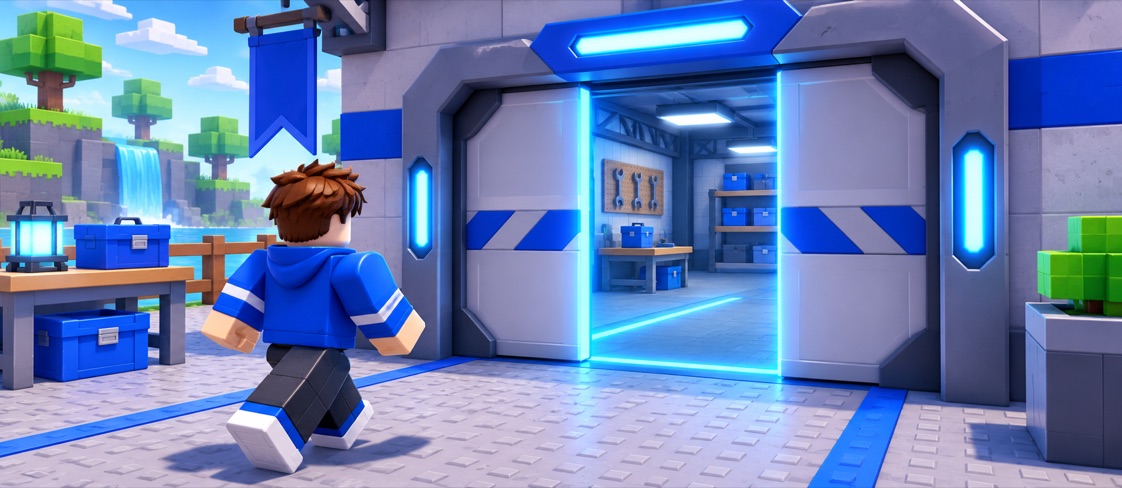
Roblox AI Scripting for doors
Tell your Roblox script generator which part should move and in what direction. In Roblox AI Scripting, define how a second activation behaves while that movement is still underway.
prompt.Triggered:Connect(function()
  if busy then return end
  -- Open, wait, and close the door
end)
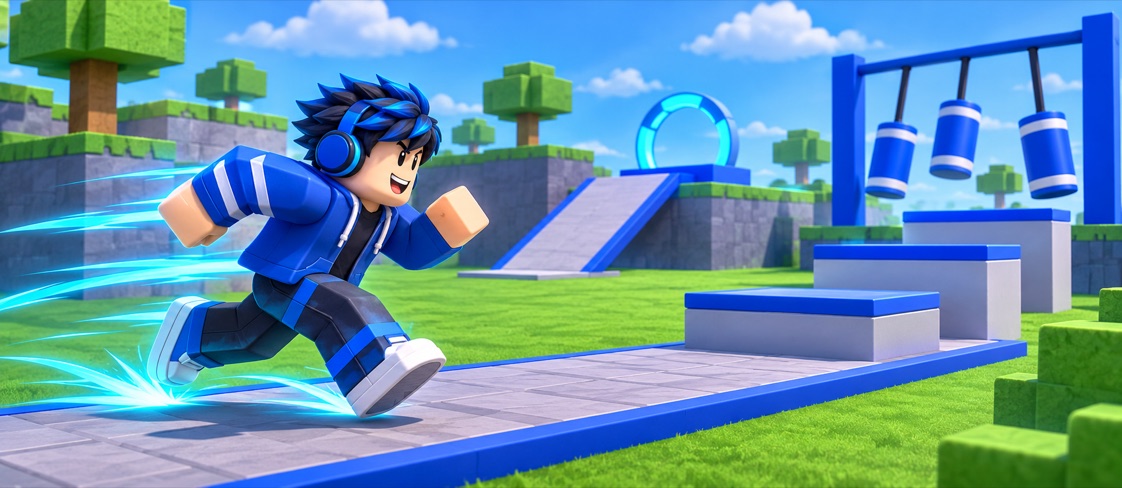
Roblox AI Scripting for sprinting
Specify a temporary speed increase in Roblox AI Scripting. Examine the Roblox scripts AI drafts for button release and character reset, including when normal movement speed should return.
-- After validating the sprint request
humanoid.WalkSpeed = sprintSpeed
-- Restore normal speed when sprint ends
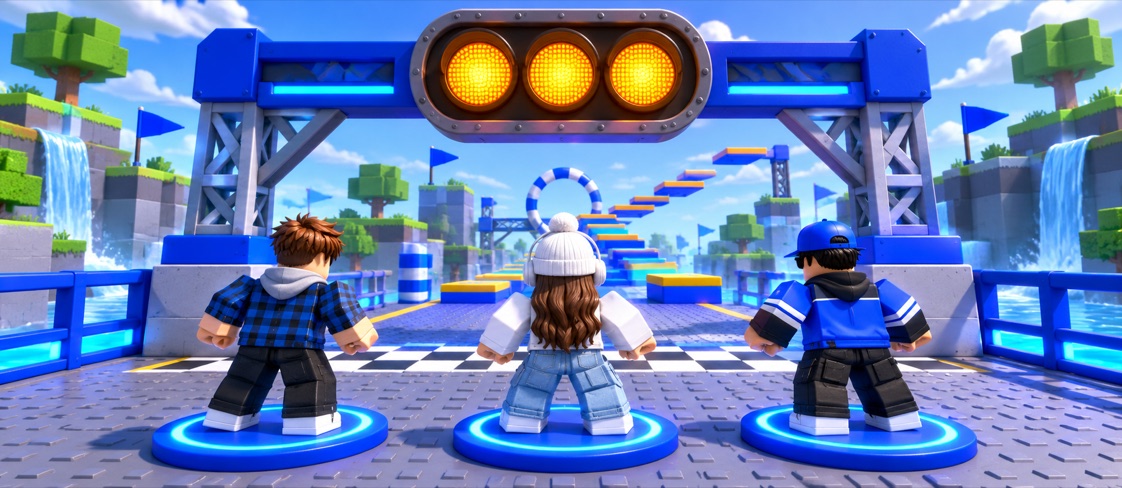
Coordinate rounds with Roblox AI Scripting
Request a shared timer from your Roblox Luau AI assistant. Use Roblox AI Scripting to explain how the server communicates the countdown to someone joining midway through a round.
for remaining = 10, 0, -1 do
  countdown.Value = remaining
  task.wait(1)
end
Your Roblox AI Scripting workspace
Follow one mechanic across the connected tools
In Roblox AI Scripting, decide what players recognize, what they do, and which result to check. Develop these Roblox scripts before adding more mechanics.
Make the interactive object easy to recognize
Request workshop artwork alongside Roblox AI Scripting. Distinguish the image name from the actual door in Explorer when briefing your Roblox script generator, so the code refers to the intended scene object.
Treat Roblox AI Scripting as an inspectable first draft. Connect Roblox scripts to actions in your place, then use playtest results to choose the next adjustment.
Brief Roblox AI Scripting in player terms
Begin Roblox AI Scripting with what someone does and what they should see. That concrete outcome guides the implementation discussion.
Match Roblox AI Scripting to Explorer
Supply object names to your Roblox script generator so Roblox AI Scripting produces references you can locate in the actual scene.
Observe each Roblox AI Scripting change
Have your Roblox Luau AI assistant explain the delay. Explore Roblox AI Scripting by adjusting it and timing the door yourself.
Test Roblox AI Scripting rules separately
Playtest the Roblox scripts AI drafts in isolation. Keep Roblox AI Scripting changes small enough to understand before linking another mechanic.
Roblox AI Scripting from setup to feedback
Set up a focused Roblox AI Scripting test
Build a door interaction with Roblox Luau AI guidance. Give your first Roblox AI Scripting experiment a separate test place and a clear expected outcome.
01
Check your Roblox AI Scripting connections
Link Claude or Codex to ForgeGUI MCP and your local Studio session. Verify the active place before requesting Roblox AI Scripting edits.
02
Brief your Roblox Luau AI assistant
Tell the Roblox script generator which trigger opens the door. Ask Roblox Luau AI to clarify placement and the closing delay.
03
Repeat your Roblox AI Scripting test
Try several activations and compare the result with your rule. Report the first mismatch to Roblox AI Scripting, including the steps that produced it.
Make Roblox scripts AI drafts easier to review
Write a brief with a clear success condition
Before Roblox AI Scripting begins, identify the affected object and explain when it should change. Give your Roblox script generator one case to ignore, such as input during an animation.
01
Locate the Roblox AI Scripting target
Point your Roblox script generator to WorkshopDoor in Explorer. Tell Roblox AI Scripting whether the target is a single part or a model containing several parts.
02
Separate Roblox AI Scripting contexts
Use Roblox Luau AI to clarify which players see the change. In Roblox AI Scripting, ask for shared behavior on the server and individual feedback on the client.
03
Define repeated Roblox AI Scripting actions
Give Roblox AI Scripting rules for repeated activation during movement. For sprinting, cover cooldown, button release, and character reset.
04
Reproduce Roblox AI Scripting failures
Provide the first Output error alongside reproduction steps. Review the Roblox scripts AI returns against the existing code, then test the correction before expanding your Roblox AI Scripting request.
Choose your first Roblox AI Scripting exercise
Choose a change you can finish and test
Set a realistic Roblox AI Scripting target for your project. Completing one observable interaction with Roblox Luau AI guidance gives you a sounder basis than starting several systems at once.
Review Roblox scripts AI drafts as a beginner
Open a door with Roblox AI Scripting. Trace the event and try a different delay before moving on to another game rule.
A Roblox script generator for solo projects
Use your Roblox script generator to prototype one mechanic. Verify Roblox AI Scripting behavior before extending progression.
Roblox Luau AI for interface work
Ask Roblox Luau AI about a button event, then check mouse and touch behavior through Roblox AI Scripting.
Review Roblox scripts AI drafts as a team
Pass along the Roblox scripts AI drafted with repeatable checks, helping collaborators return specific Roblox AI Scripting feedback.
Creator Workflows
How Creators Use ForgeGUI Roblox Workflows
ForgeGUI Roblox workflows help creators compare thumbnail directions, sharpen prompt ideas, and maintain steady production across launches, updates, events, and concepts.
4.8
This is the first thumbnail draft I've felt really excited to finish 😭 The palette took a few attempts to get right. I edited the backdrop and repositioned the title myself afterward. Starting from an image instead of an empty canvas made it much easier to decide what needed changing next.
fernpixels
5.0
Needed a thumbnail, then stayed to try menu designs too. Unexpectedly fun to explore lol
Willow.exe
4.8
Lo uso para explorar opciones antes de dibujar. A veces toca repetir, pero una propuesta visual me ayuda a decidir cómo empezar.
maría.diseña
4.5
Getting an image helps me figure out where to take the design. I still handle the details, especially lettering; more text controls would be nice. Last time I compared three moods for a thumbnail, chose a favorite, and added the words myself. Those options made the decision simpler.
RAYsketch
4.9
My first game cover is finished! Pretty happy with this one :)
misty_irl
4.6
Für Entwürfe finde ich es praktisch. Nach zwei oder drei Versuchen passt meistens die Richtung.
flinkerFuchs
4.7
When I'm stuck on colors, I compare different palettes here. Some drafts miss the mark, but one usually gives me a useful place to start designing.
A
alex.zip
4.9
做缩略图时先试几组配色,比盯着空白画布有思路多了哈哈,方向定了再修细节。
谷
山谷慢慢画
4.8
My menu idea was vague at first. Comparing several visual drafts helped me see which direction I wanted to build for the game.
noah.makes
5.0
Second attempt and the mood finally clicked for me ✨
TOFU.dev
4.7
Mi aiuta a mettere giù le idee. Rifinisco ancora tutto a mano, però partire da una base è più semplice.
s
seraViola
4.9
サムネの下描き用です。配色を見比べて、お気に入りを探すのが楽しい😊
す
すもも_工房
4.6
Fantasy menus are my main reason for using it. Some drafts needed redoing, but I've saved several promising ones.
glyph.wav
4.8
썸네일에 어울리는 색을 찾을 때 켜요. 몇 가지 시도해 보니까 마음에 드는 분위기가 자연스럽게 잡히더라고요 ㅎㅎ
바
바람소풍
5.0
Told myself I'd try one last idea. Somehow my whole evening disappeared again haha
J
Jax_404
4.8
This is the first thumbnail draft I've felt really excited to finish 😭 The palette took a few attempts to get right. I edited the backdrop and repositioned the title myself afterward. Starting from an image instead of an empty canvas made it much easier to decide what needed changing next.
fernpixels
5.0
Needed a thumbnail, then stayed to try menu designs too. Unexpectedly fun to explore lol
Willow.exe
4.8
Lo uso para explorar opciones antes de dibujar. A veces toca repetir, pero una propuesta visual me ayuda a decidir cómo empezar.
maría.diseña
4.5
Getting an image helps me figure out where to take the design. I still handle the details, especially lettering; more text controls would be nice. Last time I compared three moods for a thumbnail, chose a favorite, and added the words myself. Those options made the decision simpler.
RAYsketch
4.9
My first game cover is finished! Pretty happy with this one :)
misty_irl
4.6
Für Entwürfe finde ich es praktisch. Nach zwei oder drei Versuchen passt meistens die Richtung.
flinkerFuchs
4.7
When I'm stuck on colors, I compare different palettes here. Some drafts miss the mark, but one usually gives me a useful place to start designing.
A
alex.zip
4.9
做缩略图时先试几组配色,比盯着空白画布有思路多了哈哈,方向定了再修细节。
谷
山谷慢慢画
4.8
My menu idea was vague at first. Comparing several visual drafts helped me see which direction I wanted to build for the game.
noah.makes
5.0
Second attempt and the mood finally clicked for me ✨
TOFU.dev
4.7
Mi aiuta a mettere giù le idee. Rifinisco ancora tutto a mano, però partire da una base è più semplice.
s
seraViola
4.9
サムネの下描き用です。配色を見比べて、お気に入りを探すのが楽しい😊
す
すもも_工房
4.6
Fantasy menus are my main reason for using it. Some drafts needed redoing, but I've saved several promising ones.
glyph.wav
4.8
썸네일에 어울리는 색을 찾을 때 켜요. 몇 가지 시도해 보니까 마음에 드는 분위기가 자연스럽게 잡히더라고요 ㅎㅎ
바
바람소풍
5.0
Told myself I'd try one last idea. Somehow my whole evening disappeared again haha
J
Jax_404
Give Roblox AI Scripting a first playable task
Define one door interaction for Roblox AI Scripting. Link the assistant, open your test place, and compare what happens in Play mode with the rule you described.
Use ForgeGUI artwork alongside Roblox AI Scripting. Eligible generation consumes ForgeGUI credits, while your connected Claude or Codex account determines access to that assistant separately.
Review connections, script placement, and credits before starting Roblox AI Scripting. These answers help you inspect and playtest the Roblox scripts AI drafts from your first prompt.
Choose a timer, door, or sprint action. Give your Roblox script generator a trigger and outcome, then use Roblox Luau AI to explain the Roblox scripts AI drafts before extending the mechanic.
Follow setup, then continue in Claude or Codex. The assistant becomes your Roblox script generator; Studio supplies place access for Roblox AI Scripting. This page provides connection guidance rather than downloadable code.
Authorize ForgeGUI MCP and connect your local Studio session. Identify the open place before Roblox AI Scripting changes anything. Inspect the objects and Roblox scripts AI proposes before applying edits.
ForgeGUI MCP generates artwork; Studio MCP accesses your open place. Roblox AI Scripting combines those tasks in a conversation. Connect both when the feature needs artwork and scene changes.
Describe the behavior first. Your Roblox Luau AI assistant can explain events, properties, and placement. Focus Roblox AI Scripting on one rule, then change a value and observe its effect.
Request the required script type and Explorer parent. Roblox scripts AI prepares for a server-controlled door differ from local interface logic. Have your Roblox Luau AI assistant explain the objects and execution context before copying code into the place.
Provide the affected function, earliest Output error, and steps to trigger the problem. Include renamed objects. Request a focused Roblox AI Scripting correction to your Roblox scripts, then rerun those steps.
Repeat the action, reset your character, and compare another player's view for shared features. Roblox scripts AI drafts need these checks in your actual place. Have your Roblox script generator explain mismatches; an excerpt alone does not establish that the mechanic works.
Prepare your Roblox script generator prompt on your phone. Move Roblox AI Scripting work to the computer hosting Studio and your Roblox Luau AI assistant for scene inspection, code changes, and playtesting.
ForgeGUI daily credits cover eligible artwork under your account rules. Claude or Codex access is separate. When planning Roblox AI Scripting, check both accounts: these plans describe artwork allowances, not assistant conversations.
A passing test does not publish the place. Use Roblox Luau AI to inspect changes, review the Roblox scripts AI created, and decide when they are ready. Publishing remains a separate action through Roblox Studio.
Verify the active place and Roblox script generator connection, then identify it again in a new conversation. Send support the setup error if needed, keeping credentials out of the report.