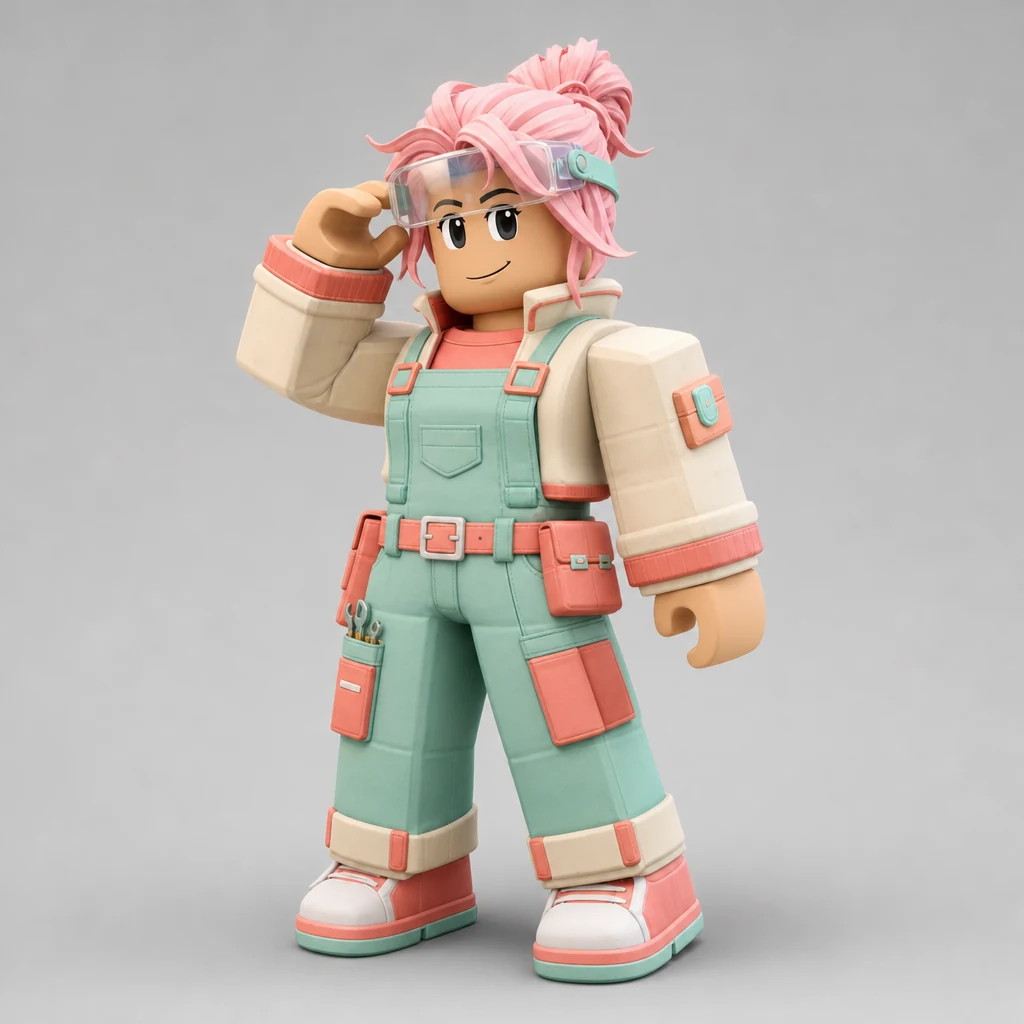
Pastel Tech Inventor
Mint clothing and coral accents give this inventor a welcoming personality. Notice how the visor and storage pouches support the practical theme; the Roblox avatar editor brings those choices into one silhouette.
Build a character with the Roblox avatar editor
Picture your character before committing to a look. The Roblox avatar editor brings clothing, hair, skin tones, and accessories into a complete concept from your brief or reference. Start in Avatar mode and use the Roblox avatar editor to compare choices through focused revisions.
Roblox avatar editor examples
Four characters, four ways to build a recognizable identity. Browse these Roblox avatar editor examples for playful technology, woodland adventure, racing energy, and celestial fantasy. Study the clothing shapes and color relationships in the avatar editor Roblox creators use to explore complete looks.
Mint clothing and coral accents give this inventor a welcoming personality. Notice how the visor and storage pouches support the practical theme; the Roblox avatar editor brings those choices into one silhouette.
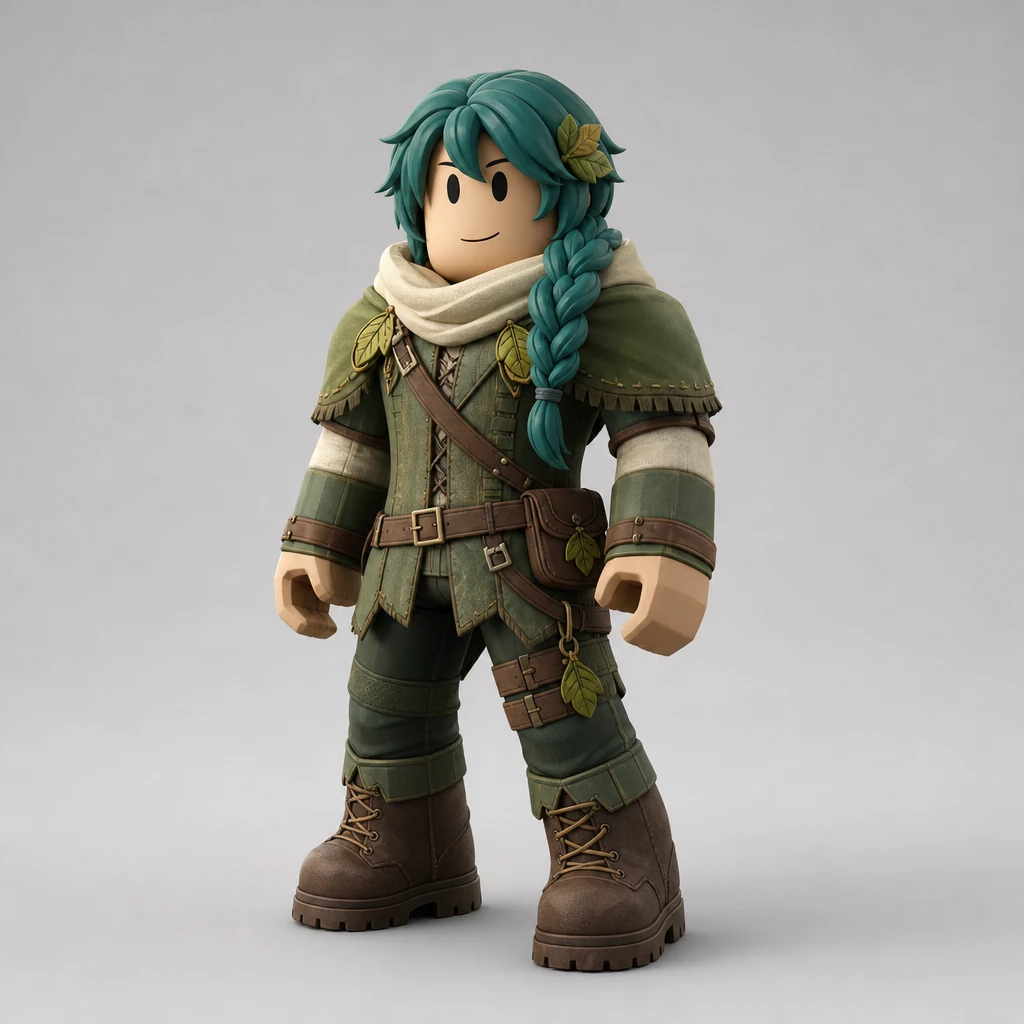
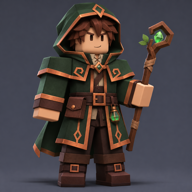
Leaf fastenings and a light scarf soften this scout's layered travel outfit. Teal hair completes the woodland palette, showing how the Roblox avatar editor can organize several details around an adventure role.
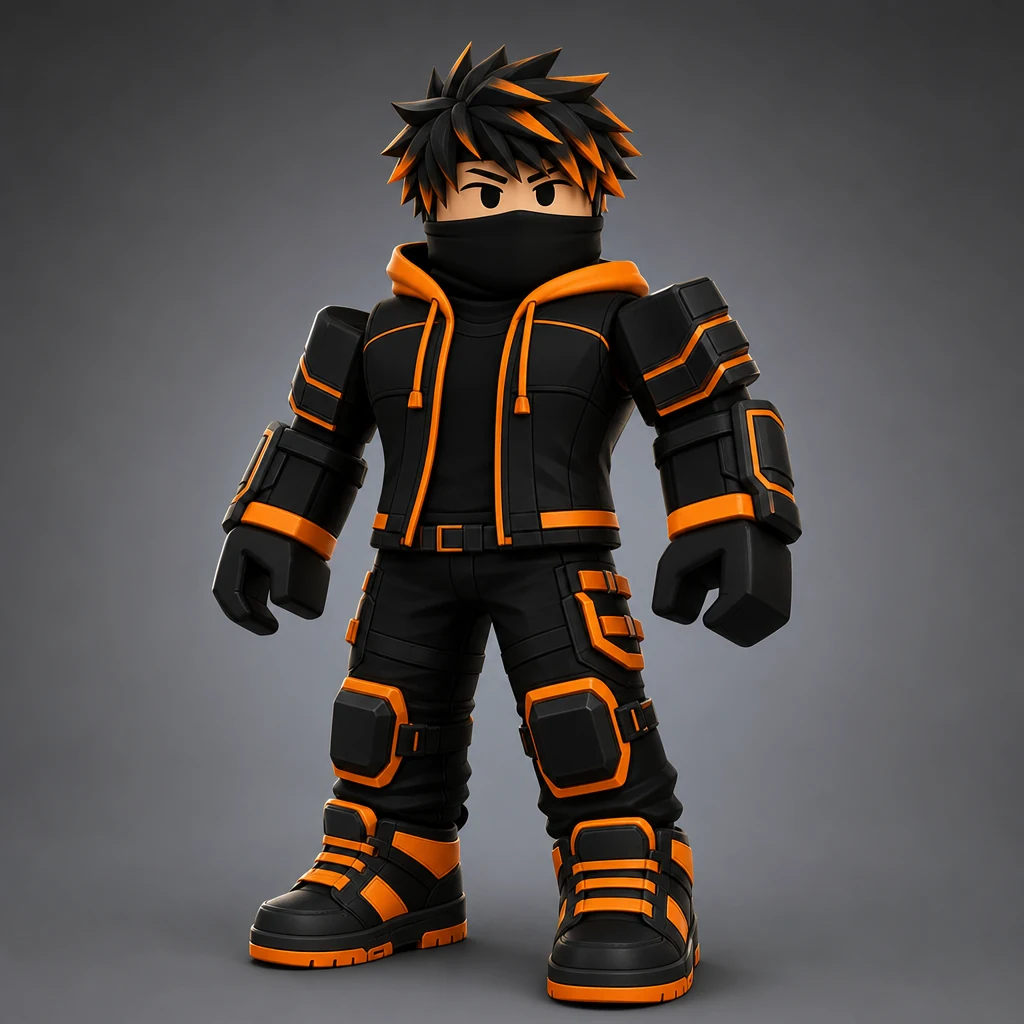
Orange accents draw attention across dark racing clothes, protective guards, and high-top footwear. With the Roblox avatar editor, compare whether that strong contrast still communicates the character when the image appears small.
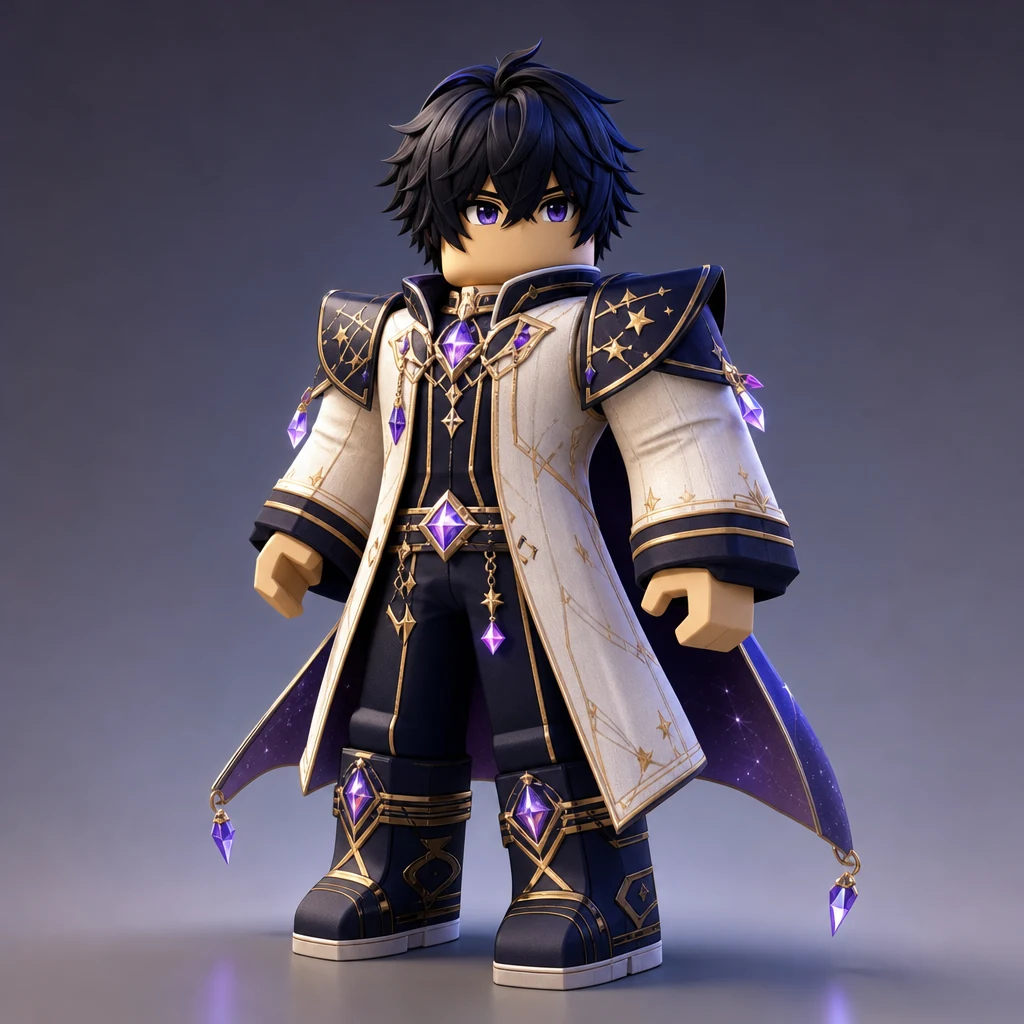
Crystal accents give the academy mage a focal point against midnight hair and an ivory-and-indigo coat. Explore this balance in the avatar editor Roblox fantasy creators use alongside the Roblox avatar editor examples.
Roblox avatar editor controls
A character needs more than an aesthetic label. Bring the outfit, expression, materials, and accessories together in the Roblox avatar editor, then decide which details belong. This is an avatar editor Roblox creators can direct with specific visual choices.
Start with who the character is, then explain how they dress and move. The Roblox avatar editor combines your notes on personality, materials, footwear, and defining details into a coordinated visual brief.
Have a sketch or outfit reference you may use? Add it to the Roblox avatar editor and explain its purpose. An avatar editor Roblox teams can guide visually makes the next direction clearer.
Look beyond individual accessories to the overall outline. The Roblox avatar editor shows the complete figure with distinct limbs and clothing layers, helping you judge whether the identity remains recognizable in a smaller view.
Keep the parts you like and describe what needs adjusting. Hair, expression, clothing, and colors can guide your next Roblox avatar editor request, with the avatar editor Roblox creators use retaining a focused revision workflow.
Develop your Roblox avatar editor direction
Put your character notes beside something the team can actually see. The Roblox avatar editor provides a single direction for discussing colors, proportions, and clothing. An avatar editor Roblox collaborators can review together helps turn vague preferences into specific next steps.
Before adding tiny decorations, check what makes this character recognizable. Review the hair, outline, outer clothing, and palette in the Roblox avatar editor, then decide which large shapes deserve to stay.
Choose the detail viewers should notice first: a broad cape, distinctive hair, bright jacket, or unusual visor. The Roblox avatar editor lets you explore that emphasis while keeping smaller accessories in supporting roles.
Give artists and collaborators a shared reference instead of separate descriptions. A Roblox avatar editor result puts expression, proportions, fabrics, and layers in view so feedback can point to concrete changes.
Your Roblox avatar editor workflow
Begin with an identity and build from there. In the Roblox avatar editor, your brief sets the direction, an optional reference adds guidance, and the first result starts the review. The avatar editor Roblox creators use keeps those decisions together.
Establish the character's personality before listing clothing details. Give the Roblox avatar editor a hairstyle, palette, outfit, shoes, and defining accessory so the avatar editor Roblox creators use has clear priorities for the image.
Show the Roblox avatar editor a permitted sketch, character image, or color reference when it helps explain your idea. Specify what to follow and what to change instead of leaving the visual relationship unclear.
Check the whole figure first, then examine the face, hair, and separation between garments. Ask the Roblox avatar editor for a specific adjustment; the avatar editor Roblox creators return to works best with clear feedback.
Write a Roblox avatar editor brief
Establish priorities without writing a long inventory. Tell the Roblox avatar editor who you are designing and which shapes matter. Guide the avatar editor Roblox creators use through clear instructions and focused reviews.
Give your character a role that suggests a story: an inventor, racer, or woodland scout. This helps the Roblox avatar editor connect clothing and posture, while the avatar editor Roblox storytellers use develops the personality visually.
Describe the biggest garment first, followed by inner layers, trousers or skirt, shoes, and smaller accessories. That order gives the Roblox avatar editor a clear outfit structure and makes competing details easier to spot.
Limit the main palette to two or three colors, then add a neutral and a modest accent. Tell the Roblox avatar editor where fabric, leather, or metal belongs so color and material choices work together.
Pick one memorable element and let the rest support it. A striking visor, distinctive cape, or bold hairstyle gives the Roblox avatar editor a focal point without asking every accessory to attract equal attention.
Creator Workflows
ForgeGUI Roblox workflows help creators compare thumbnail directions, sharpen prompt ideas, and maintain steady production across launches, updates, events, and concepts.
This is the first thumbnail draft I've felt really excited to finish 😭 The palette took a few attempts to get right. I edited the backdrop and repositioned the title myself afterward. Starting from an image instead of an empty canvas made it much easier to decide what needed changing next.
Needed a thumbnail, then stayed to try menu designs too. Unexpectedly fun to explore lol
Lo uso para explorar opciones antes de dibujar. A veces toca repetir, pero una propuesta visual me ayuda a decidir cómo empezar.
Getting an image helps me figure out where to take the design. I still handle the details, especially lettering; more text controls would be nice. Last time I compared three moods for a thumbnail, chose a favorite, and added the words myself. Those options made the decision simpler.
My first game cover is finished! Pretty happy with this one :)
Für Entwürfe finde ich es praktisch. Nach zwei oder drei Versuchen passt meistens die Richtung.
When I'm stuck on colors, I compare different palettes here. Some drafts miss the mark, but one usually gives me a useful place to start designing.
做缩略图时先试几组配色,比盯着空白画布有思路多了哈哈,方向定了再修细节。
My menu idea was vague at first. Comparing several visual drafts helped me see which direction I wanted to build for the game.
Second attempt and the mood finally clicked for me ✨
Mi aiuta a mettere giù le idee. Rifinisco ancora tutto a mano, però partire da una base è più semplice.
サムネの下描き用です。配色を見比べて、お気に入りを探すのが楽しい😊
Fantasy menus are my main reason for using it. Some drafts needed redoing, but I've saved several promising ones.
썸네일에 어울리는 색을 찾을 때 켜요. 몇 가지 시도해 보니까 마음에 드는 분위기가 자연스럽게 잡히더라고요 ㅎㅎ
Told myself I'd try one last idea. Somehow my whole evening disappeared again haha
Roblox avatar editor for creators
Make your next character conversation concrete. The Roblox avatar editor supports early ideas, shared reviews, and visual references for further work. Use the avatar editor Roblox creators can revisit when an outfit needs a clearer identity or a different direction.
Explore merchants, rivals, guides, or event characters in the Roblox avatar editor before settling on an art direction. The avatar editor Roblox independent creators use makes those early ideas visible.
Decide which outfit concepts merit more production time. The Roblox avatar editor helps you examine garment layers, accessory positions, color balance, and overall shape together before developing the details further.
Share one image with designers, artists, and leads. Discuss the Roblox avatar editor result together, using the avatar editor Roblox teams can review to agree on specific revisions.
Plan a recognizable personality for channel artwork, visual stories, or creator challenges. Try coordinated clothing and recurring character details in the avatar editor Roblox video creators can use during early planning.
Forge GUI plans support private thumbnail and GUI generation, connected editing, saved history, and high-resolution downloads. Every paid tier includes AI-assisted creation and a clear monthly credit allowance.
Billed $95.88 yearly
Save US$107 compared to paying monthly
1,000 credits/Month
up to 100 images/Month
Billed $239.88 yearly
Save US$120 compared to paying monthly
3,000 credits/Month
up to 300 images/Month
$5.99 / creator / month
Billed $719.88 yearly
Save US$839 compared to paying monthly
10,000 credits/Month
up to 1,000 images/Month
Any Questions? Email: support@forgegui.dev
Pay safely and securely with








 More
Roblox avatar editor questions
Review prompts, references, editing, credits, downloads, account storage, and responsible use before starting your next character concept.
Explore character artwork in the Roblox avatar editor. Describe an identity, hairstyle, outfit, skin tones, and accessories to generate a complete figure. Inspect the result, request adjustments, save useful versions, and download your selected image.
Describe personality, hair, clothing layers, footwear, and dominant colors. Pick a defining detail, perhaps a cape or visor, rather than emphasizing everything. These priorities give the avatar editor Roblox creators use a clear starting point.
Upload a permitted image or sketch to clarify your idea. Identify the colors, garment structure, silhouette, or materials that matter, and explain which qualities should influence the new character.
Choose an original direction such as fantasy, schoolwear, science fiction, sport, or street fashion. Explain its clothing, palette, and accessories in your request. The Roblox avatar editor brings those choices together into a full-body character concept.
View the complete outline at a reduced size, then inspect hair, facial details, garment contrast, and accessories. Request one specific revision and compare results before choosing another adjustment.
Results use a square composition with one complete character against a clean background. Review the body and outfit, choose your preferred version, and save it using the workspace download control.
Allow a few minutes for a typical request. More involved instructions, references, or busy providers can extend that wait. Once the image is ready, your saved session history lets you return to recent results.
Check your available credits before generating. Forge GUI offers a free entry path and account rewards, while each request deducts its displayed credit cost. Visit Pricing if your character work requires a larger ongoing allowance.
Use generated artwork in your creative projects under Forge GUI's terms and the destination platform's rules. Review the finished image and use permitted references. Avoid reproducing protected characters or logos in your design.
Account or guest retention rules govern saved results and history. References guide the requested generation. Consult the Privacy Policy for storage details, service providers, account information, and available controls.
Start your Roblox avatar editor concept
Bring a character idea to the Roblox avatar editor with Avatar mode ready. Set the outfit, accessories, skin tones, and personality, then review the first image in the avatar editor Roblox creators can guide through individual revisions.
Open Avatar EditorConnect with the ForgeGUI Roblox plugin or ForgeGUI MCP.