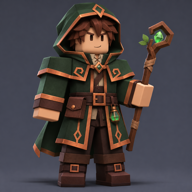
Brief the Roblox 3D model generator
Describe your object in ordinary language. The Roblox 3D model generator turns that idea into a reference brief, establishing the shape and appearance of your Roblox models.
Shape a game asset from a written brief
Describe one subject to the Roblox 3D model generator. Follow your Roblox 3D reference into a textured GLB, then inspect your Roblox models from different angles. Review the Roblox meshes in your browser before downloading the file for further production.
Start Roblox 3D tasks with a paid plan or purchased one-time credit pack and 80 available credits per attempt.
Reference directions for Roblox 3D
These references show the isolated shapes behind useful Roblox models. A full silhouette helps the Roblox 3D model generator establish a clear starting image, giving Roblox meshes more visible geometry to reconstruct than a scene full of overlapping objects.
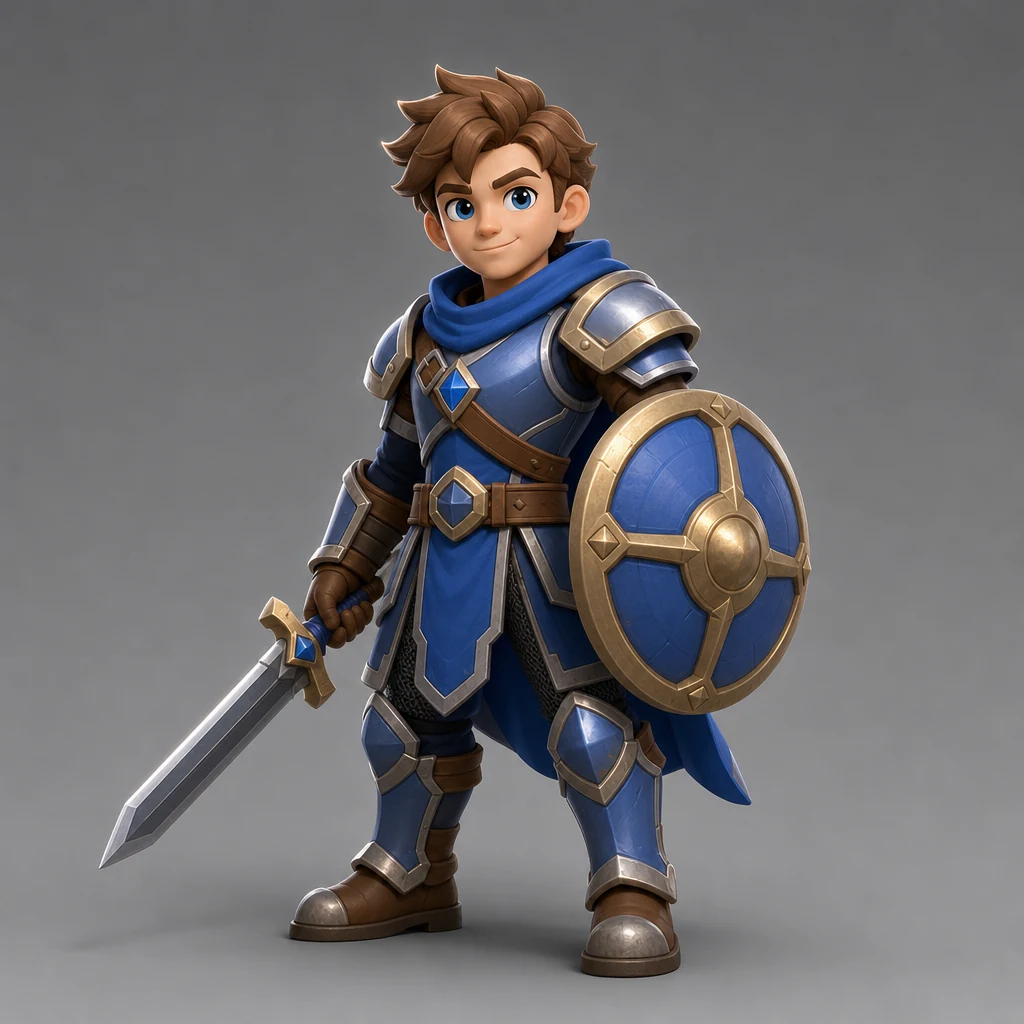
“A brave fantasy adventurer with blue armor and a round shield. One complete subject on a neutral background, no text, clear simple silhouette for Roblox.”
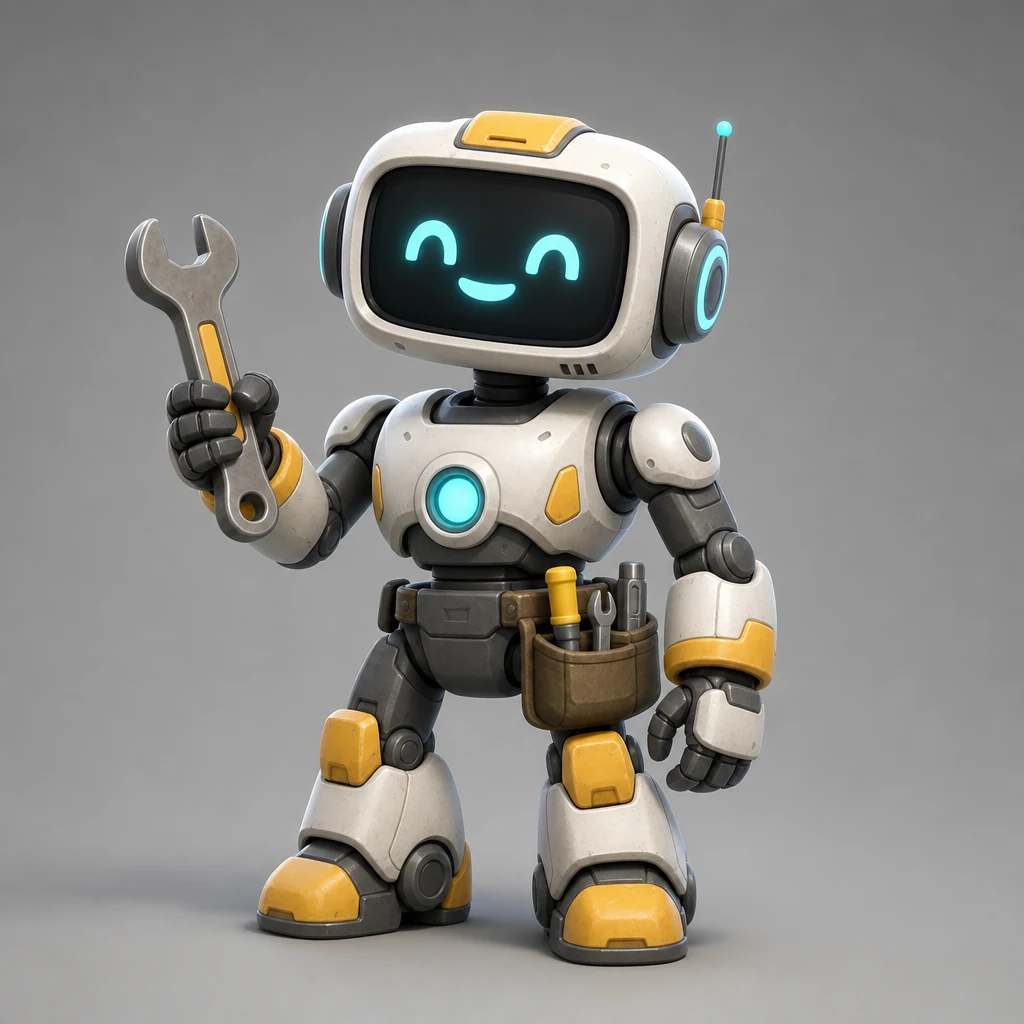
“A friendly maintenance robot with a cyan display and tool pack. One complete subject on a neutral background, no text, clear simple silhouette for Roblox.”
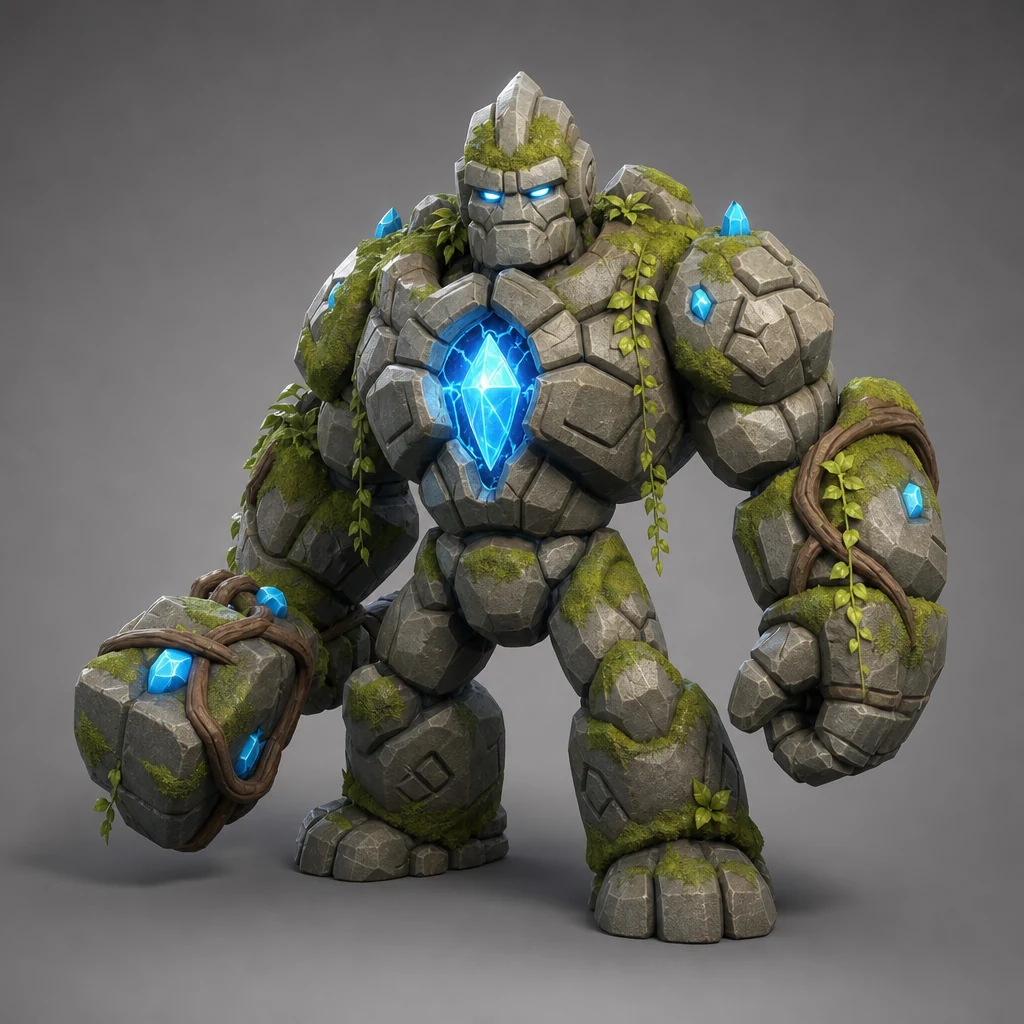
“A mossy stone golem boss with a glowing blue crystal core. One complete subject on a neutral background, no text, clear simple silhouette for Roblox.”
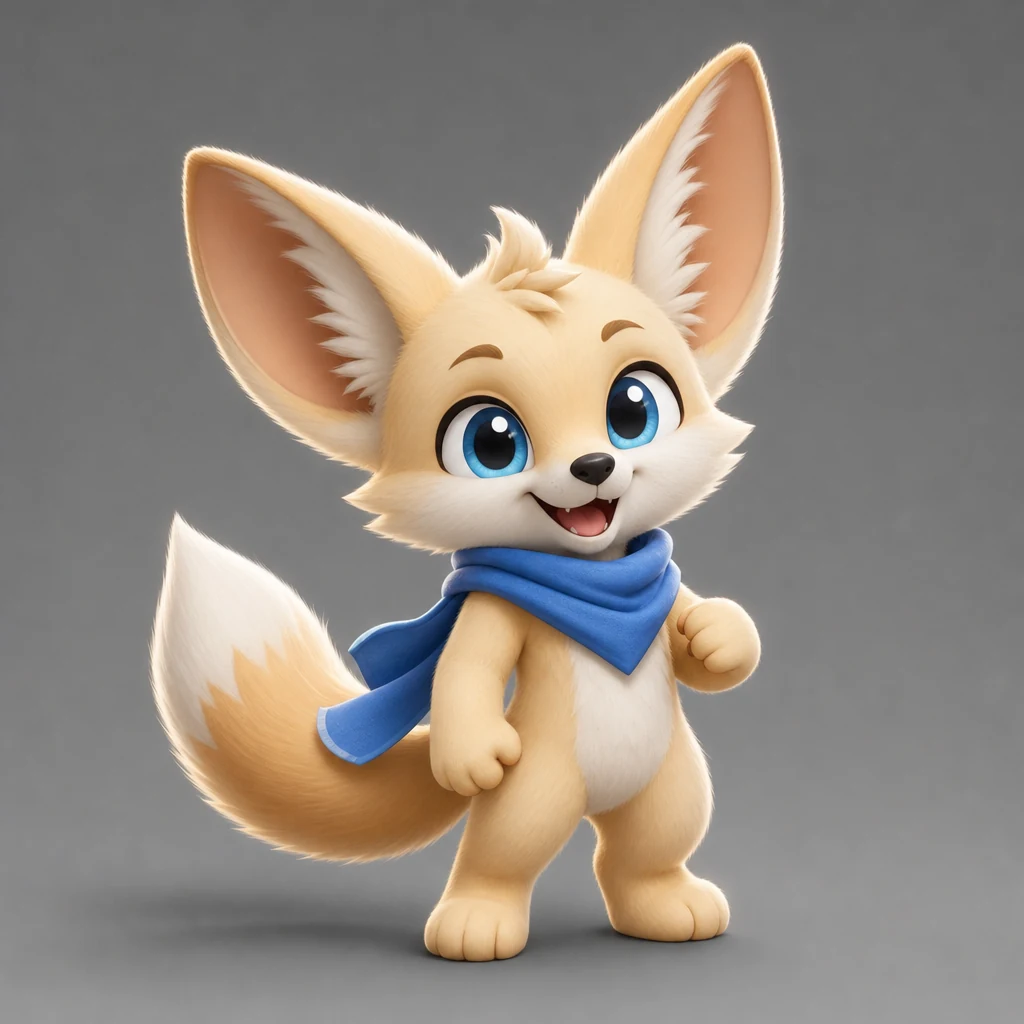
“A cheerful cream sky fox mascot with oversized ears and a blue scarf. One complete subject on a neutral background, no text, clear simple silhouette for Roblox.”
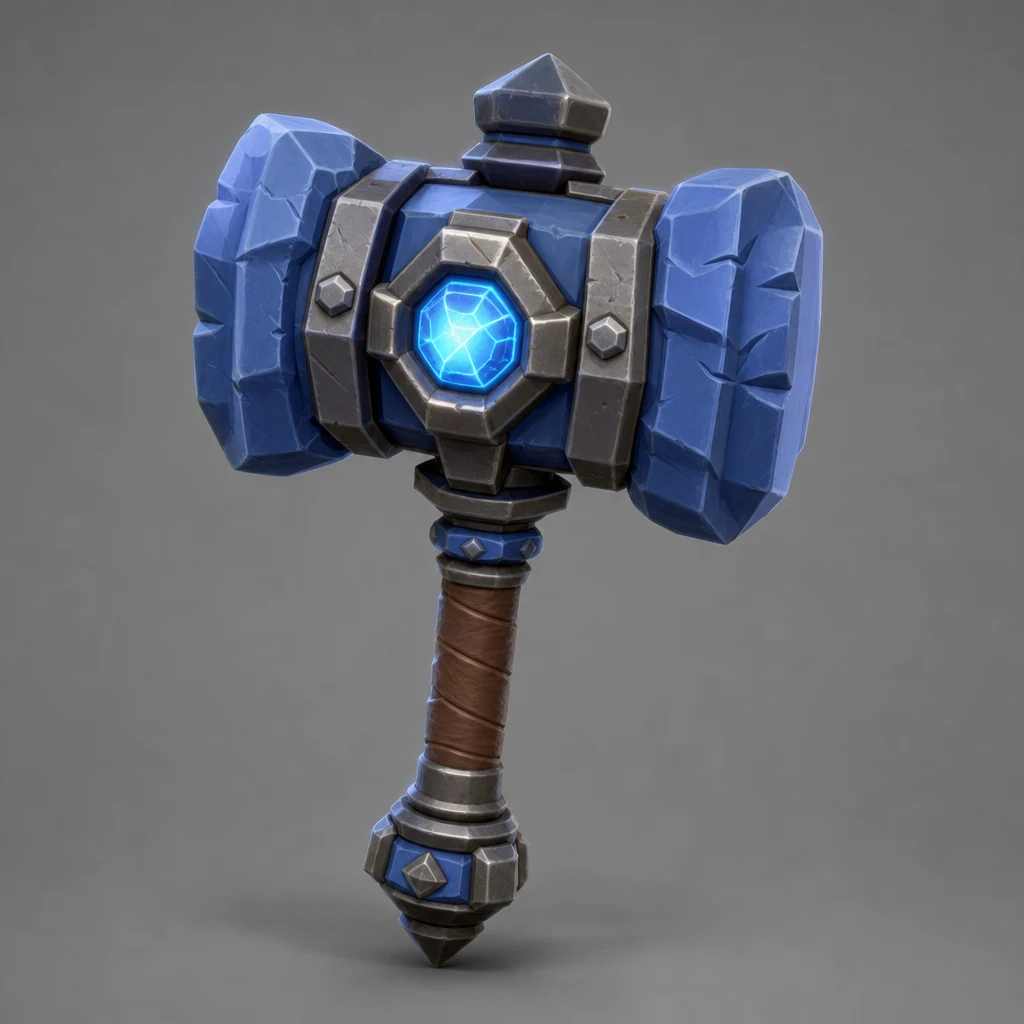
“A chunky blue fantasy forge hammer with a small energy core. One complete subject on a neutral background, no text, clear simple silhouette for Roblox.”
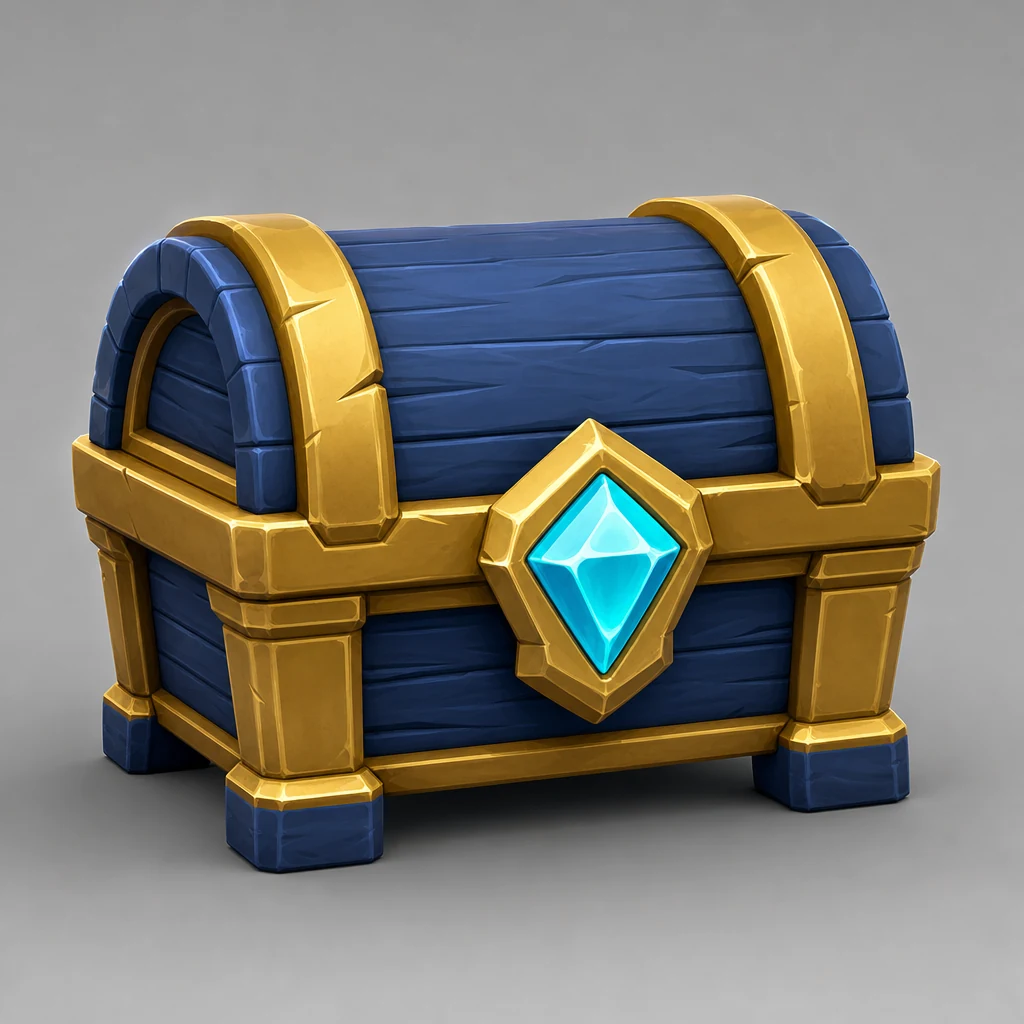
“One closed stylized treasure chest for a Roblox crystal exploration game, chunky dark blue wood, thick rounded gold metal bands, a large cyan diamond crystal on the front clasp, four short sturdy feet. Simple clean geometry, no loose coins, no scenery, no text.”
The Roblox 3D generator prepares this reference during the task. Start from text, with no need to stage a separate source image yourself.
From description to a reviewable asset
Follow one Roblox 3D task through image creation, reconstruction, browser inspection, and download. Your prompt stays connected to the Roblox meshes produced from it.
Describe your object in ordinary language. The Roblox 3D model generator turns that idea into a reference brief, establishing the shape and appearance of your Roblox models.
A square studio image keeps the entire subject visible. The Roblox 3D generator uses that reference to give Roblox meshes a clearer outline and readable surfaces.
Rotate finished Roblox models through several viewpoints. Examine your Roblox meshes in the Roblox 3D preview, checking both shape and surface appearance before downloading the GLB.
The Roblox 3D generator reports reference creation, reconstruction, and storage. Follow your Roblox models from the original request to the result without tracking separate tools.
Make the source shape readable
Give the Roblox 3D model generator a subject with recognizable proportions and materials. The generated image should expose those features clearly, so the next stage has useful shape information when building Roblox models.
A centered three-quarter view, complete outline, and restrained background help the Roblox 3D generator present the asset. Scenery and overlapping details can hide the surfaces needed to reconstruct Roblox meshes convincingly.
Isolate Roblox models
Give Roblox 3D one clear target
Reveal Roblox meshes
Keep the entire Roblox 3D outline visible
Light Roblox meshes
Use studio lighting for Roblox models
Reference prepared
Move into model reconstruction
Four stages in the Roblox 3D generator
Give the Roblox 3D model generator one focused brief: define the subject, create its reference, reconstruct your Roblox meshes, and inspect the downloadable result.
Name the subject, role, proportions, colors, materials, and accessories. Give the Roblox 3D generator visible details for an isolated reference rather than asking for an entire environment.
The Roblox 3D model generator stages the subject in a full-view studio image. Inspectable proportions and a clear three-quarter presentation give the model-building stage a useful starting point for preserving important parts.
The Roblox 3D generator reconstructs the reference in the background. Follow progress as Roblox meshes take shape; your Roblox models stay connected to the original brief in the workspace.
Open the authenticated Roblox 3D viewer and rotate your Roblox models. Check your Roblox meshes and textures from multiple sides, then download the GLB to continue production.
Build a concrete asset brief
Give the Roblox 3D model generator recognizable proportions, materials, and accessories. Keep your Roblox models focused on one subject; describe geometry your reference can actually show.
Give the Roblox 3D generator a single character, creature, vehicle, or prop. Isolated Roblox models have a clearer outline and fewer hidden surfaces to reconstruct.
Tell the Roblox 3D model generator about proportions, material groups, color blocks, facial features, and important accessories. These details describe geometry more usefully than a general mood.
Ask the Roblox 3D model generator for a complete front three-quarter view. Keep important parts of your Roblox models visible, limiting overlapping shapes in the reference.
Give the Roblox 3D generator broad material groups and restrained accessories. Roblox meshes need readable forms; tiny lettering, dense effects, surface noise, and elaborate scenery can obscure them.
A focused Roblox 3D model generator brief
“A friendly compact maintenance robot with a rounded square head, cyan face display, short sturdy legs, white painted armor, dark rubber joints, blue accents, and a small tool pack.”
Pick a useful first subject
Start with Roblox models for one character, creature, machine, prop, or collectible, then inspect the asset before extending the idea into a broader set.
Explore Roblox models for a hero, shopkeeper, quest giver, or enemy. The Roblox 3D model generator gives a character brief an initial shape to review.
Develop creature proportions and material regions with the Roblox 3D generator. Inspect your Roblox models and Roblox meshes before taking the boss concept into detailed production.
Plan robots, drones, and helpers with readable joints and clear color roles. The Roblox 3D model generator makes those mechanical choices visible in an initial asset.
Brief the Roblox 3D generator with an isolated product-style reference for chests, tools, or collectibles. Compare the resulting Roblox meshes with your intended silhouette and visual role.
Creator Workflows
ForgeGUI Roblox workflows help creators compare thumbnail directions, sharpen prompt ideas, and maintain steady production across launches, updates, events, and concepts.
This is the first thumbnail draft I've felt really excited to finish 😭 The palette took a few attempts to get right. I edited the backdrop and repositioned the title myself afterward. Starting from an image instead of an empty canvas made it much easier to decide what needed changing next.
Needed a thumbnail, then stayed to try menu designs too. Unexpectedly fun to explore lol
Lo uso para explorar opciones antes de dibujar. A veces toca repetir, pero una propuesta visual me ayuda a decidir cómo empezar.
Getting an image helps me figure out where to take the design. I still handle the details, especially lettering; more text controls would be nice. Last time I compared three moods for a thumbnail, chose a favorite, and added the words myself. Those options made the decision simpler.
My first game cover is finished! Pretty happy with this one :)
Für Entwürfe finde ich es praktisch. Nach zwei oder drei Versuchen passt meistens die Richtung.
When I'm stuck on colors, I compare different palettes here. Some drafts miss the mark, but one usually gives me a useful place to start designing.
做缩略图时先试几组配色,比盯着空白画布有思路多了哈哈,方向定了再修细节。
My menu idea was vague at first. Comparing several visual drafts helped me see which direction I wanted to build for the game.
Second attempt and the mood finally clicked for me ✨
Mi aiuta a mettere giù le idee. Rifinisco ancora tutto a mano, però partire da una base è più semplice.
サムネの下描き用です。配色を見比べて、お気に入りを探すのが楽しい😊
Fantasy menus are my main reason for using it. Some drafts needed redoing, but I've saved several promising ones.
썸네일에 어울리는 색을 찾을 때 켜요. 몇 가지 시도해 보니까 마음에 드는 분위기가 자연스럽게 잡히더라고요 ㅎㅎ
Told myself I'd try one last idea. Somehow my whole evening disappeared again haha
Connected production context
Review Roblox 3D prompts, references, progress, previews, and files together. Compare your Roblox models with the brief before deciding whether their shape fits the project.
Keep your Roblox 3D model generator brief beside the result. Compare versions of your Roblox models and identify the design choices that still need work.
Open completed Roblox meshes in the authenticated viewer, inspect the surfaces, and download the GLB without moving to a separate provider dashboard to collect the file.
Reserved credits return after terminal failure. Retry the Roblox 3D generator from the same workspace when your access and balance support a new reservation.
Compare one-time packs, monthly subscriptions, and yearly plans. A new task or retry reserves 80 credits; terminal failure returns that reservation. Choose an allowance that supports the Roblox models and revisions your project requires.
Billed $95.88 yearly
Save US$107 compared to paying monthly
1,000 credits/Month
up to 100 images/Month
Billed $239.88 yearly
Save US$120 compared to paying monthly
3,000 credits/Month
up to 300 images/Month
$5.99 / creator / month
Billed $719.88 yearly
Save US$839 compared to paying monthly
10,000 credits/Month
up to 1,000 images/Month
Any Questions? Email: support@forgegui.dev
Pay safely and securely with








 More
Before the first model task
Check Roblox 3D inputs, reconstruction, GLB delivery, timing, credits, retries, and file access before asking the Roblox 3D generator for your first asset.
The Roblox 3D model generator develops a description into a reference and textured GLB. Keep the prompt, progress, preview, and downloaded result together in the workspace, then inspect the model before continuing project work.
The Roblox 3D generator first creates a square image of one complete subject. Reconstruction uses that image to build Roblox meshes. Track the task, inspect the resulting form in the conversation, and collect the completed GLB.
Begin with one stylized character, mascot, creature, robot, chest, tool, or vehicle. Give Roblox 3D a complete silhouette with clear proportions and visible surfaces, then assess the model before investing in further production work.
Specify purpose, proportions, materials, colors, and identifying accessories. Make the Roblox 3D brief concrete: describe the robot's actual shape rather than a broad mood, keeping the reference centered on that single design.
No separate source image is required. The Roblox 3D generator begins with your text and builds its reconstruction reference during the task. It stages the whole subject before the model phase, allowing you to start from a written concept without first photographing or rendering the asset yourself.
Your Roblox 3D result is a textured GLB. Open your Roblox models in the authenticated viewer, inspect the Roblox meshes and textures from different angles, then download. Your Roblox 3D model generator task retains the prompt and reference, keeping the design context alongside the file.
Reference creation and reconstruction run asynchronously; provider demand affects timing. The Roblox 3D generator reports progress rather than promising a fixed duration. Follow the Roblox 3D model generator task in its conversation and inspect the delivered asset after the final stage completes.
Use the Roblox 3D generator with an active paid subscription or purchased one-time credit pack and at least 80 available credits. Each new task or retry reserves 80 credits. Compare packs, monthly plans, and annual plans against the Roblox models your project needs.
Terminal failure returns reserved credits. Before retrying the Roblox 3D model generator, check that your access and balance allow another reservation. Keep the original subject and intent in the same workspace when starting your next Roblox 3D attempt.
GLB access requires authentication and ownership checks; references use the normal preview flow. Review your Roblox meshes against source rights, trademarks, platform requirements, and intended commercial use before publication. Forge GUI is independent of Roblox, so inspect every Roblox 3D result for your project's needs.
Start the Roblox 3D model generator with one concrete asset idea. Follow its reference and reconstruction stages, then examine the completed GLB in your workspace before deciding on the next production step.
Begin your model briefConnect with the ForgeGUI Roblox plugin or ForgeGUI MCP.