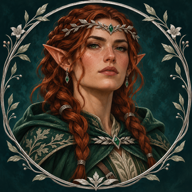
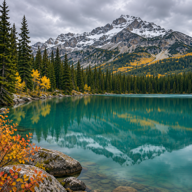
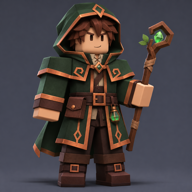
ForgeGUI Roblox workflows help creators compare thumbnail directions, sharpen prompt ideas, and maintain steady production across launches, updates, events, and concepts.
4.8
This is the first thumbnail draft I've felt really excited to finish 😭 The palette took a few attempts to get right. I edited the backdrop and repositioned the title myself afterward. Starting from an image instead of an empty canvas made it much easier to decide what needed changing next.
fernpixels
5.0
Needed a thumbnail, then stayed to try menu designs too. Unexpectedly fun to explore lol
Willow.exe
4.8
Lo uso para explorar opciones antes de dibujar. A veces toca repetir, pero una propuesta visual me ayuda a decidir cómo empezar.
maría.diseña
4.5
Getting an image helps me figure out where to take the design. I still handle the details, especially lettering; more text controls would be nice. Last time I compared three moods for a thumbnail, chose a favorite, and added the words myself. Those options made the decision simpler.
RAYsketch
4.9
My first game cover is finished! Pretty happy with this one :)
misty_irl
4.6
Für Entwürfe finde ich es praktisch. Nach zwei oder drei Versuchen passt meistens die Richtung.
flinkerFuchs
4.7
When I'm stuck on colors, I compare different palettes here. Some drafts miss the mark, but one usually gives me a useful place to start designing.
A
alex.zip
4.9
做缩略图时先试几组配色,比盯着空白画布有思路多了哈哈,方向定了再修细节。
谷
山谷慢慢画
4.8
My menu idea was vague at first. Comparing several visual drafts helped me see which direction I wanted to build for the game.
noah.makes
5.0
Second attempt and the mood finally clicked for me ✨
TOFU.dev
4.7
Mi aiuta a mettere giù le idee. Rifinisco ancora tutto a mano, però partire da una base è più semplice.
s
seraViola
4.9
サムネの下描き用です。配色を見比べて、お気に入りを探すのが楽しい😊
す
すもも_工房
4.6
Fantasy menus are my main reason for using it. Some drafts needed redoing, but I've saved several promising ones.
glyph.wav
4.8
썸네일에 어울리는 색을 찾을 때 켜요. 몇 가지 시도해 보니까 마음에 드는 분위기가 자연스럽게 잡히더라고요 ㅎㅎ
바
바람소풍
5.0
Told myself I'd try one last idea. Somehow my whole evening disappeared again haha
J
Jax_404
4.8
This is the first thumbnail draft I've felt really excited to finish 😭 The palette took a few attempts to get right. I edited the backdrop and repositioned the title myself afterward. Starting from an image instead of an empty canvas made it much easier to decide what needed changing next.
fernpixels
5.0
Needed a thumbnail, then stayed to try menu designs too. Unexpectedly fun to explore lol
Willow.exe
4.8
Lo uso para explorar opciones antes de dibujar. A veces toca repetir, pero una propuesta visual me ayuda a decidir cómo empezar.
maría.diseña
4.5
Getting an image helps me figure out where to take the design. I still handle the details, especially lettering; more text controls would be nice. Last time I compared three moods for a thumbnail, chose a favorite, and added the words myself. Those options made the decision simpler.
RAYsketch
4.9
My first game cover is finished! Pretty happy with this one :)
misty_irl
4.6
Für Entwürfe finde ich es praktisch. Nach zwei oder drei Versuchen passt meistens die Richtung.
flinkerFuchs
4.7
When I'm stuck on colors, I compare different palettes here. Some drafts miss the mark, but one usually gives me a useful place to start designing.
A
alex.zip
4.9
做缩略图时先试几组配色,比盯着空白画布有思路多了哈哈,方向定了再修细节。
谷
山谷慢慢画
4.8
My menu idea was vague at first. Comparing several visual drafts helped me see which direction I wanted to build for the game.
noah.makes
5.0
Second attempt and the mood finally clicked for me ✨
TOFU.dev
4.7
Mi aiuta a mettere giù le idee. Rifinisco ancora tutto a mano, però partire da una base è più semplice.
s
seraViola
4.9
サムネの下描き用です。配色を見比べて、お気に入りを探すのが楽しい😊
す
すもも_工房
4.6
Fantasy menus are my main reason for using it. Some drafts needed redoing, but I've saved several promising ones.
glyph.wav
4.8
썸네일에 어울리는 색을 찾을 때 켜요. 몇 가지 시도해 보니까 마음에 드는 분위기가 자연스럽게 잡히더라고요 ㅎㅎ
바
바람소풍
5.0
Told myself I'd try one last idea. Somehow my whole evening disappeared again haha
J
Jax_404
Understand ForgeGui Pricing & Plans
Compare ForgeGui Pricing & Plans by credit allowance, billing period, and the artwork your next Roblox thumbnail or interface project needs.
What should I compare in ForgeGui Pricing & Plans?
Review ForgeGui Pricing & Plans by displayed price, included credits, estimated image attempts, and support level together. ForgeGui Pricing & Plans covers a workflow where you describe Roblox thumbnail or GUI artwork and refine it for your project. An annual card's lower monthly equivalent still requires the stated yearly payment, so match the commitment to your expected schedule. The same account also supports 3D models, instrumental tracks, sound effects, and R15 animation through ForgeGUI MCP. Match ForgeGui Pricing & Plans to the work you expect to request, including revisions rather than only final assets.
How do ForgeGui Pricing & Plans fit different project sizes?
Budget ForgeGui Pricing & Plans for the images and alternate versions your release needs before choosing a tier. Within ForgeGui Pricing & Plans, Starter Package can suit an initial game or lighter workload, while Studio provides more capacity for frequent production. Consider Team when several people need shared work. Leave room for changing composition, colors, or the overall direction instead of budgeting only for first attempts. Larger ForgeGui Pricing & Plans allowances are useful when its extra capacity matches a realistic creation schedule.
How are image costs counted in ForgeGui Pricing & Plans?
In ForgeGui Pricing & Plans, an image uses 10 credits. Divide the allowance listed in ForgeGui Pricing & Plans by 10 to estimate how many requests it covers. Regeneration also spends credits, so reserve part of that total for another attempt or visual direction. This calculation describes generation opportunities, not a guaranteed number of publishable images. Check your ForgeGui Pricing & Plans balance before requesting more work, particularly when several revisions belong to the same thumbnail or interface concept.
Can ForgeGui Pricing & Plans cover thumbnail and GUI artwork?
Yes. ForgeGui Pricing & Plans supports both image types without requiring a separate purchase for each. Under ForgeGui Pricing & Plans, you might develop the launch thumbnail first and then explore a matching shop panel or menu background with the remaining credits. Carry the same setting and palette between briefs when the images belong to one release. As work develops, decide which ForgeGui Pricing & Plans task needs the next attempt. The account's existing balance can also be used through MCP for supported creation workflows.
How does yearly billing work in ForgeGui Pricing & Plans?
Monthly ForgeGui Pricing & Plans subscriptions charge each month; annual subscriptions collect the full displayed yearly total and allocate their listed credits monthly. ForgeGui Pricing & Plans shows a monthly equivalent to help compare annual costs, but that figure is not a monthly payment. Read the ForgeGui Pricing & Plans billed-yearly amount alongside the allowance for the selected option. Both credits and prices can differ between periods, so make the comparison using the actual terms of each plan rather than assuming only the payment timing changes.
What do the annual savings in ForgeGui Pricing & Plans represent?
Select Yearly and compare each plan's annual cost with its corresponding monthly price over twelve months. ForgeGui Pricing & Plans may show different savings by tier; the largest advertised percentage is not necessarily available on every option. Consider the complete yearly charge and included allowance before making the commitment. Steady production can fit annual billing, while a short release cycle or uncertain workload may fit monthly access. Use savings as one part of your ForgeGui Pricing & Plans decision.
Are there non-recurring options in ForgeGui Pricing & Plans?
Open ForgeGui Pricing & Plans Credit Packs for one-time allowances without starting a subscription. ForgeGui Pricing & Plans displays the package price and estimated image requests, helping you budget for a particular release or occasional artwork session. Compare ForgeGui Pricing & Plans packages with subscriptions if you expect regular use, and confirm the offer at checkout before purchasing. A purchased one-time pack also unlocks 3D generation without a monthly subscription, provided the available credit balance covers the task you want to start.
Which ForgeGui Pricing & Plans credits remain available later?
ForgeGui Pricing & Plans lists one-time credits as never expiring. Other balances—including subscription, free, trial, reward, and promotional credits—follow their own offer conditions and may expire. When comparing ForgeGui Pricing & Plans, avoid assuming that unused subscription credits carry into another period unless the plan expressly allows it. Inspect ForgeGui Pricing & Plans validity and remaining allowance in your account, especially if your production schedule includes long pauses. A balance suitable for frequent work may have different practical value for occasional projects.
Can I test the workflow before choosing ForgeGui Pricing & Plans?
Before choosing ForgeGui Pricing & Plans, register and inspect account credits or rewards. Try one specific brief with a main subject, game atmosphere, and intended image type, then inspect the result at its actual display size. That test gives you a more informed basis for comparing ForgeGui Pricing & Plans and estimating revisions. Trial and reward availability is subject to eligibility rules, so review the current account details before assuming a particular free allowance will be provided.
How do I change ForgeGui Pricing & Plans as work shifts?
Manage ForgeGui Pricing & Plans through available billing settings. The payment provider and current subscription determine whether a change starts immediately or at a later billing date. Before adjusting ForgeGui Pricing & Plans, check the new price, credit allowance, and effective date shown for your account. Those details help you prepare for a busy release or a quieter development period without assuming that a larger or smaller plan takes effect the moment you select it.
How do I stop renewal under ForgeGui Pricing & Plans?
Cancel through billing settings or ask support for assistance. Future renewals stop, while paid access normally lasts through the current paid period under the checkout terms. Canceling ForgeGui Pricing & Plans does not automatically refund an earlier payment. Record the ForgeGui Pricing & Plans renewal date and any credit-expiry conditions before taking a break, then review the allowance that remains available. This helps you understand what you can still create and when access or particular credits may end.
When do ForgeGui Pricing & Plans restore generation credits?
A service failure that prevents a usable result normally restores the credits charged for that failed output. A successfully delivered image you wish to revise is different: another generation uses more of your allowance. Keep that distinction in mind when budgeting with ForgeGui Pricing & Plans. If your ForgeGui Pricing & Plans balance appears incorrect, send support your account and generation details for investigation. Returned generation credits are not the same as refunding a subscription or credit-pack payment.
What commercial use do ForgeGui Pricing & Plans allow?
Commercial projects remain subject to the Terms of Service and relevant third-party rights. ForgeGui Pricing & Plans supports creating artwork for those projects, but a paid allowance does not grant exclusive images or permission to reproduce protected characters, brands, or designs. With ForgeGui Pricing & Plans, use references you may provide and inspect every output before publication. You may need additional editing for the audience, layout, or visual identity of the game and its promotional materials.
Do ForgeGui Pricing & Plans include working Studio interfaces?
ForgeGui Pricing & Plans supplies visual concepts and assets for menus, shops, HUDs, and similar screens. You still arrange the interface, implement interaction, and test behavior in Roblox Studio. Budget ForgeGui Pricing & Plans around that image-exploration stage, with separate time for preparing the usable screen. A brief describing the screen's purpose, visual theme, and arrangement gives you more relevant artwork to evaluate before committing to the final design and its implementation.
Where can I ask about ForgeGui Pricing & Plans?
Email support@forgegui.dev for help with allowances, account subscriptions, or payments. For ForgeGui Pricing & Plans questions, include account and transaction details when asking about a charge. Before selecting ForgeGui Pricing & Plans, compare the cards with your expected generation schedule and read the full checkout total. The Terms of Service and Refund Policy explain renewal, cancellation, and refund conditions, giving you the information needed to understand what the purchase covers and which options apply afterward.