Roblox clothes maker-Create your own Roblox clothing
Bring your own outfit idea to life with the Roblox Clothing Maker.
Describe your idea
Add visual references
Classic garment designs
Review in 3D
0
Explore outfit ideas with the Roblox Clothing Maker
Choose a palette, fabric, and personality for your Roblox shirts maker brief for the Roblox Clothing Maker to follow. These Roblox clothing creator illustrations offer starting points you can develop into your own roblox clothes maker direction.
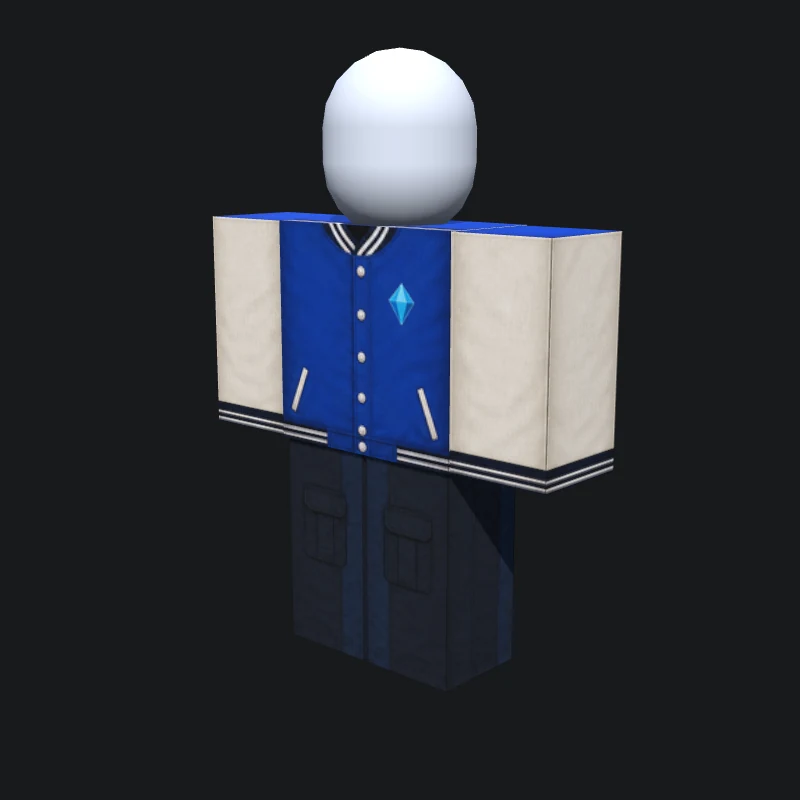
Roblox Clothing Maker varsity concept
Picture a cobalt jacket with cream sleeves and an original star detail.
Brief the Roblox shirts maker on both sides of the garment, then use the Roblox Clothing Maker to explore how the outfit reads from different angles.
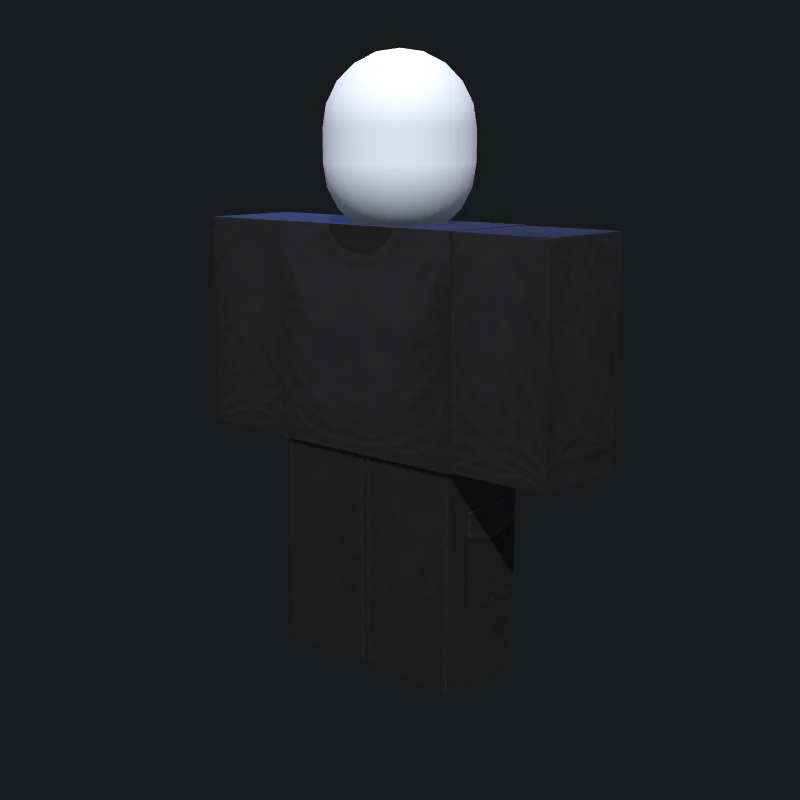
Roblox Clothing Maker streetwear concept
Give a graphic top quieter trousers through the Roblox pants maker.
Specify pocket positions, seams, and subtle accents in your Roblox Clothing Maker brief so the lower half supports the outfit's main detail.
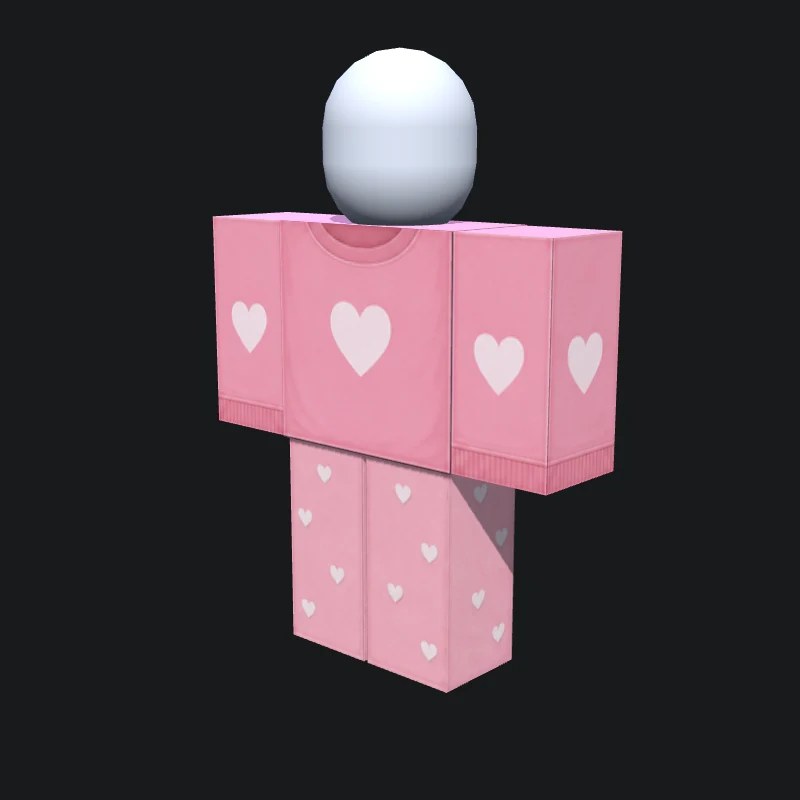
Roblox Clothing Maker pastel concept
Connect simple shapes with a repeating motif and a soft pink palette.
Give the roblox clothes maker one consistent theme, then explore it in the Roblox clothing creator without crowding every surface with detail.
Shape your look in the Roblox Clothing Maker
Put your Roblox shirts maker description into a roblox clothes maker result you can review. The Roblox Clothing Maker helps you explore a visual direction while you decide which details belong in the finished look.
Set your Roblox Clothing Maker direction
Establish the Roblox pants maker colors, materials, and mood before requesting details.
A focused Roblox Clothing Maker brief gives you a roblox clothes maker direction to compare against the result and a clearer Roblox clothing creator starting point for revisions.
Start your roblox clothes maker or Roblox pants maker description with the Roblox Clothing Maker garment, then identify the Roblox shirts maker features that make the Roblox clothing creator design recognizable.
Guide your Roblox Clothing Maker with references
Upload a Roblox shirts maker reference you may use and explain its role in your Roblox pants maker brief.
The Roblox clothing creator can take guidance from its visual qualities while your roblox clothes maker prompt describes the changes you want.
Keep your Roblox Clothing Maker palette coherent, but develop your own roblox clothes maker motifs and Roblox pants maker identity instead of reproducing another creator's outfit.
Coordinate your Roblox Clothing Maker garments
Coordinate the upper and lower halves with the Roblox shirts maker and Roblox pants maker.
Repeat a restrained accent or palette choice when the garments should read as one outfit.
Create an individual garment or coordinated outfit through the existing Roblox clothing creator workflow in the Roblox Clothing Maker.
Inspect your Roblox Clothing Maker result
Turn the roblox clothes maker outfit around in the workspace preview.
Use the Roblox Clothing Maker to examine where colors and details meet across the body before choosing your next Roblox pants maker adjustment.
Review the Roblox shirts maker or pants template from Roblox Clothing Maker alongside the visual preview before preparing your roblox clothes maker files for Roblox.
Start a design in the Roblox Clothing Maker
Your existing Forge GUI account and creation flow also work here. Open the Roblox Clothing Maker and begin a Roblox clothing creator outfit without learning a separate editor or registering again.
01
Brief your Roblox Clothing Maker outfit
Set the generator to Clothing, then explain the garment.
Give the Roblox shirts maker sleeves, a collar, and front artwork; tell the Roblox pants maker about the waist, legs, and any shared outfit accents.
Keep the roblox clothes maker brief centered on a single Roblox Clothing Maker garment or coordinated outfit, supported by concise Roblox clothing creator visual details.
02
Review your Roblox Clothing Maker result
Continue with Generate through the normal account and credit steps.
Your Roblox Clothing Maker prompt and optional reference follow into the workspace, where you can compare the Roblox pants maker image with your original idea before requesting another attempt.
Identify what the Roblox clothing creator and Roblox shirts maker should change before using more credits, rather than repeating the same broad request.
03
Inspect your Roblox Clothing Maker files
Inspect the classic garment in 3D and check its template before downloading the Roblox pants maker pieces.
Publishing remains your next step: the Roblox Clothing Maker neither uploads to your Roblox account nor promises platform approval.
Examine Roblox Clothing Maker sleeves, back, waist, and legs as carefully as the Roblox shirts maker front panel; one attractive Roblox clothing creator angle cannot reveal every issue.
Bring your outfit ideas into the Roblox Clothing Maker
Begin with a manageable roblox clothes maker design from the Roblox clothing creator and build on the Roblox pants maker details that work. The Roblox Clothing Maker keeps exploration and review in the Forge GUI workflow you already know.
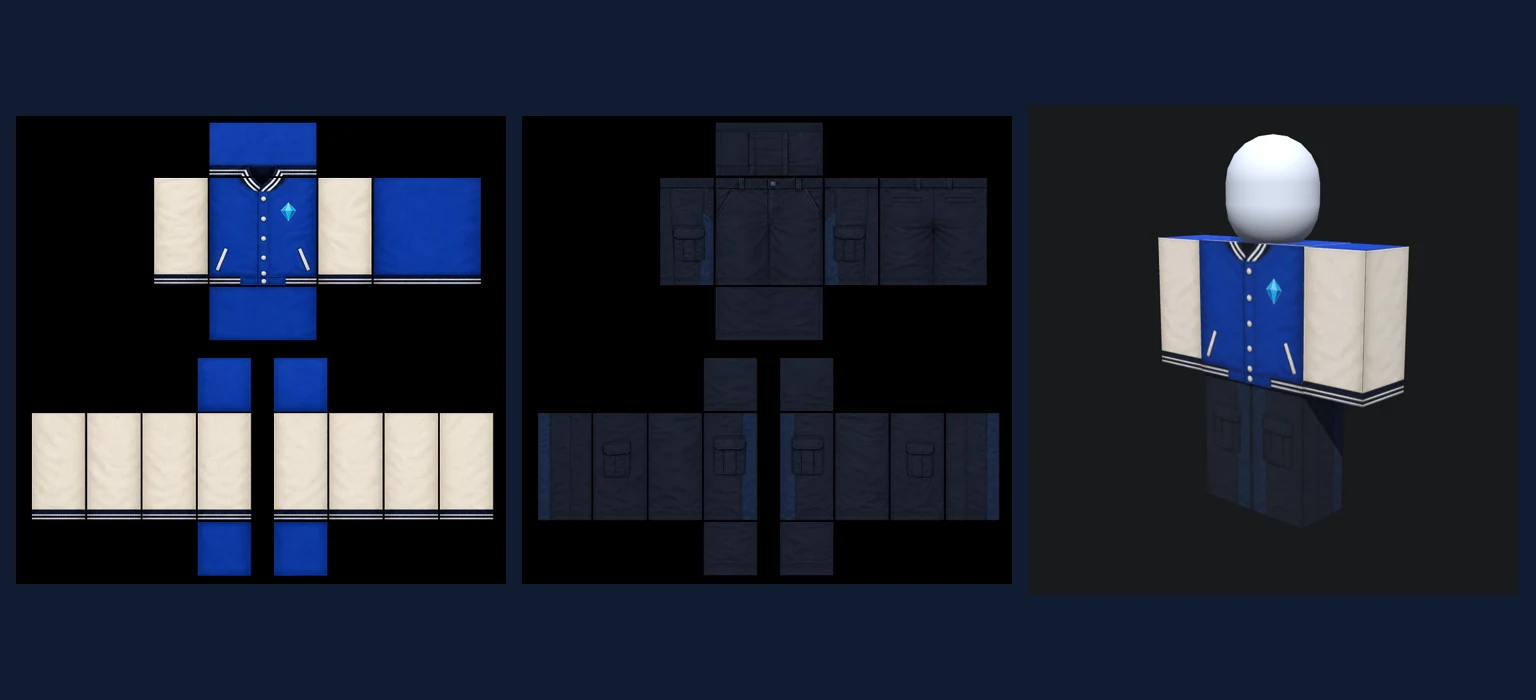
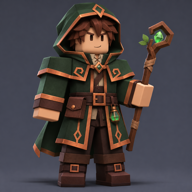
This illustration pairs a Roblox Clothing Maker concept with an outfit. Inspect your own generated templates directly in the workspace.
Keep your Roblox Clothing Maker workflow familiar
Stay with the same account, generator, and workspace when you open the Roblox Clothing Maker.
Whether it is a first outfit or another design session, your attention can remain on the creative decisions.
Coordinate Roblox Clothing Maker tops and pants
Carry a shared palette between Roblox shirts maker and Roblox pants maker briefs.
Balance dark and light areas, repeat one small accent, and choose which garment should hold the outfit's strongest visual feature.
Refine your Roblox Clothing Maker brief
After reviewing the Roblox clothing creator result, name a concrete adjustment: simplify the motif, quieten the sleeves, or darken the trousers.
Tell the Roblox Clothing Maker which parts to retain so the next attempt has a clear purpose.
Give the Roblox Clothing Maker a focused brief
Decide which features matter before opening the Roblox Clothing Maker. A brief with clear priorities makes the result easier to judge than a long list of equally important wishes.
Roblox shirts maker: plan every visible side
Describe the back and sleeves to the Roblox shirts maker, along with the front.
Place small motifs away from busy seams.
Guide the Roblox Clothing Maker with positioning instructions as well as your chosen colors and materials.
Roblox pants maker: support the whole look
Choose whether the Roblox pants maker should produce a quiet base or a bold focal piece.
Echo an accent from the top, and tell the roblox clothes maker how the two garments should relate visually.
Check Roblox Clothing Maker seams
Look for awkward seams and misplaced details in the Roblox Clothing Maker preview.
The Roblox clothing creator helps you explore, while your final inspection checks the wrap and whether the result follows your intended direction.
Use your Forge GUI credits in the Roblox Clothing Maker
Review the current account rules and displayed price before generating. The Roblox Clothing Maker uses the existing credit system; an entire outfit and a single garment can require different amounts of work, so check the request itself.
Choose the Roblox shirts maker for a top or the Roblox pants maker for the bottom half. Entering through this page does not require a second subscription. Your current plan determines the available download options and account benefits, just as in the existing workspace.
Testing a classic PNG in the separate clothes preview is different from generating artwork. The Roblox Clothing Maker keeps creation within Forge GUI. Consult Pricing for current plans and allowances, and use the browser test tool when you already have a template to inspect.
Creator Workflows
How Creators Use ForgeGUI Roblox Workflows
ForgeGUI Roblox workflows help creators compare thumbnail directions, sharpen prompt ideas, and maintain steady production across launches, updates, events, and concepts.
4.8
This is the first thumbnail draft I've felt really excited to finish 😭 The palette took a few attempts to get right. I edited the backdrop and repositioned the title myself afterward. Starting from an image instead of an empty canvas made it much easier to decide what needed changing next.
fernpixels
5.0
Needed a thumbnail, then stayed to try menu designs too. Unexpectedly fun to explore lol
Willow.exe
4.8
Lo uso para explorar opciones antes de dibujar. A veces toca repetir, pero una propuesta visual me ayuda a decidir cómo empezar.
maría.diseña
4.5
Getting an image helps me figure out where to take the design. I still handle the details, especially lettering; more text controls would be nice. Last time I compared three moods for a thumbnail, chose a favorite, and added the words myself. Those options made the decision simpler.
RAYsketch
4.9
My first game cover is finished! Pretty happy with this one :)
misty_irl
4.6
Für Entwürfe finde ich es praktisch. Nach zwei oder drei Versuchen passt meistens die Richtung.
flinkerFuchs
4.7
When I'm stuck on colors, I compare different palettes here. Some drafts miss the mark, but one usually gives me a useful place to start designing.
A
alex.zip
4.9
做缩略图时先试几组配色,比盯着空白画布有思路多了哈哈,方向定了再修细节。
谷
山谷慢慢画
4.8
My menu idea was vague at first. Comparing several visual drafts helped me see which direction I wanted to build for the game.
noah.makes
5.0
Second attempt and the mood finally clicked for me ✨
TOFU.dev
4.7
Mi aiuta a mettere giù le idee. Rifinisco ancora tutto a mano, però partire da una base è più semplice.
s
seraViola
4.9
サムネの下描き用です。配色を見比べて、お気に入りを探すのが楽しい😊
す
すもも_工房
4.6
Fantasy menus are my main reason for using it. Some drafts needed redoing, but I've saved several promising ones.
glyph.wav
4.8
썸네일에 어울리는 색을 찾을 때 켜요. 몇 가지 시도해 보니까 마음에 드는 분위기가 자연스럽게 잡히더라고요 ㅎㅎ
바
바람소풍
5.0
Told myself I'd try one last idea. Somehow my whole evening disappeared again haha
J
Jax_404
4.8
This is the first thumbnail draft I've felt really excited to finish 😭 The palette took a few attempts to get right. I edited the backdrop and repositioned the title myself afterward. Starting from an image instead of an empty canvas made it much easier to decide what needed changing next.
fernpixels
5.0
Needed a thumbnail, then stayed to try menu designs too. Unexpectedly fun to explore lol
Willow.exe
4.8
Lo uso para explorar opciones antes de dibujar. A veces toca repetir, pero una propuesta visual me ayuda a decidir cómo empezar.
maría.diseña
4.5
Getting an image helps me figure out where to take the design. I still handle the details, especially lettering; more text controls would be nice. Last time I compared three moods for a thumbnail, chose a favorite, and added the words myself. Those options made the decision simpler.
RAYsketch
4.9
My first game cover is finished! Pretty happy with this one :)
misty_irl
4.6
Für Entwürfe finde ich es praktisch. Nach zwei oder drei Versuchen passt meistens die Richtung.
flinkerFuchs
4.7
When I'm stuck on colors, I compare different palettes here. Some drafts miss the mark, but one usually gives me a useful place to start designing.
A
alex.zip
4.9
做缩略图时先试几组配色,比盯着空白画布有思路多了哈哈,方向定了再修细节。
谷
山谷慢慢画
4.8
My menu idea was vague at first. Comparing several visual drafts helped me see which direction I wanted to build for the game.
noah.makes
5.0
Second attempt and the mood finally clicked for me ✨
TOFU.dev
4.7
Mi aiuta a mettere giù le idee. Rifinisco ancora tutto a mano, però partire da una base è più semplice.
s
seraViola
4.9
サムネの下描き用です。配色を見比べて、お気に入りを探すのが楽しい😊
す
すもも_工房
4.6
Fantasy menus are my main reason for using it. Some drafts needed redoing, but I've saved several promising ones.
glyph.wav
4.8
썸네일에 어울리는 색을 찾을 때 켜요. 몇 가지 시도해 보니까 마음에 드는 분위기가 자연스럽게 잡히더라고요 ㅎㅎ
바
바람소풍
5.0
Told myself I'd try one last idea. Somehow my whole evening disappeared again haha
J
Jax_404
Forge GUI Roblox Pricing for Thumbnails and GUIs
Forge GUI plans support private thumbnail and GUI generation, connected editing, saved history, and high-resolution downloads. Every paid tier includes AI-assisted creation and a clear monthly credit allowance.
Understand the Roblox Clothing Maker process before your first brief, from creating a garment to inspecting the downloaded files.
Which garments can the Roblox Clothing Maker create?
Use the Roblox Clothing Maker to explore classic shirts, pants, or a matching outfit. Describe your Roblox shirts maker direction and review the generated result in the workspace. This page opens the existing Forge GUI Clothing tools with the same account, generation steps, and download controls.
What makes a useful Roblox shirts maker brief?
Specify a garment, palette, and a few defining details for the Roblox shirts maker. In the Roblox Clothing Maker, include the sleeves and back when relevant. A blue varsity jacket with cream sleeves and an original star motif communicates more than a request for something “cool.”
Can the Roblox pants maker coordinate with my top?
Give the Roblox pants maker the top's palette and recurring accents, or describe both garments together. Review the waist and leg details in the Roblox Clothing Maker to judge whether the pieces complement one another rather than competing for attention.
Can beginners use the roblox clothes maker?
Start the roblox clothes maker with a straightforward description and, if helpful, a permitted reference. Begin with a simple Roblox Clothing Maker outfit, inspect its details against your brief, and refine the important differences. Reviewing the generated work remains part of the process even without prior design training.
How does the Roblox Clothing Maker use references?
Add an image through the existing reference input in the Roblox clothing creator. Use material you own or may use, and identify the qualities that should guide the design. Keep a written Roblox Clothing Maker brief alongside it so the desired garment and changes remain clear.
Where can I preview Roblox Clothing Maker results?
Review generated classic garments in the workspace clothing preview. The Roblox Clothing Maker also links to a separate browser test for existing template PNGs. Use either preview to find visual issues, while remembering that different Roblox body proportions may display a design differently.
What can I try in the roblox clothes maker for free?
Check your account's balance, plan, and displayed generation terms first. The Roblox Clothing Maker uses those existing credit rules, with no separate pricing scheme for this page. Previewing an existing classic PNG in the browser test is a distinct activity from asking AI to create artwork.
Does the Roblox Clothing Maker publish clothing?
You handle publishing after reviewing and downloading the files. The Roblox Clothing Maker does not access your Roblox account or guarantee approval. Before uploading, inspect the final template, confirm your rights to its artwork, and check the platform's requirements for that clothing type.
Does the Roblox Clothing Maker produce 3D cosmetics?
The Roblox Clothing Maker focuses on classic clothing. An image is not a completed layered garment, rigged accessory, or marketplace-ready 3D asset. Use the Roblox clothing creator for its supported task, and review the separate production requirements before planning another kind of cosmetic.
How do I refine my Roblox Clothing Maker design?
Return to the Forge GUI workspace and describe a focused revision. Tell the roblox clothes maker which colors or motifs to adjust and which parts matter to you. Inspect the new result carefully, since requesting a change does not ensure every other detail stays identical.
Plan your next look in the Roblox Clothing Maker
Bring one outfit concept to the Roblox Clothing Maker. Explore its palette with the roblox clothes maker, review the first result, and use what you learn to choose a focused next revision.