Give your next screen direction with Roblox GUI Maker
roblox gui maker to Skip the Blank Screen and Start Creating
Tell the Roblox GUI Maker which task the screen should help a player complete. Describe a shop, inventory, HUD, menu, or stats panel, then add a useful reference. Explore GUI for Roblox through a readable first image, refine the arrangement, and carry the chosen visual direction into your interface implementation.
AI-PoweredReference ImagesEdit and RegenerateSave and Download
0
Explore Roblox GUI Maker Art Directions
See Roblox GUI Maker Visual Examples
Compare how panels, subjects, and visual emphasis work across these examples. Use the Roblox GUI Maker to explore a direction that belongs in your game. A useful GUI on Roblox starts with a clear player task, so judge the artwork by what the screen needs to communicate.
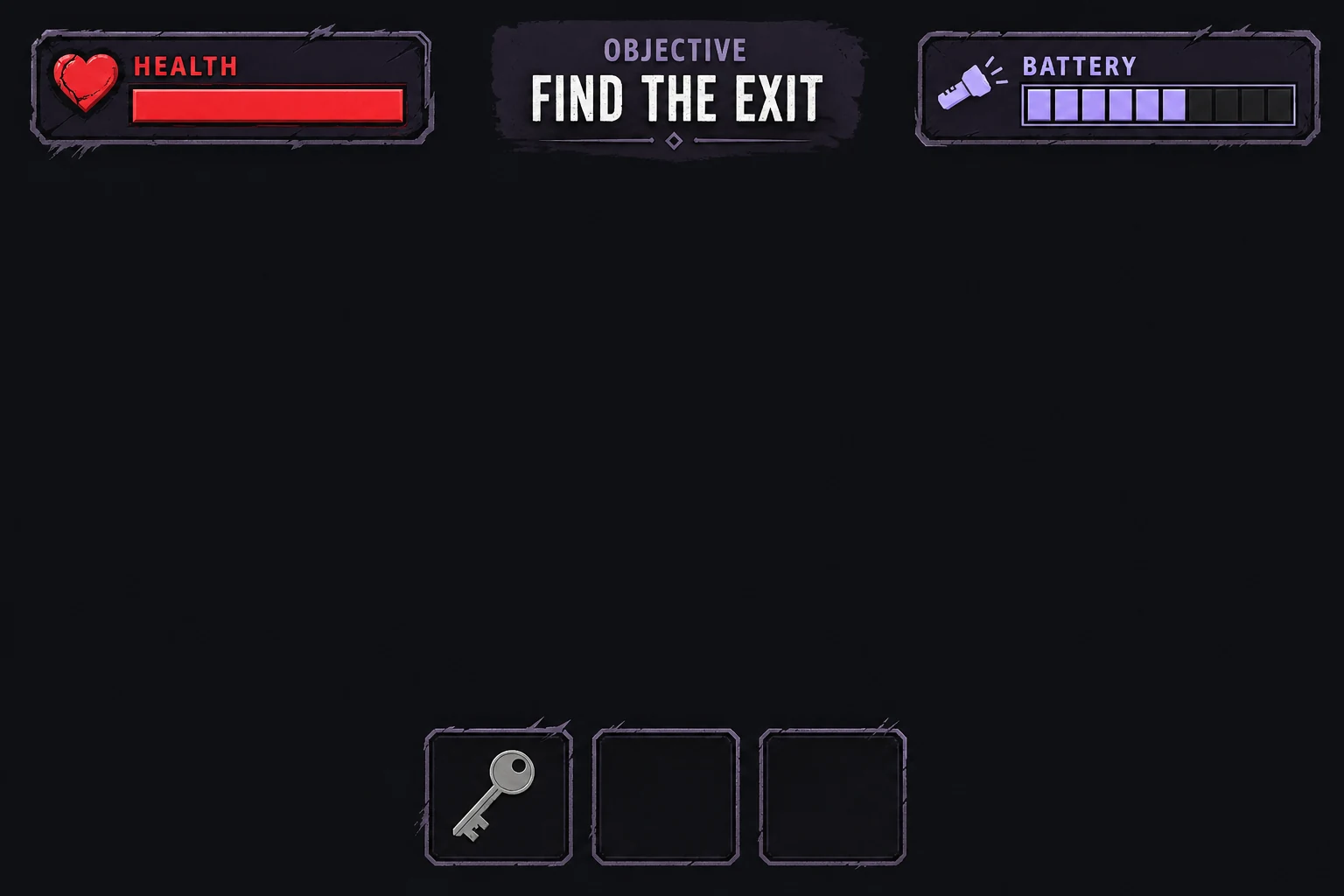
GUIAI generatedGUIAI generatedGUIAI generated
GUIAI generatedGUIAI generatedGUIAI generated
GUIAI generatedGUIAI generated
GUIAI generatedGUIAI generated
Inside the Roblox GUI Maker
Develop a Screen Brief You Can Discuss
Connect styles, prompt development, references, and saved images in the Roblox GUI Maker. Explain the screen purpose first, then refine its hierarchy. Keep the intended GUI for Roblox visible while deciding which choices belong in the finished interface.
Roblox GUI Maker World Styles
Match Roblox GUI to the Game
Choose Roblox GUI styling that belongs in your world: blocky, voxel-inspired, low-poly, or cinematic. When planning GUI on Roblox, compare colors and materials with gameplay. GUI for Roblox should feel connected to its environment.
Roblox, Minecraft, Unity, and Fortnite-inspired presets
Make the main visual and its supporting elements distinct
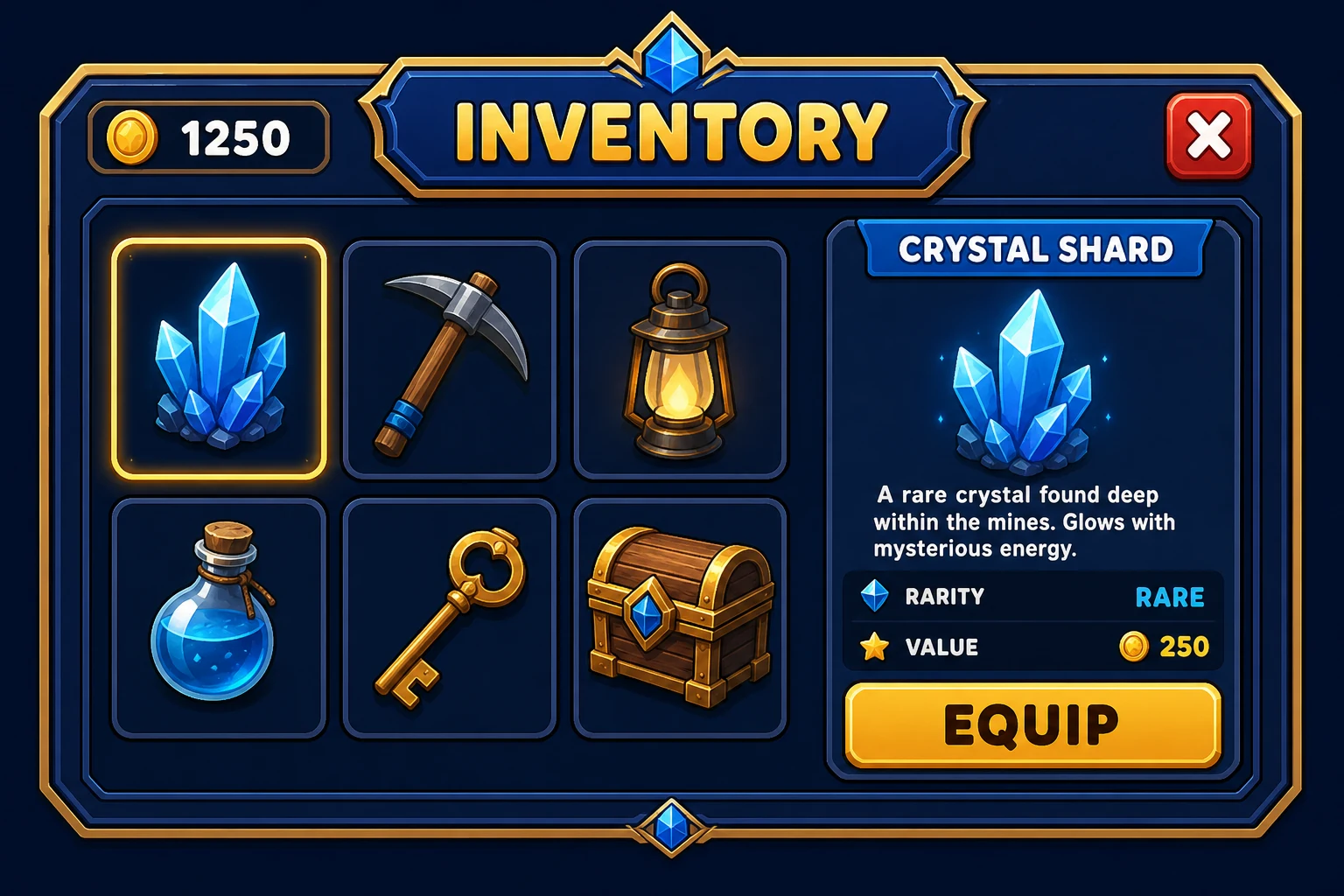
A polished Roblox crystal expedition inventory GUI. Dark navy and royal blue rounded panel, gold trim, title INVENTORY, exactly six item slots in a 3 by 2 grid showing a crystal, pickaxe, lantern, potion, key and treasure chest. Coin counter 1250, selected crystal detail on the right, large gold EQUIP button and clear close button. Clean hierarchy, crisp readable labels, no characters or scenery. Explicit background override: present this full-screen inventory menu on a solid dark navy background extending edge to edge. Opaque full-screen menu. Never draw checkerboard squares, transparency grids, white margins or a transparency placeholder.
Plan the Main Action With Roblox GUI Maker
Use Roblox GUI Maker to Establish Visual Hierarchy
Give the team a screen to inspect with the Roblox GUI Maker. Establish the main action, essential status, and secondary choices before decoration. A Roblox GUI concept should communicate that path clearly while leaving real controls and behavior for Studio.
Define the Roblox GUI Maker Goal
Give the Roblox GUI Maker one primary action: Equip, Buy, or Continue. Inspect whether your Roblox GUI concept emphasizes it and keeps supporting details readable. GUI for Roblox should communicate the task without making players study every panel.
Review Roblox GUI on Small Screens
Review the Roblox GUI concept at a smaller size. GUI for Roblox needs clear main labels, useful status, and strong contrast, with decoration that leaves room for players to act.
Match Roblox GUI Maker Art to Your World
Use related colors, materials, and shapes across the game and its screens. When building GUI on Roblox, compare the concept against the actual environment and check whether the interface feels like part of that same experience.
Compare Roblox GUI Maker Directions
Compare panel arrangements or moods in the Roblox GUI Maker. For GUI on Roblox, approve the Roblox GUI hierarchy before implementing a screen whose main action or information order remains undecided.
Three Steps in Roblox GUI Maker
Plan a Roblox GUI Maker Request Around One Screen
Begin the Roblox GUI Maker with a screen purpose, platform-inspired style, and essential information. Inspect the image and guide revisions with references or instructions before keeping the direction you will implement.
01
Set the Roblox GUI Maker Style
Select a platform and a theme, such as fantasy, horror, anime, pets, or a tycoon upgrade. Give the Roblox GUI Maker a setting. GUI for Roblox needs shapes, colors, and materials that fit the intended atmosphere.
02
Brief Roblox GUI Maker on the Task
Brief GUI for Roblox around a visible player task: choose an item, inspect a reward, or enter a shop. Identify the key information and primary button, then explain how that GUI on Roblox should direct attention toward the next step.
03
Review Your Roblox GUI Maker Image
Use the Roblox GUI Maker result to discuss GUI on Roblox. Adjust one issue through instructions or references, compare the Roblox GUI image, and save the direction before rebuilding an interactive screen in Studio.
Set a Roblox GUI Maker Goal
A Roblox GUI Maker Planning Checklist
Use the Roblox GUI Maker to resolve one player task. Judge GUI for Roblox by the clarity of the action and information, then keep those requirements visible throughout the design discussion.
01
Give Roblox GUI Maker One Purpose
Name the task, essential information, and target device for GUI on Roblox before briefing the Roblox GUI Maker on appearance.
02
Order Roblox GUI Maker Information
Separate the primary action, supporting choices, and persistent status so the intended GUI on Roblox remains readable.
03
Set Roblox GUI Maker Reference Boundaries
Use permitted Roblox GUI examples. Identify the palette, shapes, or details to change when creating GUI for Roblox.
04
Trace Your Roblox GUI Maker Concept
Check contrast, targets, states, and safe areas in your Roblox GUI before developing interactive GUI on Roblox.
Roblox GUI Maker for Creative Teams
Who Plans Interfaces With Roblox GUI Maker?
Use the Roblox GUI Maker when a prototype, feature, or update needs a clear screen direction. A Roblox GUI concept helps solo creators and teams discuss visual priorities before implementing the actual interface.
Roblox GUI Maker for Developers
Explore menu, inventory, shop, or HUD imagery for an obby, simulator, tycoon, pet game, or battle experience. With Roblox GUI Maker, plan GUI for Roblox around the screen’s main action and its game world.
Roblox GUI Maker for Voxel Worlds
Try a voxel-inspired palette and material language when your project calls for it. Comparing GUI on Roblox with other supported visual presets helps you choose styling appropriate to the environment, rather than applying one look everywhere.
Roblox GUI for Independent Teams
Develop screen directions for prototypes and Unity-style games using available presets. Lessons from GUI for Roblox can help teams discuss interface choices; the same review of GUI on Roblox clarifies what still needs implementation.
Roblox GUI Maker for Solo Creators
Brief the Roblox GUI Maker on one screen. Compare directions for GUI on Roblox, refine a useful Roblox GUI arrangement, and prepare a starting point without commissioning every exploratory concept separately.
Creator Workflows
How Creators Use ForgeGUI Roblox Workflows
ForgeGUI Roblox workflows help creators compare thumbnail directions, sharpen prompt ideas, and maintain steady production across launches, updates, events, and concepts.
4.8
This is the first thumbnail draft I've felt really excited to finish 😭 The palette took a few attempts to get right. I edited the backdrop and repositioned the title myself afterward. Starting from an image instead of an empty canvas made it much easier to decide what needed changing next.
fernpixels
5.0
Needed a thumbnail, then stayed to try menu designs too. Unexpectedly fun to explore lol
Willow.exe
4.8
Lo uso para explorar opciones antes de dibujar. A veces toca repetir, pero una propuesta visual me ayuda a decidir cómo empezar.
maría.diseña
4.5
Getting an image helps me figure out where to take the design. I still handle the details, especially lettering; more text controls would be nice. Last time I compared three moods for a thumbnail, chose a favorite, and added the words myself. Those options made the decision simpler.
RAYsketch
4.9
My first game cover is finished! Pretty happy with this one :)
misty_irl
4.6
Für Entwürfe finde ich es praktisch. Nach zwei oder drei Versuchen passt meistens die Richtung.
flinkerFuchs
4.7
When I'm stuck on colors, I compare different palettes here. Some drafts miss the mark, but one usually gives me a useful place to start designing.
A
alex.zip
4.9
做缩略图时先试几组配色,比盯着空白画布有思路多了哈哈,方向定了再修细节。
谷
山谷慢慢画
4.8
My menu idea was vague at first. Comparing several visual drafts helped me see which direction I wanted to build for the game.
noah.makes
5.0
Second attempt and the mood finally clicked for me ✨
TOFU.dev
4.7
Mi aiuta a mettere giù le idee. Rifinisco ancora tutto a mano, però partire da una base è più semplice.
s
seraViola
4.9
サムネの下描き用です。配色を見比べて、お気に入りを探すのが楽しい😊
す
すもも_工房
4.6
Fantasy menus are my main reason for using it. Some drafts needed redoing, but I've saved several promising ones.
glyph.wav
4.8
썸네일에 어울리는 색을 찾을 때 켜요. 몇 가지 시도해 보니까 마음에 드는 분위기가 자연스럽게 잡히더라고요 ㅎㅎ
바
바람소풍
5.0
Told myself I'd try one last idea. Somehow my whole evening disappeared again haha
J
Jax_404
4.8
This is the first thumbnail draft I've felt really excited to finish 😭 The palette took a few attempts to get right. I edited the backdrop and repositioned the title myself afterward. Starting from an image instead of an empty canvas made it much easier to decide what needed changing next.
fernpixels
5.0
Needed a thumbnail, then stayed to try menu designs too. Unexpectedly fun to explore lol
Willow.exe
4.8
Lo uso para explorar opciones antes de dibujar. A veces toca repetir, pero una propuesta visual me ayuda a decidir cómo empezar.
maría.diseña
4.5
Getting an image helps me figure out where to take the design. I still handle the details, especially lettering; more text controls would be nice. Last time I compared three moods for a thumbnail, chose a favorite, and added the words myself. Those options made the decision simpler.
RAYsketch
4.9
My first game cover is finished! Pretty happy with this one :)
misty_irl
4.6
Für Entwürfe finde ich es praktisch. Nach zwei oder drei Versuchen passt meistens die Richtung.
flinkerFuchs
4.7
When I'm stuck on colors, I compare different palettes here. Some drafts miss the mark, but one usually gives me a useful place to start designing.
A
alex.zip
4.9
做缩略图时先试几组配色,比盯着空白画布有思路多了哈哈,方向定了再修细节。
谷
山谷慢慢画
4.8
My menu idea was vague at first. Comparing several visual drafts helped me see which direction I wanted to build for the game.
noah.makes
5.0
Second attempt and the mood finally clicked for me ✨
TOFU.dev
4.7
Mi aiuta a mettere giù le idee. Rifinisco ancora tutto a mano, però partire da una base è più semplice.
s
seraViola
4.9
サムネの下描き用です。配色を見比べて、お気に入りを探すのが楽しい😊
す
すもも_工房
4.6
Fantasy menus are my main reason for using it. Some drafts needed redoing, but I've saved several promising ones.
glyph.wav
4.8
썸네일에 어울리는 색을 찾을 때 켜요. 몇 가지 시도해 보니까 마음에 드는 분위기가 자연스럽게 잡히더라고요 ㅎㅎ
바
바람소풍
5.0
Told myself I'd try one last idea. Somehow my whole evening disappeared again haha
J
Jax_404
Roblox GUI Maker Starting Options
Begin Your First Roblox GUI Maker Concept
Try the Roblox GUI Maker with a defined screen and style. Check account trial and reward details, then inspect the image. For GUI for Roblox, judge which choices communicate the task before requesting another direction.
Return for the Daily Reward
Claim the available reward once each local calendar day. Missing a day leaves your progress intact. Check the account schedule when you return and use the allowance under the conditions shown for that reward.
Invite a Friend for 300 Credits Each
Share your invite link. After the friend registers and buys their first plan, both of you receive 300 credits. A refund reverses those rewards, so check that the qualifying purchase remains valid when reviewing your account balance.
Forge GUI Roblox Pricing for Thumbnails and GUIs
Forge GUI plans support private thumbnail and GUI generation, connected editing, saved history, and high-resolution downloads. Every paid tier includes AI-assisted creation and a clear monthly credit allowance.
Review what the Roblox GUI Maker generates, how references guide the image, and how trials, credits, and downloads work. These answers help you prepare a useful screen brief and distinguish a Roblox GUI concept from the interactive interface you will implement and test in your own Studio project.
Turn briefs and references into artwork with the Roblox GUI Maker. It provides platform-aware direction, one result per request, connected edits, history, and high-resolution downloads. Treat GUI for Roblox as a design reference. ForgeGUI MCP additionally supports avatars, icons, clothing, models, instrumental music, effects, and R15 animation through Claude or Codex, with each output serving a distinct production role.
Name the screen, task, essential information, main action, and mood. Select a style and useful references, then inspect the Roblox GUI Maker output. Request a focused correction before downloading. For GUI on Roblox, use the image to settle appearance before implementation and device testing.
The Roblox GUI Maker combines hierarchy, visual direction, references, edits, and saved results with the request history and credit activity. A Roblox GUI concept is useful when it helps the team agree on the appearance and player task before moving into implementation.
Ask the Roblox GUI Maker for HUDs, menus, panels, buttons, inventories, shop screens, quest logs, health bars, ability slots, counters, popups, frames, badges, or icons. Character skins are not supported by this interface workflow. Describe GUI for Roblox around a particular screen, and remember that the generated image still needs separate objects and logic to become interactive.
Attach a permitted screenshot, sketch, or mood board and identify what should remain. Guide the Roblox GUI Maker through changes to color, borders, arrangement, or emphasis. When revising GUI on Roblox, compare against the reference and explain which differences matter.
The Roblox GUI Maker includes Roblox, Minecraft, Unity, and Fortnite-style directions. These independently provided presets guide appearance rather than representing official products. Choose a treatment that fits the actual environment and the screen's purpose; a Roblox GUI should feel connected to the game, not merely inherit decorative elements from whichever preset was selected first.
Initial images usually arrive within minutes, depending on provider demand, references, and edit complexity. The Roblox GUI Maker promises no fixed number of seconds. When planning GUI for Roblox, allow review time and check a pending task before repeating it.
Begin with the card-backed seven-day trial and its daily reward schedule. Each Thumbnail or GUI result consumes 10 credits, with plan details available before choosing a larger allowance. Budget Roblox GUI Maker attempts for revisions as well as the first image. GUI on Roblox may need several visual directions before the team approves one for implementation.
Version 1.0 produces one image per request. Generate another version or edit the result when you need a different direction. Keep each Roblox GUI Maker attempt tied to a specific question about layout, hierarchy, or style. A Roblox GUI concept is easier to compare when you know what changed and why, rather than expecting a batch from one request.
The Roblox GUI Maker offers platform-inspired presets without affiliation to Roblox, Minecraft, Unity, Fortnite, Epic Games, or Microsoft. Treat the output as independent artwork. For GUI for Roblox, review relevant platform requirements and your design’s suitability before including it in a published experience.
Review the generated image, reference permissions, destination-platform rules, trademark policies, and applicable content restrictions. The Roblox GUI Maker supports the creative work, but the decision to publish remains yours. A concept for GUI on Roblox may need editing or further review for its intended audience and commercial context before becoming part of a released game.
Specify the screen's purpose, primary action, important information, game theme, and desired feeling. For example, describe an inventory with a selected item and a prominent Equip action. Give the Roblox GUI Maker that structure before adding decoration. A clear Roblox GUI brief helps you judge whether the output supports the player's intended task.
Each direction uses different conventions: blocky toy-like Roblox styling, voxel-based Minecraft forms, clean low-poly Unity scenes, or cinematic Fortnite-inspired action. The Roblox GUI Maker applies that visual context to the request. Compare the output with the actual game when creating GUI for Roblox, and revise any styling that conflicts with its world or distracts from the screen's purpose.
Give Roblox GUI Maker Your Next Screen Brief
Choose one player task for the Roblox GUI Maker, describe the visual hierarchy, and add useful references. Review the image, refine a focused detail, and download the approved direction. Keep the purpose of GUI on Roblox clear while preparing the design for Studio implementation.