2026 Roblox 3D Game Assets Creation AI Workflow
Forge GUI’s Roblox 3D model generator turns one prompt into a reference and a textured mesh. See how Roblox models differ from Roblox meshes, and which import limits still apply in October 2026.
Maggie Mann is a hands-on Roblox developer with more than 10 years of experience shipping gameplay, UI, and creator-facing production workflows.
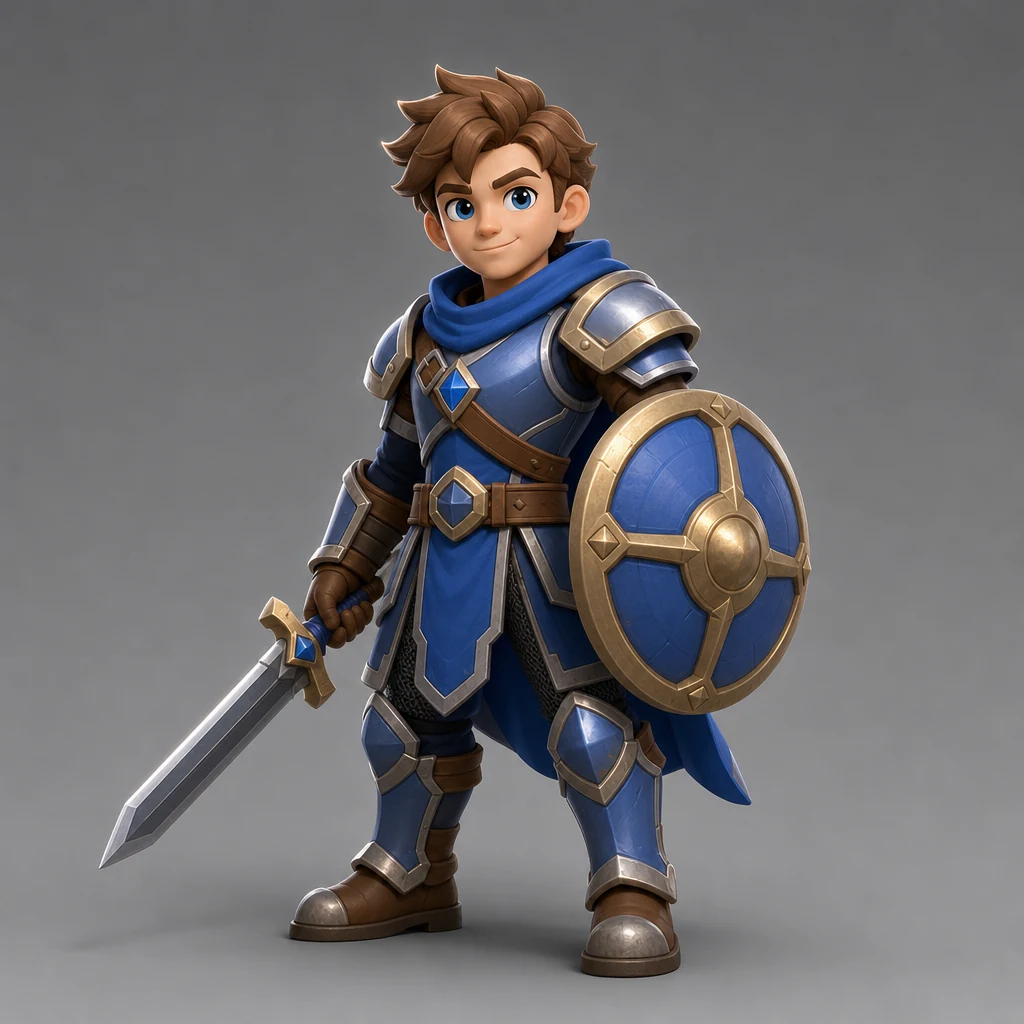
A clear concept does not automatically produce a usable Roblox 3D asset. Prototypes have traditionally waited for silhouette blocking, UV work, an initial texture, and a compatible export. AI shortens that first pass in 2026, giving teams Roblox models and Roblox meshes they can inspect sooner. The remaining production checks still matter: a reviewable shape is not yet an asset ready for release, and a prompt cannot certify performance, import compatibility, or suitability for the intended game.
This workflow follows that handoff through Forge GUI’s Roblox 3D generator. The six published gallery prompts provide concrete starting points, alongside Roblox’s mesh, texture, and import limits. Open the Roblox 3D generator or use the embedded control, which already selects 3D and cycles those example prompts. On desktop it remains beside the guide; on phones it appears beneath the byline. The Roblox 3D model generator helps create a draft you can review before deciding which production work comes next.
Review scope: Forge GUI’s Roblox 3D workflow was originally checked October 10, 2026. The cited platform figures come from Roblox’s Q2 2026 shareholder letter, September 3 creator-economy announcement, and Creator Hub documentation. Outputs vary: a textured GLB from the Roblox 3D generator still needs review and does not constitute a Marketplace-ready accessory.
Key Takeaways
- Start Roblox 3D work with one complete subject and a readable silhouette rather than an overlapping battle scene.
- The Roblox 3D model generator creates a square reference before reconstructing a textured GLB for viewing and download.
- Distinguish Roblox models, which are Studio containers, from downloaded Roblox meshes; a texture does not supply a rig or Marketplace cages.
- Check published budgets: individual meshes have a 20,000-triangle ceiling, with stricter requirements for Marketplace bodies and accessories.
- Studio documents
.fbx,.gltf, and.obj; its glTF announcement identifies.glbas the binary form. Verify the file picker in your installed build.
Why one mesh now changes a Roblox launch
Roblox 3D production serves a substantial audience. In the Q2 2026 shareholder letter, also filed as an SEC earnings exhibit, the company reported 123 million average daily active users, 10% annual growth, and 29 billion engagement hours. Those company operating figures provide context for Roblox models production; they are not an independent assessment of an individual experience or its assets.
The letter also discusses Roblox’s own generation tools: more than 60,000 assets created daily and nearly 1,400 games using Cube-generated content each day. In its survey of several thousand creators already using AI, 95% reported shorter game or update launch times, while almost half reported acceleration exceeding 50%. These figures concern Roblox’s selected AI-using respondents. They neither measure Forge GUI’s Roblox 3D generator nor establish how quickly a particular team can ship Roblox meshes after generation and cleanup.
The commercial context has grown as well. Roblox’s September 3, 2026 newsroom report puts creator earnings above $1.5 billion in 2025, versus $923 million in 2024. Nordicity’s accompanying U.S. impact study estimates $752 million contributed to GDP in 2025, up 69%. Distribution matters alongside those totals: over 42,000 creators participated in DevEx, and the median participant received about $1,500 during the twelve months ending June 30, 2026. Many teams therefore still make Roblox 3D decisions with limited budgets. Earlier drafts of Roblox models can make custom-art discussions more concrete before a developer commissions every chest, tool, or NPC from scratch.
These figures do not predict revenue from generated Roblox meshes. They explain the production interest in Roblox 3D drafts: an early shape can support a decision before substantial modeling time is committed.
What a generated 3D asset is — and what it is not
The downloadable Roblox 3D result is a textured GLB. The Khronos glTF 2.0 specification defines that binary container for glTF assets, allowing geometry, materials, and images to share one file. This makes the Roblox 3D model generator’s handoff convenient: inspect it from different angles in the browser, retain the originating prompt, and pass the file to a collaborator without assembling a separate texture folder or archive for the first review.
Generated Roblox meshes do not automatically include:
- a rigged R15 character
- an animation
- a collision hull or a hitbox
- a watertight Marketplace accessory with inner and outer cages
- a mesh that has already been counted against Roblox’s triangle budget
The earlier Forge GUI feature review makes a similar distinction for thumbnails, interface concepts, and avatar images. A Roblox 3D draft makes an idea visible enough to assess. Studio remains responsible for assembling, scripting, testing, and publishing the playable experience. Forge GUI is independent of Roblox; using its Roblox 3D generator does not change that separation or turn the download into a finished game object.
Texture workflows for Roblox models involving albedo, seamless surfaces, and normal maps remain relevant once the geometry works. Roblox 3D production here begins earlier: no polished surface can correct an incomplete subject that the reconstruction stage never saw clearly in its reference.
How this Roblox 3D generator builds the mesh
The Roblox 3D page presents four stages. The embedded Roblox 3D generator follows that sequence with the mode preselected, from subject brief through downloadable mesh review.
1. Describe one game asset
Choose a single prop, robot, creature, or character for the Roblox 3D model generator. Specify its proportions, major materials, color areas, and one or two identifying features. Skip crowds, cinematic camera instructions, and lengthy backstory that obscure the geometry.
This complete gallery brief anchors the cover’s Roblox 3D subject:
A brave fantasy adventurer with blue armor and a round shield
One figure, a clear armor treatment, and a recognizable shield give the Roblox 3D generator useful structure. A battle inside a castle introduces overlapping subjects instead. Hidden surfaces leave reconstruction guessing at the volume behind the visible scene.
2. Let the task build the 2D reference
The Roblox 3D model generator first produces a square studio reference for Roblox 3D reconstruction. Expect one complete subject, uncomplicated illumination, and minimal scenery in a consistent three-quarter view. You do not need to upload this intermediate image yourself; the Roblox 3D model generator creates it from the written brief.
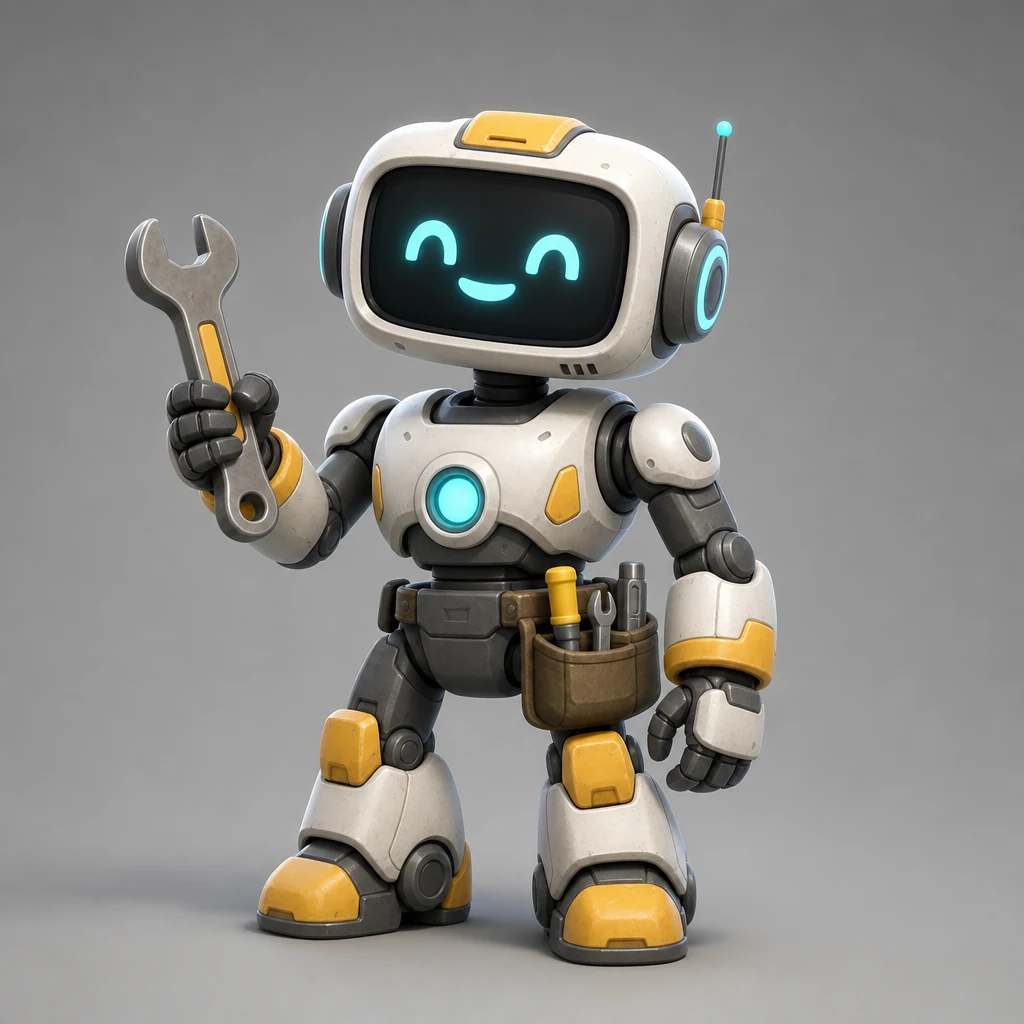
Published reference for “A friendly maintenance robot with a cyan display and tool pack.” These gallery images illustrate the Roblox 3D generator’s reference stage, not a completed GLB download.
Inspect the reference before proceeding with Roblox meshes. Missing feet, an obscured arm, or a tiny accessory can undermine the next stage. Narrow the correction to the visible issue: “Include the full hammer and its handle” preserves the asset direction. Adding a dragon while requesting a cooler design gives the Roblox 3D model generator a different subject rather than a useful refinement.
3. Reconstruct the mesh
The Roblox 3D model generator turns that reference into stored geometry while the workspace retains the source prompt and displays task progress. Roblox 3D model generator processing happens asynchronously, so completing the file does not require an open browser tab. Return to the task when the Roblox 3D generator has finished.
4. Preview, then download the GLB
Inspect finished Roblox models and Roblox meshes in the signed-in viewer before downloading. Rotate the asset and check fused shield edges, malformed hands, detached details, and textures that no longer follow the approved shape. A Roblox 3D preview is the point to catch those visible failures.
The Roblox 3D Importer documentation lists .fbx, .gltf, and .obj, with support for materials, hierarchy, rigs, skinning, and animations when the file actually contains them. This Roblox 3D model generator supplies textured geometry rather than promising those additional systems. Roblox’s August 23, 2023 glTF full-release announcement explains that binary .glb and .gltf receive equivalent handling after loading. Because the documentation table emphasizes .gltf, verify the accepted extension in your installed Studio picker. File-format support and the contents of generated Roblox models are separate questions; an importer cannot add a missing rig simply because it supports rigged files.
Six prompts already used on the Roblox 3D page
The reference gallery publishes these six short briefs, also rotated through the embedded Roblox 3D generator. Focus the input and select an example from its list to fill the field. Each prompt concentrates on one subject so the Roblox 3D model generator has a manageable starting shape.
| Asset | Prompt used on the product page | Why it reconstructs |
|---|---|---|
| Fantasy adventurer | A brave fantasy adventurer with blue armor and a round shield | One body, one shield, one color story |
| Sci-fi robot | A friendly maintenance robot with a cyan display and tool pack | A compact machine with a readable face and a separate accessory |
| Stone golem boss | A mossy stone golem boss with a glowing crystal core | Large simple masses plus one emissive focal point |
| Game mascot | A cheerful sky fox mascot with oversized ears and a blue scarf | A strong silhouette and one cloth accessory |
| Hero prop | A chunky fantasy forge hammer with a small energy core | An isolated tool, which is easier than a character holding it |
| Collectible chest | A blue-banded adventure chest with a crystal lock | A closed prop with a few large material breaks |
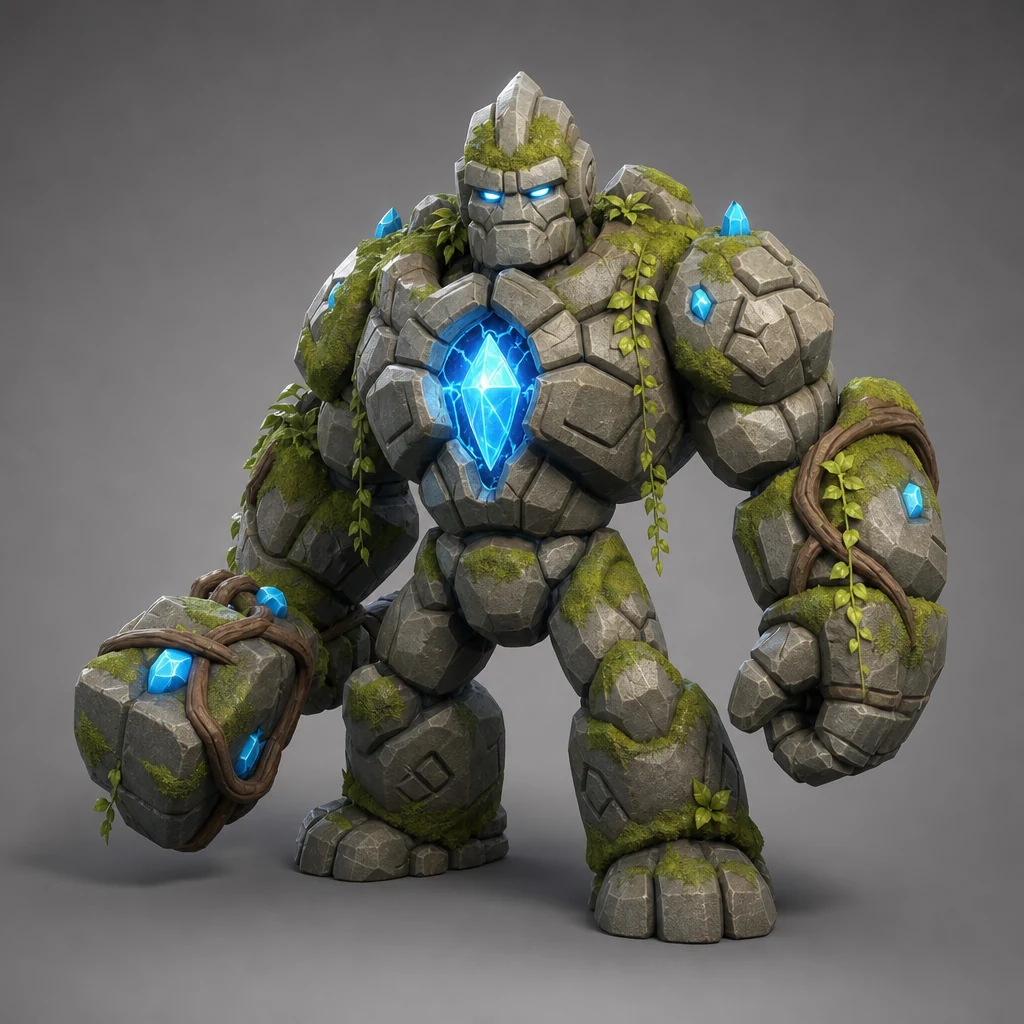
“A mossy stone golem boss with a glowing crystal core.” For Roblox meshes, broad stone masses and a single luminous center are clearer reconstruction cues than dense engraved decoration.
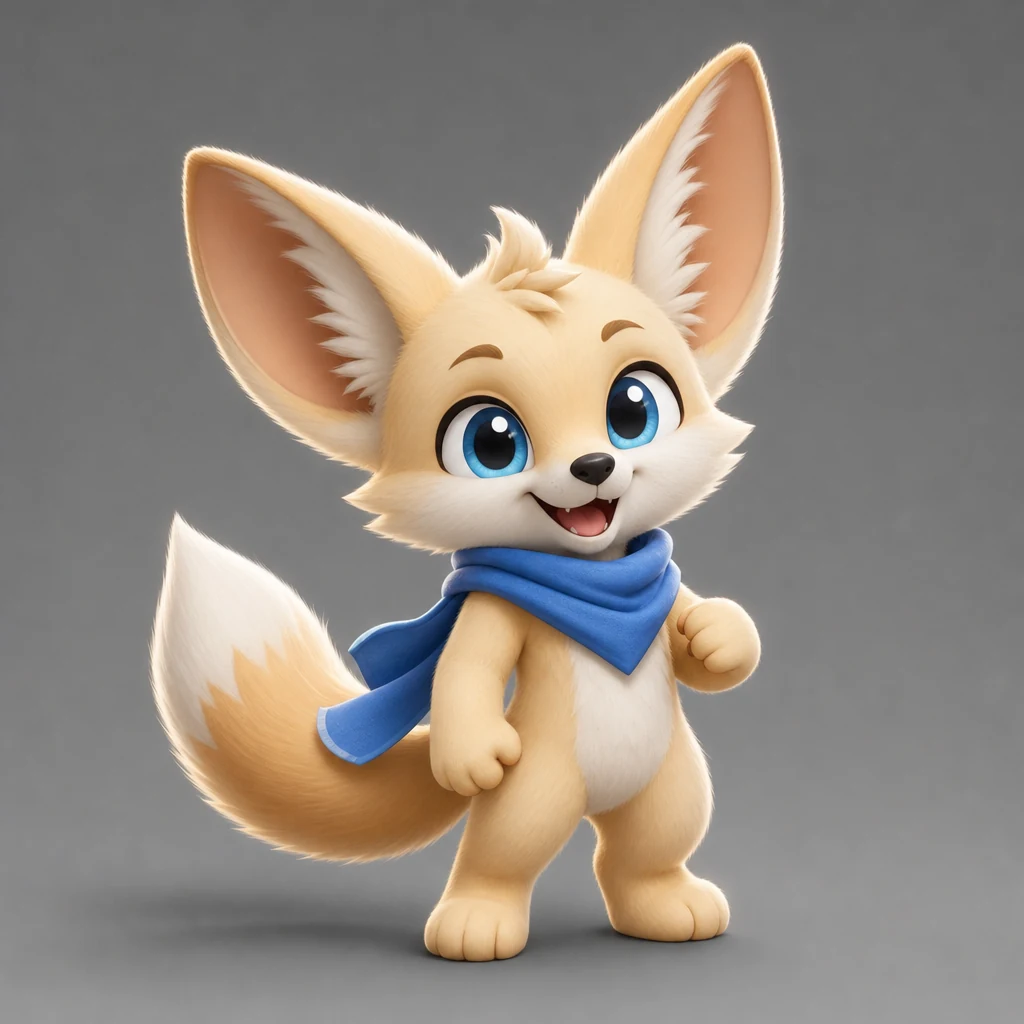
“A cheerful sky fox mascot with oversized ears and a blue scarf.” These Roblox models rely on recognizable ears and scarf; elaborate fur markings would distract from that silhouette.
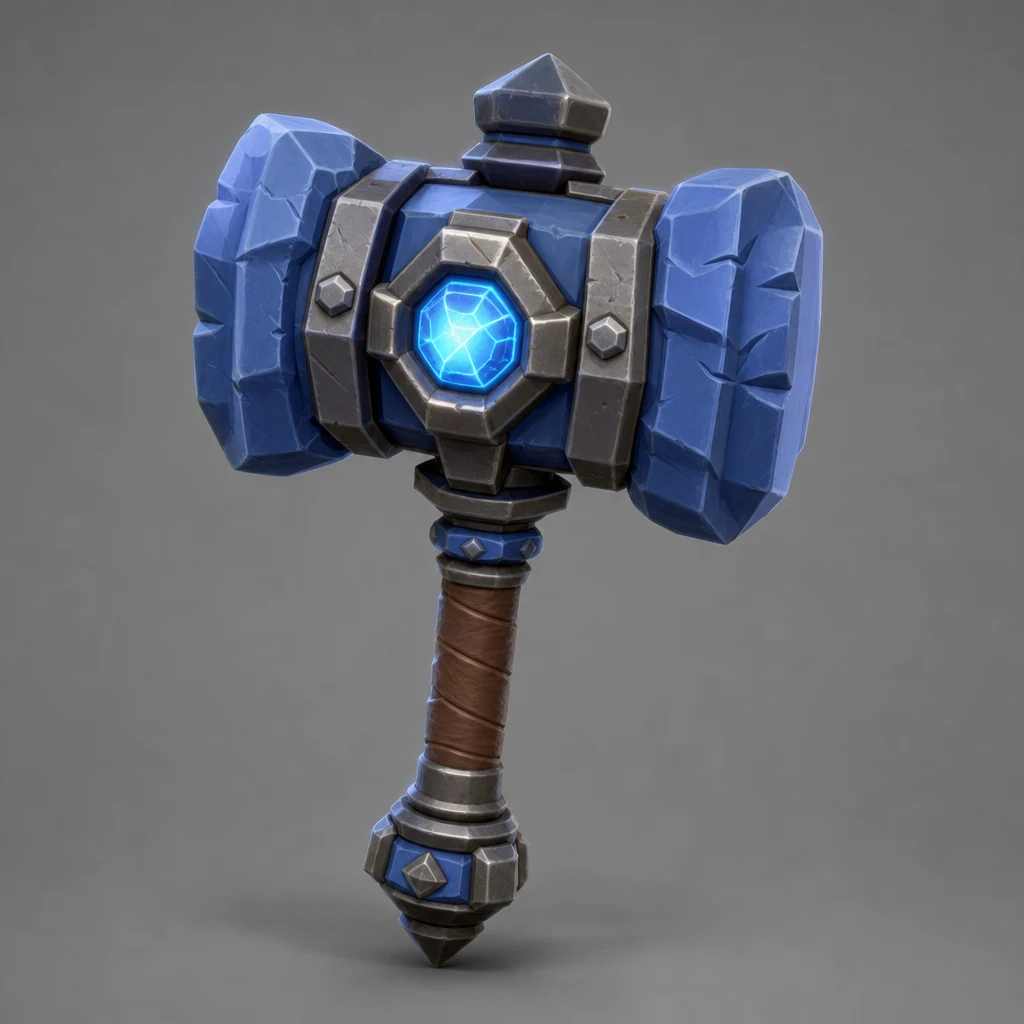
“A chunky fantasy forge hammer with a small energy core.” A standalone Roblox 3D prop exposes its head, handle, and core instead of hiding them inside a character’s grip.
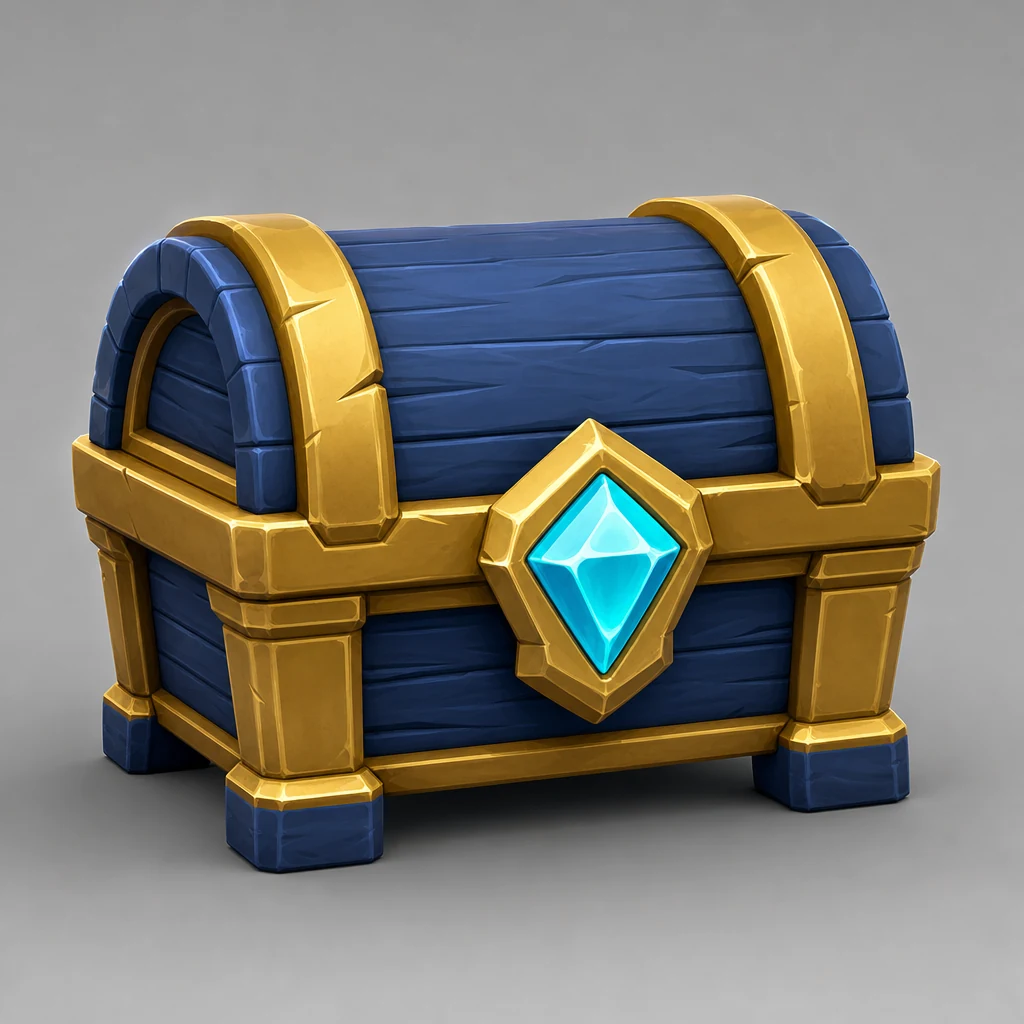
“A blue-banded adventure chest with a crystal lock.” Closed Roblox models offer a simpler first import than open containers crowded with intersecting coins and other contents.
When the design is settled, expand a Roblox 3D model generator brief with construction details while retaining one subject. The product’s longer robot example demonstrates that approach:
A friendly compact maintenance robot with a rounded square head, cyan face display, short sturdy legs, white painted armor, dark rubber joints, blue accents, and a small tool pack.
Give the Roblox 3D model generator more precise shape, material, and quantity details when the first draft feels generic. Avoid lettering, particle effects, or an extra character intended only to establish scale.
Check the mesh against Roblox’s published budgets
A completed download does not validate Roblox meshes. Before conversion into a MeshPart, compare the file against Roblox’s general mesh specifications. Treat that check as part of the Roblox 3D handoff.
| Rule | What the Creator Hub says | What to do with an AI draft |
|---|---|---|
| Triangle budget | An individual mesh cannot exceed 20,000 triangles. | Read the count in the importer. Retopologize before you build gameplay on a mesh that fails the check. |
| Watertight geometry | Geometry should be closed, without exposed holes or backfaces. | Look for sheets, open mouths, and capes that have no thickness. |
| Volume | A mesh cannot be zero thickness. | Paper, ribbons, and single-plane leaves need a rebuild. |
| Quads | Use quads where possible and avoid n-gons. | Do not expect the GLB’s triangulation to be your final topology. |
| Influences | A vertex can be influenced by at most four bones, and the root should sit at the origin with frozen transforms. | Only relevant after you rig. This workflow does not rig the file for you. |
| One material | A mesh object can have only one material assigned. | Multiple generated material slots may need to be baked into one texture before import. |
Marketplace Roblox models face additional constraints beyond ordinary experience props. The body specifications describe a 10,742-triangle classic body across six assets, including a 4,000-triangle dynamic head and 1,248 per limb group. Layered clothing requirements call for a single watertight mesh, no more than 4,000 triangles, and textures within 2048×2048. The Roblox 3D generator’s adventurer concept is therefore not automatically a publishable coat. Plan the separate preparation that the intended Marketplace category requires.
Check texture specifications separately from Roblox meshes. The page states support up to 4096×4096 while recommending 256×256 for 5×5-stud objects, 512×512 for 10×10, and 1024×1024 for 20×20. Its UV section also states a 1024×1024 supported-map limit. Separate texture imports accept PNG, JPG, TGA, or BMP. For Roblox 3D materials through SurfaceAppearance, prepare RGB albedo, OpenGL tangent-space normals, and grayscale roughness, metalness, and emissive masks. Use one UV set within 0–1; Studio does not accept multiple sets. Confirm the relevant asset path rather than treating the largest number as a universal target.
Resolve those differing limits through the actual Roblox 3D import path. Use the smallest texture that remains legible at gameplay distance, then respond to the asset-specific warning. Spending memory on a 4K chest texture is unhelpful if the engine downsamples it and players never approach closely enough to see the detail.
Wrap-layer cages require separate Roblox meshes. Roblox uses invisible _InnerCage and _OuterCage geometry, which a generated fox GLB does not supply. If the design must equip on an avatar, schedule that Blender work after approving the Roblox 3D silhouette.
A Roblox model and a Roblox mesh are different jobs
A search for Roblox models often means a ready-to-place chest, character, or tool. Studio distinguishes that assembled object from its visible surface: a Model can contain MeshParts, welds, attachments, scripts, and sounds. Roblox meshes provide geometry within that assembly. The mesh specifications, including the 20,000-triangle limit, apply to each individual mesh rather than granting an entire container a single undifferentiated budget.
The Roblox 3D model generator handles the geometry handoff through a textured GLB. It does not package fully implemented Roblox models with every required gameplay instance. Keeping that distinction clear makes the next production task easier to identify.
- Prepare a chest or hammer as a
MeshPartafter validating scale and collision for its Roblox 3D role. - Assemble pets, tools, and bosses as Roblox models with the required attachments, welds, and behavior around their mesh.
- Budget a separate clothing pass for watertight geometry within 4,000 triangles and the cages absent from the generated GLB.
Review one Roblox 3D generator subject before requesting another. The six short Roblox 3D generator examples make comparisons manageable. If a foot, handle, or crystal disappears in the reference, adjust that specific instruction. Introducing a second figure asks for different Roblox meshes rather than correcting the first asset.
Where the draft should leave Forge GUI
Keep the Roblox 3D model generator draft while it resolves a design decision.
- Props and collectibles. Roblox meshes for chests, tools, crates, and pickups can become placed
MeshPartobjects after triangle, collision, and scale checks. - Creatures and bosses. Establish the main Roblox 3D volumes first, then correct wings, horns, or crystals intersecting the body.
- Robots and companions. Strong material and color blocks usually communicate better than small pistons or intricate panel markings.
- Characters and NPCs. Use Roblox models drafts to settle costume and proportions. Leave rigging, facial performance, accessories, and Marketplace cage preparation to the next production stage.
Take approved Roblox meshes into Blender or Maya for polygon reduction, a single UV layout, cloth thickness, or humanoid rigging with no more than four influences per vertex. Move to Studio for import, collision, anchoring or welding, and testing on representative player devices. The feature review workflow follows the same order: settle the silhouette, establish materials, then add decoration. Reworking detailed textures before approving Roblox 3D geometry wastes effort on a shape that may still change.
If the Roblox 3D generator gets the silhouette right but the surface wrong, schedule a texture revision for those Roblox models. Use flat illumination, a focused material, and maps appropriate to stud size. Reconstructing an entire Roblox 3D asset merely to recolor its lock creates unnecessary work.
Frequently Asked Questions
Can I generate a 3D asset without uploading a reference image?
Yes. The Roblox 3D model generator derives an intermediate reconstruction image from your text. If you already have an authorized design reference, upload it and explain which features should guide the Roblox 3D result rather than leaving their importance ambiguous.
Will the GLB import directly into Roblox Studio?
The documented importer lists .fbx, .gltf, and .obj; Roblox’s release discussion explains binary .glb handling. In your installed Studio version, open File > Import 3D and confirm the download is selectable. Before importing Roblox meshes, examine the reported triangle, material, and texture warnings. A Roblox 3D generator export still needs those file-specific checks.
Does the download include a rig or animations?
No. The Roblox 3D output is a textured GLB for viewing and download. Add bones, skinning, R15 preparation, and animation in the appropriate modeling and Studio workflow. When Roblox models later include animation, observe the documented limit of one animation track per mesh export.
Is the download a Roblox model or a Roblox mesh?
You receive textured Roblox meshes in a GLB file. Build Roblox models around them in Studio using MeshParts, welds, attachments, and scripts as needed. The Roblox 3D generator supplies the geometry, not that completed gameplay assembly.
Can I sell the result as UGC clothing?
A separate production pass is required. Marketplace clothing needs watertight Roblox meshes within 4,000 triangles, suitable cages and body scale, and textures no larger than 2048×2048. The Roblox 3D model generator helps establish a design but does not perform those category-specific validations for you.
Is Forge GUI the same thing as Roblox Cube?
No. The Q2 2026 figure of 60,000 daily generated assets refers to Roblox’s Cube tools. Forge GUI’s Roblox 3D generator is independent, following the prompt, reference, reconstruction, preview, and GLB handoff described in this article.
Choose one of the rotating Roblox 3D examples or open the input’s prompt list. Generate a reference, inspect its subject, and then evaluate the resulting geometry. The Roblox 3D model generator’s purpose here is to expose the next production decision, not conceal unfinished work behind an attractive preview.