ForgeGUI AI Features: A 2026 Honest Review for Roblox
Forge GUI helps Roblox creators generate thumbnails, GUI concepts, avatar designs, and documented textured 3D drafts. See where it saves time and where specialist tools still take over.
Maggie Mann is a hands-on Roblox developer with more than 10 years of experience shipping gameplay, UI, and creator-facing production workflows.
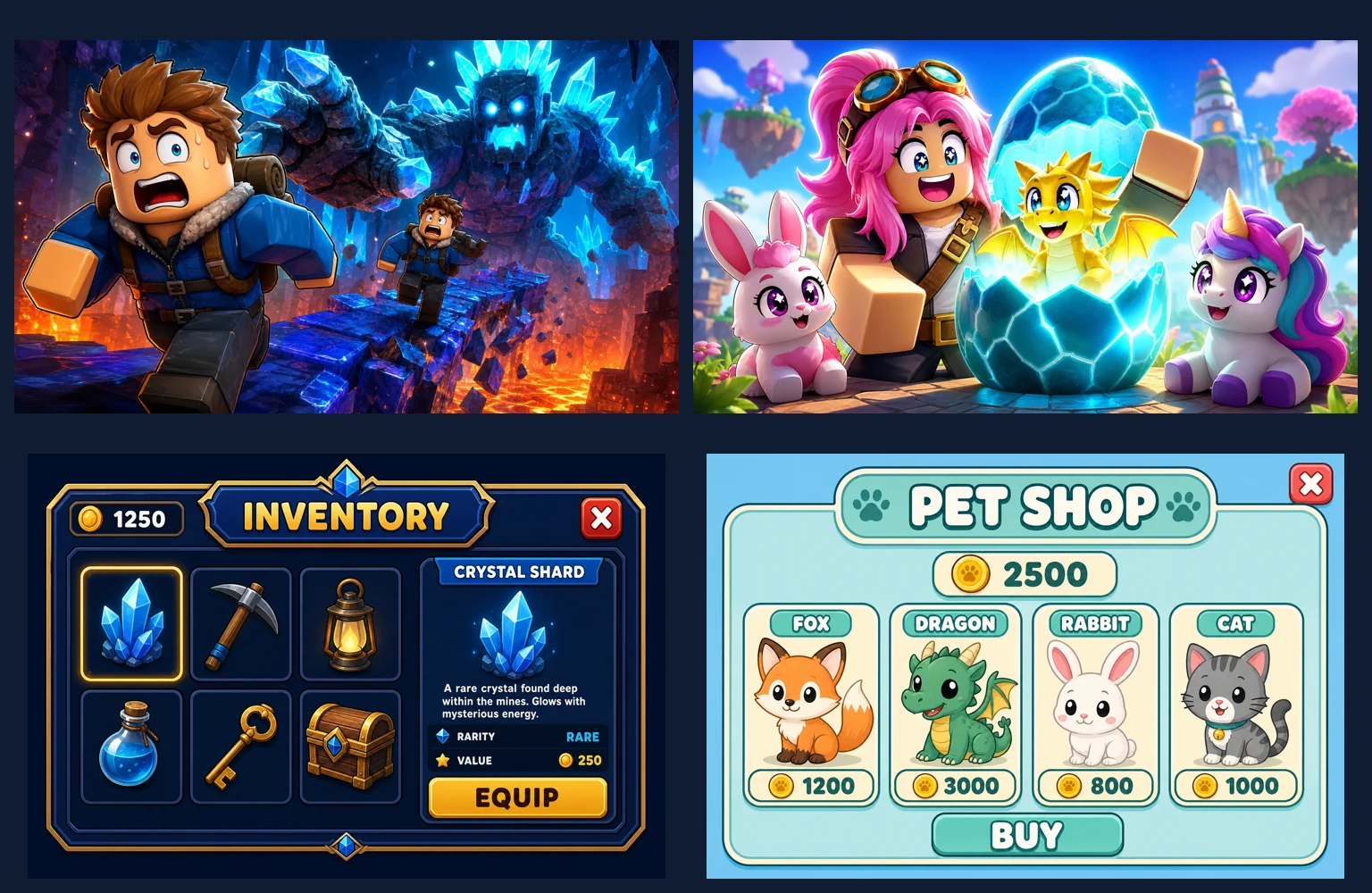
A project often stalls while its first useful visual is still missing. Forge GUI AI features help turn an uncertain brief into a direction a team can discuss. The Roblox Thumbnail Maker, for example, can produce testable promotional art while the interface, character, or prop remains in development.
Use Forge GUI AI features to connect those early decisions in one browser session. Generate a direction, inspect it, and request a focused revision. A promising result can remain the basis for further work instead of being discarded after every imperfect attempt.
Forge GUI AI features make a concept reviewable. Shipping Roblox GUI Generator concepts from Forge GUI AI features still requires implementation and testing in the production tools appropriate to the finished game.
Review scope: This assessment covers public pages, documented workflows, local behavior, and pricing reviewed August 31, 2026. Results depend on prompts and references. The documented Roblox 3D Generator supports production generation; check paid eligibility and available credits before starting a task.
Forge GUI AI Features at a Glance
- Use the Roblox Thumbnail Maker to test a rough visual idea at discovery-feed size.
- Treat Roblox GUI Generator output and avatar concepts as design specifications requiring implementation.
- Inspect the Roblox 3D Generator's textured GLB after reference creation and reconstruction; cleanup can remain.
- Develop Forge GUI AI features through focused follow-ups that preserve useful choices while correcting one issue.
- After using Forge GUI AI features, continue building, scripting, testing, and publishing the approved experience in Roblox Studio.
What the Forge GUI AI Features Deliver
Select an asset type, platform, style, and supported model, then submit a written brief with optional references. Forge GUI AI features continue through a conversation where subsequent requests target particular changes in the generated result.
Founded in April 2026, Forge GUI reported 35,702 creators, 19,146 generated game assets, and more than 31 graphic styles on its September 1 homepage. These were the site's own counters, not audited adoption statistics. Keep that date attached when using them as context for Forge GUI AI features.
The reviewed selector named GPT Image 2, Seedream V5 Pro, Nano Banana Pro, Nano Banana 2, Qwen Image 3.0, Qwen Image 3.0 Pro, Grok Imagine V2, Krea V2 Turbo, Nano Banana 2 Lite, and Krea V2 Large. That choice matters: the Roblox Thumbnail Maker may prioritize a cinematic scene, while the Roblox GUI Generator needs readable labels and the avatar workflow benefits from reference consistency.
Forge GUI AI features support these four output categories:
- Wide 16:9 promotional thumbnails
- Roblox GUI Generator interface concept artwork
- Full-body character directions
- Textured 3D drafts developed from generated references
Forge GUI AI features serve different handoffs. A thumbnail can enter a marketing test, while Roblox GUI Generator images and character concepts communicate design decisions. The Roblox 3D Generator supplies a GLB requiring technical inspection. Judge Forge GUI AI features by the next production step each output enables.
1. Forge GUI AI Features in the Roblox Thumbnail Maker
The Roblox Thumbnail Maker frames its task around a readable 16:9 game image. It must communicate at a glance on a phone and survive a crowded feed. Among Forge GUI AI features, this focused marketing workflow offers the clearest immediate use.
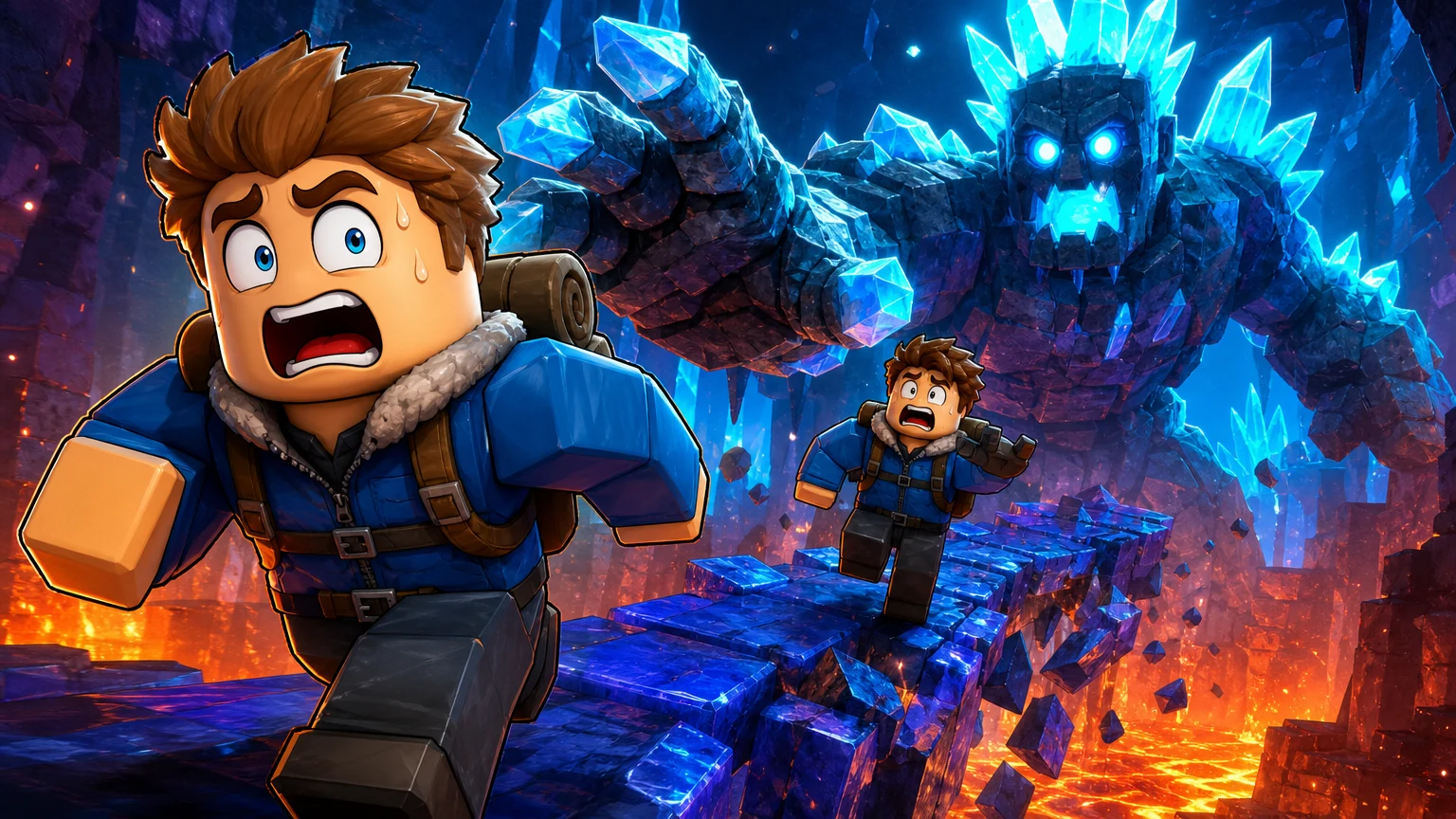
The project's Forge GUI AI features and Roblox Thumbnail Maker prompt chain produced this scene around one action, one threat, and contrasting orange and cyan light.
Brief the Roblox Thumbnail Maker on the subject, action, stakes, camera position, and atmosphere. Here is the example request:
Three blocky space miners sprinting toward the camera while a giant crystal worm erupts behind them, bright cyan cave, readable silhouettes, orange and teal contrast, dramatic lighting, no text.
A staged scene gives Forge GUI AI features a concrete direction. A request for a vaguely impressive mining image leaves the story undecided.
Revise one weakness while retaining the composition: enlarge the threat, simplify the surroundings, or clarify a face. Forge GUI AI features are easier to judge when a follow-up changes one variable. In the Roblox Thumbnail Maker, compare the revised result with the preceding image before accepting the change or requesting another version.
Check reference consistency, the truth of the gameplay promise, and readability at the actual display size. Forge GUI AI features provide the image to evaluate; the creator still selects what players will be shown. A visually convincing scene should accurately represent the experience being promoted.
2. Forge GUI AI Features in the Roblox GUI Generator
Use the Roblox GUI Generator to visualize an inventory, shop, HUD, menu, or dialog before the team settles its hierarchy. These Forge GUI AI features make the main action, spacing, and screen arrangement available for a concrete design discussion.
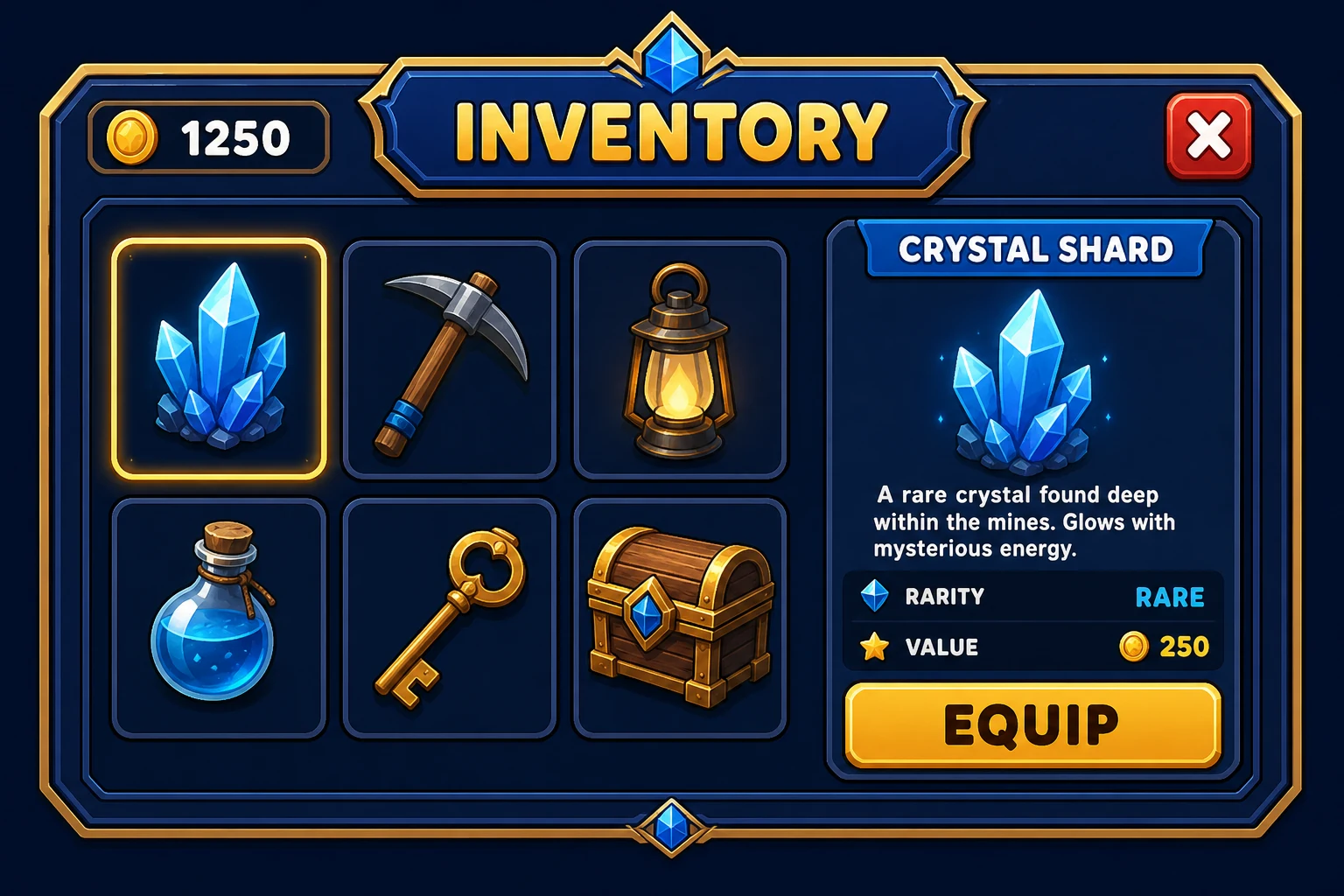
This interface came from the project's Forge GUI AI features and Roblox GUI Generator prompt chain; the article adds its wide presentation frame.
Start a Roblox GUI Generator brief with the screen's job: a mobile pet inventory, six generous slots, one selected legendary pet, currency above, and Equip below. Then specify rounded panels and blue-gold styling. Purpose gives Forge GUI AI features a useful structure.
Record the approved hierarchy, palette, spacing, shapes, and button treatment from the Roblox GUI Generator. Forge GUI AI features do not supply a functioning ScreenGui, responsive constraints, focus handling, loading states, localization, or Luau logic. Rebuild the visual decisions in Studio and implement those behaviors before treating the concept as a usable interface.
3. Forge GUI AI Features for Character Briefs
An outfit that sounds coherent in notes can become visually crowded. Forge GUI AI features let hair, materials, accessories, palette, and silhouette compete in one visible character concept.
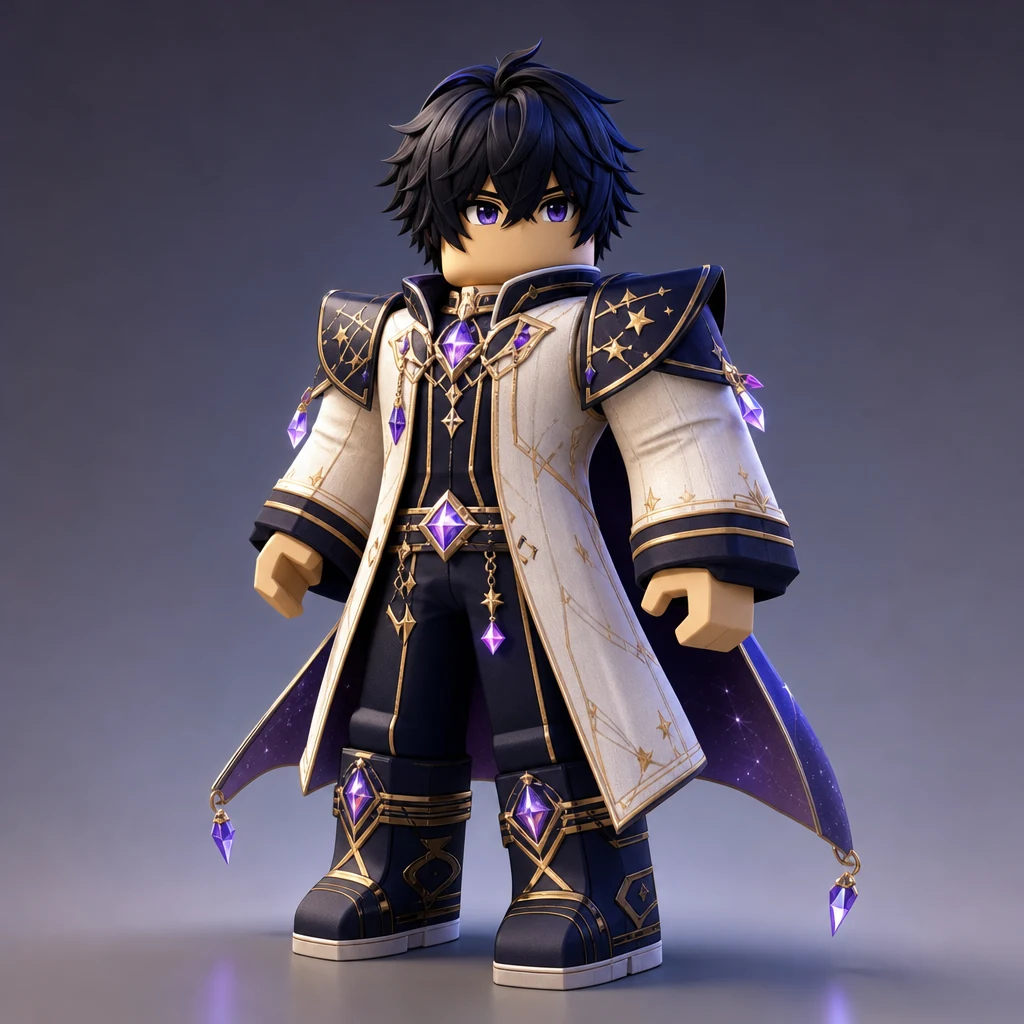
The full-body avatar prompt chain within Forge GUI AI features keeps clothing layers and identifying details visible together, making alternative character decisions easier to compare.
Use Forge GUI AI features for NPCs, player directions, event costumes, enemies, or a 3D artist's brief. A reference and a narrowly defined follow-up can preserve identity while adjusting one element.
The result communicates a character direction, without changing an account, assembling catalog items, validating UGC geometry, or delivering a rig. Forge GUI AI features organize scattered design notes into a readable image that another person can interpret before committing to the detailed production work.
4. Forge GUI AI Features for an Initial 3D Handoff
Begin with one fully visible subject against a simple background. The Roblox 3D Generator creates that square reference before reconstruction, then exposes progress, a browser model preview, and textured GLB download. These Forge GUI AI features keep the initial image and model handoff within a connected workflow.
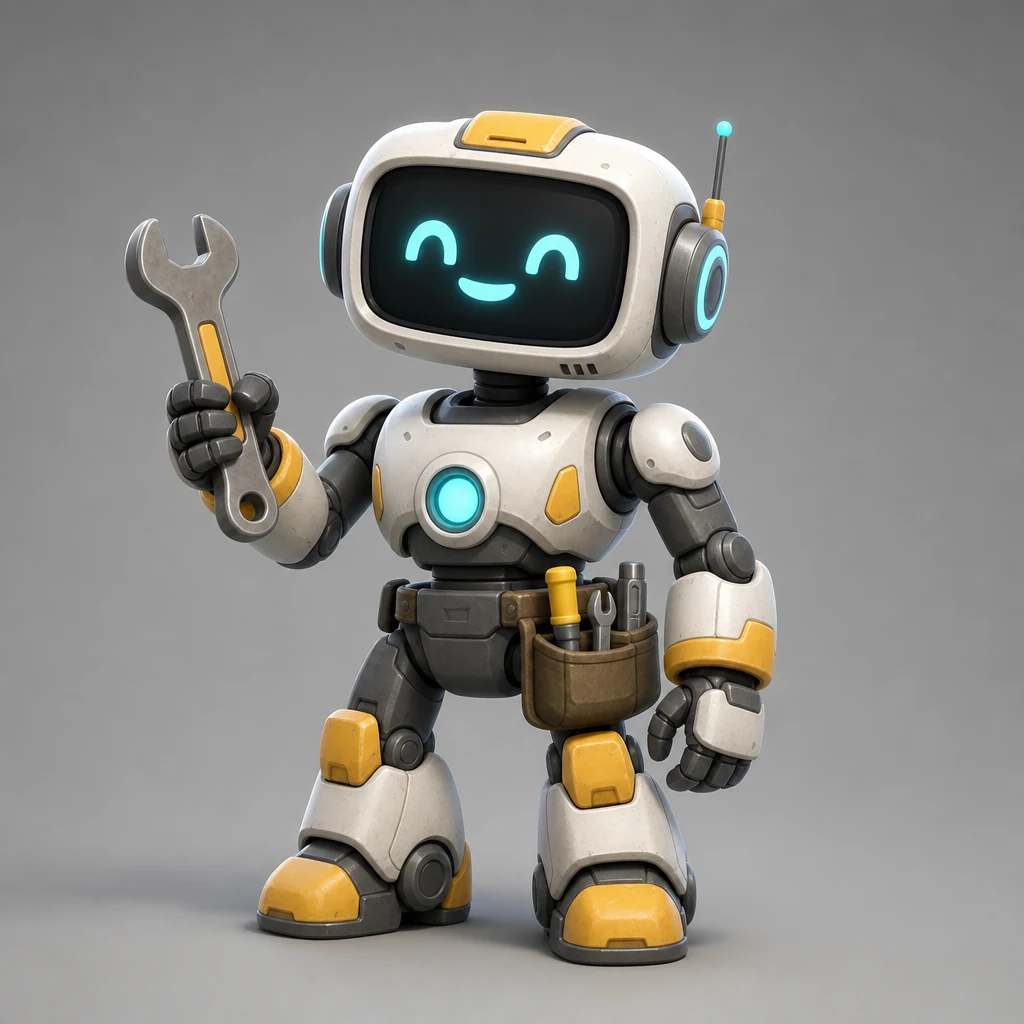
The dedicated reference builder supplied this Roblox 3D Generator input, emphasizing a complete readable subject rather than a crowded or dramatic composition.
Choose a prop, collectible, robot, mascot, or stylized machine with little occlusion. The Roblox 3D Generator needs to infer surfaces; overlapping characters in a battle scene hide too much of that geometry.
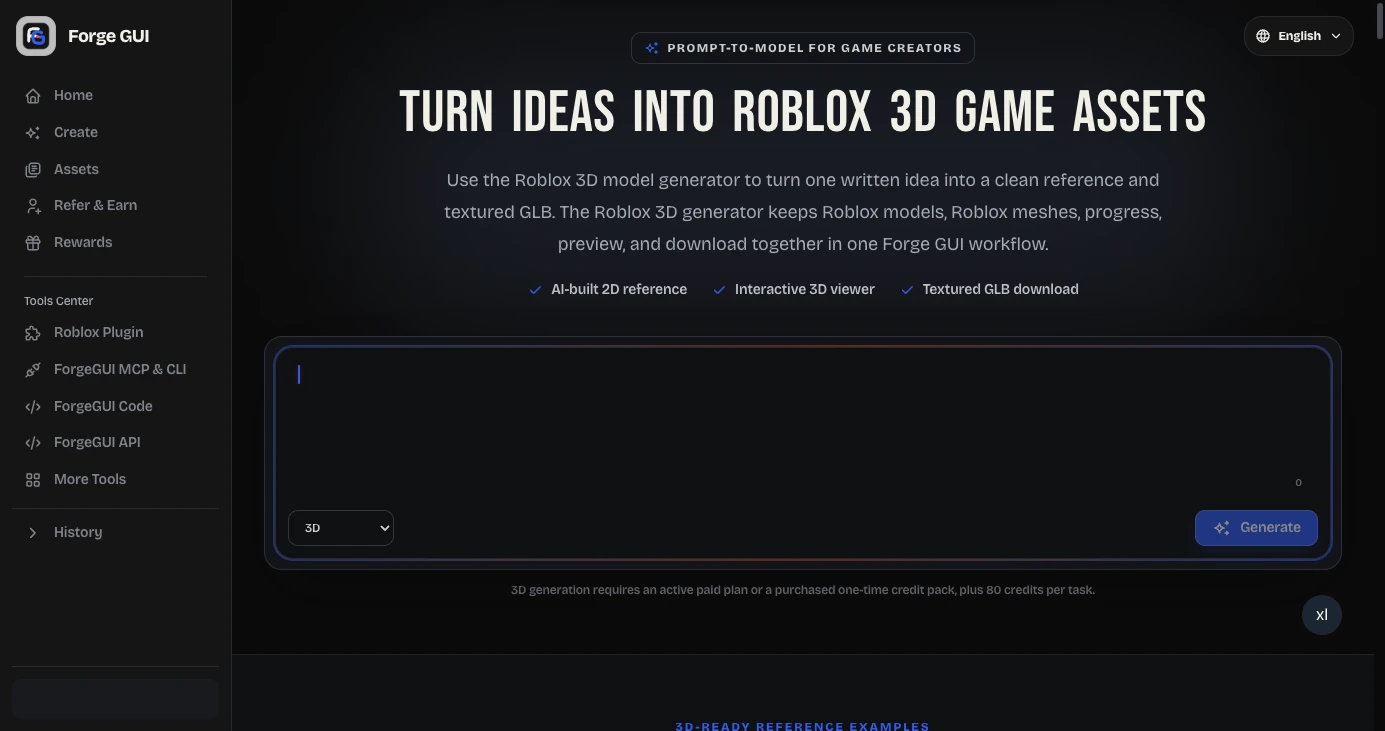
The product page illustrates the Roblox 3D Generator sequence: describe one asset, build the reference, and inspect the reconstructed output.
Inspect scale, topology, materials, collisions, and part separation in the GLB. Rigging or animation may also remain. The Roblox 3D Generator can offer a relatively simple background prop or a much less finished hero-character draft. Forge GUI AI features reduce the effort of reaching that first model without ensuring it meets every production requirement.
Where Forge GUI AI Features Fit in Production
Use Forge GUI AI features to settle a visible decision: compare launch images in the Roblox Thumbnail Maker, establish a dominant button in the Roblox GUI Generator, or reject a weak character outline before commissioning its finished version. That early review can guide the next investment.
References and follow-up edits connect the related creative tasks. Nearby utilities cover catalog ideas, image and decal IDs, shirt templates, and clothing previews. Forge GUI AI features can therefore remain close to the research a creator needs while assembling a consistent direction for the project.
Forge GUI AI features still leave implementation work. Images can drift across a large set, interface states need building, and models may need optimization or rigs. Approve silhouette and composition first, then palette, materials, and fine details. That order makes structural corrections easier before a polished appearance discourages reconsidering the underlying design.
Budgeting for Forge GUI AI Features
The reviewed annual pricing assigned the following monthly allowances to Forge GUI AI features and their credit-based generation tasks:
| Plan | Annual-equivalent price | Monthly credits | Standard image outputs |
|---|---|---|---|
| Starter | $9.90/month | 1,000 | 100 |
| Pro | $19.90/month | 4,000 | 400 |
| Studio | $49.90/month | 10,000 | 1,000 |
A standard image costs 10 credits. The documented Roblox 3D Generator requires an active paid subscription and reserves 80 credits per task, returning that reservation after terminal failure. One model attempt therefore costs the same credits as eight standard images, a useful comparison when budgeting Forge GUI AI features.
Image allowances are not model counts. At 80 credits each, 1,000, 4,000, and 10,000 credits fund 12, 50, and 125 whole Roblox 3D Generator tasks respectively. Verify current prices, offers, eligibility, and the available workspace before buying access to Forge GUI AI features.
Compare Forge GUI AI Features by the Required Output
| Tool | Best role | Pricing snapshot | Main trade-off |
|---|---|---|---|
| Forge GUI | Ten-model thumbnail, GUI, avatar, and early 3D workflow | Annual-equivalent tiers from $9.90/mo | Production implementation still belongs in specialist tools |
| Forge UI | Simple browser route to game thumbnails and GUI concepts | Annual-equivalent tiers from $9.90/mo | Public product copy does not name its underlying models |
| GFX Forge | Visual-first thumbnail, GUI, avatar, and 3D exploration | Annual-equivalent tiers from $9.90/mo | Overlaps Forge GUI but exposes less model detail publicly |
| BloxSmith | Generated Roblox UI, Luau, assets, and Studio plugin delivery | Pay as you go; preset generation listed at $0.50/frame | Narrower than a multi-asset visual workspace |
| Nilo | Browser-based 3D customization, rigging, animation, world building, and export | Free tier; reviewed promotional paid plans from $19.99/mo | Less focused on thumbnails and GUI concepts |
| Roblox Studio | Building, scripting, testing, and publishing the experience | Free editor | Not a fast concept-art or marketing-image tool |
Forge UI and GFX Forge advertise thumbnails, GUI concepts, avatars, and 3D modes, making them close visual-workflow comparisons. BloxSmith targets generated interface code delivered to Studio. Nilo extends further into optimization, rigs, motion, and world tests. Compare these roles with Forge GUI AI features rather than treating every advertised output as an equivalent finished asset.
Define the next deliverable before comparing tools. The Roblox Thumbnail Maker produces promotional artwork; the Roblox GUI Generator gives interface direction; the Roblox 3D Generator offers an initial model. Forge GUI AI features suit that visual decision stage. Specialized tools finish functional or optimized assets, with Studio providing the final testing environment.
Put Forge GUI AI Features Into a Review Cycle
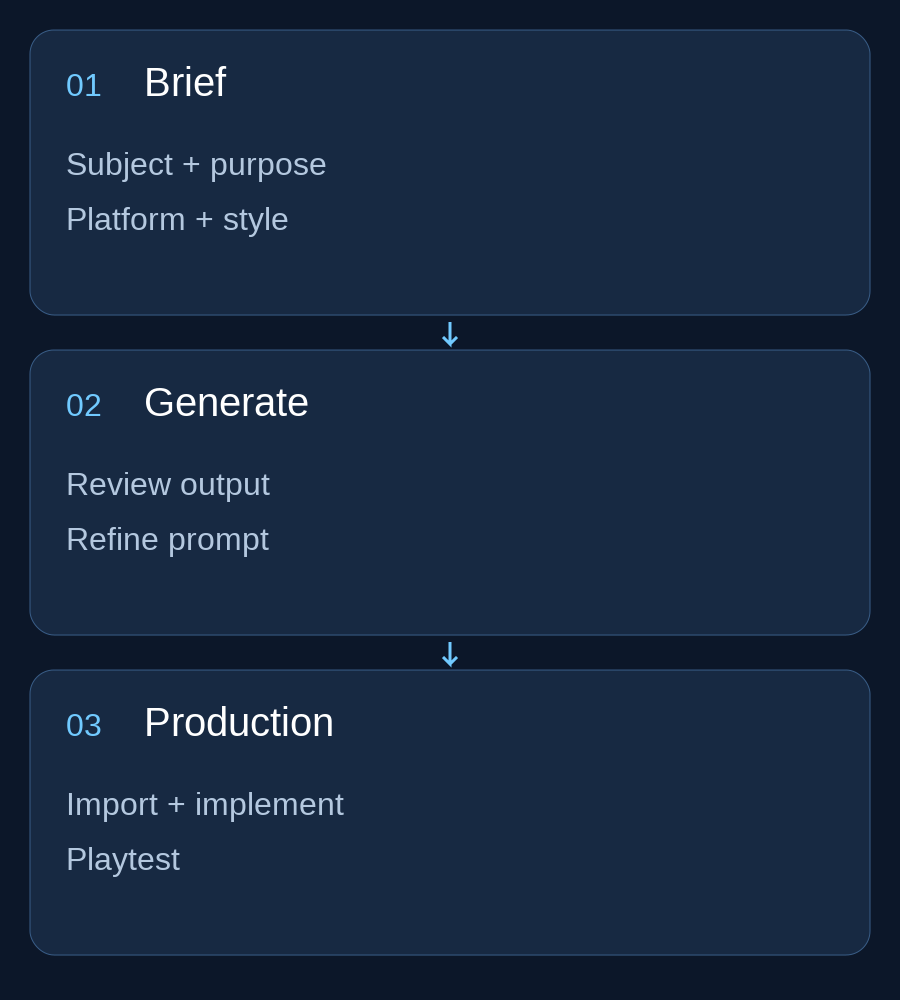
A useful generated asset gives the next production decision a clearer starting point.
- Specify the output. Give Forge GUI AI features one thumbnail, screen, character, or prop with a purpose, focal point, palette, and platform requirement.
- Approve the broad design. Inspect story, outline, hierarchy, and mobile readability before decorative detail.
- Target one correction. Keep successful choices and compare each revision against the previous result.
- Write down the specification. Capture interface and avatar colors, materials, proportions, spacing, and identifying details.
- Complete production elsewhere. Take Roblox 3D Generator output into suitable cleanup or animation software; implement and playtest in Studio.
- Refresh presentation after changes. Use accurate screenshots and references in the Roblox Thumbnail Maker so the final artwork represents the updated game players receive.
For images in Studio: ForgeGUI Roblox plugin. For assistant-led creation: ForgeGUI MCP.
Who Benefits From Forge GUI AI Features?
Forge GUI AI features suit solo creators, small teams lacking a dedicated artist, and developers evaluating ideas before full production. Frequent updates also create recurring reasons to revisit promotional artwork.
Use specialist workflows for strict polygon budgets, dependable character rigs, reusable interface components, or large asset libraries with controlled versions. Those requirements go beyond the visual decision stage supported by Forge GUI AI features.
The Practical Role of Forge GUI AI Features
The Roblox Thumbnail Maker is the most immediate strength; Roblox GUI Generator and avatar concepts improve design discussions. The Roblox 3D Generator creates an accessible first handoff. Forge GUI AI features become less complete once topology, rigging, animation, and performance are the central production concerns.
Let Forge GUI AI features make the idea visible, review the direction, and continue in the tool that can finish it. The approved concept should guide the remaining production work.
Questions About Forge GUI AI Features
Does the Roblox GUI Generator deliver a working interface?
The Roblox GUI Generator creates the visual specification. Studio work still covers layout, interaction states, input devices, responsiveness, and the behavior players actually use.
Does the Roblox 3D Generator include character rigs?
Avatar output is concept artwork. The documented Roblox 3D Generator returns textured GLB files without promising that rigging or animation accompanies the same generation workflow.
How do references guide Forge GUI AI features?
Explain whether a reference establishes identity, colors, arrangement, clothing, or atmosphere. Use permitted material and inspect the result for unintended imitation or changes from the intended direction.
Can Forge GUI AI features replace production editors?
Blender provides detailed 3D production control, while Roblox Studio handles construction, scripting, testing, and publication. The visual generation workflow supports those tools rather than completing their responsibilities.
What should I check before commercial use?
Paid plans describe a private commercial-use workflow. Before a client delivery or paid release, review current terms and the rights covering every reference used to create the output.